Skip to content

Copilot for Planner and To Do Automating Task Management

In today’s fast-paced digital workplace, managing tasks effectively is one of the most important skills for productivity and team success. Between meetings, emails, chats, and deadlines, it’s easy for key action items to fall through… 

How Microsoft Keeps Your Data Safe in the Cloud – A Deep Dive into Cloud Security Practices

In an era when organizations increasingly store sensitive information in the cloud, security and trust are paramount. Microsoft recognises this and has built a comprehensive security architecture that spans encryption, identity, physical infrastructure, compliance, and… 

Collaboration Scenarios How Teams, SharePoint, and OneDrive Work Together for Seamless Productivity

In today’s digital workplace, collaboration is the foundation of productivity. Teams are often distributed across locations and time zones, yet they must share files, co-author documents, and communicate instantly. Microsoft 365 offers a powerful trio… 

Microsoft 365 Admin Center Overview for Beginners

If you’re just getting started with Microsoft 365 Admin Center (often called the M365 Admin Center), this article is your friendly walkthrough. We’ll explore what it is, how to access it, the key sections you’ll… 

Understanding OneDrive for Business and Personal Storage

In today’s digital-first world, cloud storage has become the backbone of productivity and collaboration. Among the most trusted solutions available, Microsoft OneDrive stands out for its seamless integration with Windows and Microsoft 365. However, many… 

Step-by-Step Guide to Changing Desktop Icons in Windows 11

Windows 11 brought a fresh, modern interface with rounded corners, centered taskbar, and smoother animations — but personalization remains at the heart of the experience. One of the simplest ways to make your PC feel… 

How to Disable or Customize Transparency Effects in Windows 11 – Full Guide

Windows 11 introduces a sleek and modern look through Microsoft’s Fluent Design System, which includes elements like transparency, acrylic blur, and Mica effects. These features make menus, taskbars, and system backgrounds appear layered and translucent,… 

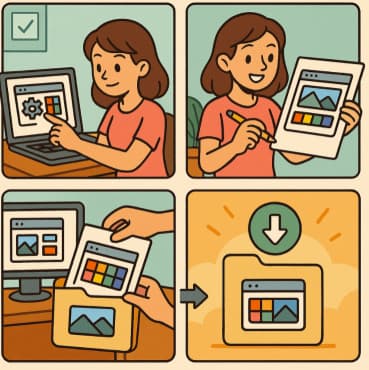
How to Build and Save Your Own Theme Pack in Windows 11 A Complete Guide

Windows 11 offers a sleek, modern interface with a host of personalization options that let users express their creativity. Whether you prefer a minimalist, vibrant, or dark aesthetic, you can modify almost every visual aspect… 

Automating Daily Tasks with Microsoft Power Automate

In today’s fast-paced work environment, the difference between getting bogged down in routine chores and focusing on high-value work often comes down to how well we automate those repetitive tasks. That’s where Microsoft Power Automate… 

Adding Animated Wallpapers to Your Desktop in Windows 11

If you’re running Windows 11 and want to make your desktop feel more alive, animated wallpapers (also called live wallpapers) are a great way to do it. Instead of using a static picture, you can… 

10 Ways to Customize the Start Menu in Windows 11

The Start menu is the heart of your Windows 11 experience. It’s where you access apps, documents, and system tools, all within a single click. Microsoft redesigned the Start menu for a cleaner and more… 

Hidden Settings That Make Multitasking Easier in Windows 11

Windows 11 was designed with productivity in mind. Its modern interface and streamlined tools make it one of Microsoft’s most multitasking-friendly operating systems ever. But beneath the clean design lie hidden settings that most users…