
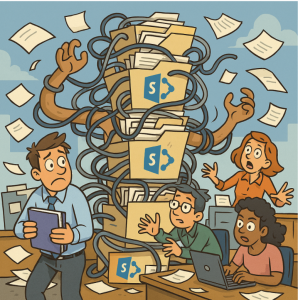
SharePoint has become the backbone of collaboration for many organizations. Its flexibility is a blessing—teams can create sites, share documents, and manage projects with ease. But without governance, that same flexibility can quickly turn into SharePoint sprawl: a maze of redundant sites, duplicated files, and forgotten content that frustrates users and undermines productivity.
The challenge is clear: how do you prevent sprawl without choking the collaboration SharePoint was designed to enable?
Let’s break it down.
What is SharePoint Sprawl?
Sprawl happens when SharePoint environments grow unchecked. Signs include:
- Dozens of nearly identical team sites
- Confusing folder structures with multiple “Final” versions of the same document
- Orphaned sites no longer actively used but still consuming space
- Lack of clarity about where the “single source of truth” lives
In other words, SharePoint stops being a helpful tool and becomes digital clutter.
Why Simply Locking It Down Doesn’t Work
Some organizations try to fight sprawl with strict controls: limiting site creation, requiring IT approval for every new library, or imposing rigid structures. While this prevents chaos, it often kills the very collaboration SharePoint enables. Employees start working around the system—using email attachments, local drives, or shadow IT solutions—making things even worse.
The key isn’t control; it’s guided freedom.
Strategies to Avoid Sprawl (Without Killing Collaboration)
1. Establish Clear Governance—But Keep It Light
Governance doesn’t mean bureaucracy. Create simple guidelines that answer:
- When should a new site be created?
- Who owns the site and its content?
- What’s the lifecycle (review, archive, delete)?
By setting these expectations early, you give teams freedom within a structure.
2. Empower Site Owners
Instead of funneling every request through IT, train and empower site owners. Give them checklists or templates for creating and maintaining sites, so they can keep collaboration smooth and consistent.
3. Use Templates and Naming Conventions
Consistent site templates reduce clutter. Standard naming conventions (e.g., “HR-Recruiting” vs. just “Recruiting”) make it easier to navigate and avoid duplicate sites.
4. Automate Where Possible
Leverage tools like Microsoft 365 groups, retention policies, and automated lifecycle management. For example, sites that haven’t been accessed in 12 months can be flagged for review. Automation prevents buildup without requiring manual policing.
5. Encourage Search Over Storage
Instead of relying on endless folders, encourage metadata tagging and search. This helps users find what they need quickly and reduces the temptation to create duplicate sites.
6. Make Archiving Part of the Culture
Just like spring cleaning, content should be reviewed regularly. Build archiving and deletion into the rhythm of your organization—quarterly reviews, annual audits, or project-closeout checklists.
Avoiding SharePoint sprawl doesn’t mean locking down collaboration. It’s about striking the balance between freedom and structure. By putting light but clear governance in place, empowering site owners, and using automation wisely, organizations can keep SharePoint clean, organized, and—most importantly—collaborative.
Extra posts:
 Getting Started with SharePoint Online for Collaboration
  The Future of SharePoint AI, Agents, and Smarter Collaboration (2025 Update)
  Collaboration Scenarios How Teams, SharePoint, and OneDrive Work Together for Seamless Productivity
  Connecting SharePoint Data to Copilot Insights A Complete Guide to Smarter Collaboration
  Transforming Remote Healthcare Collaboration with Microsoft 365
  Creating Groups in Exchange Online and SharePoint Online A Unified Collaboration Experience