
In today’s cloud-driven world, organizations shifting workloads to Microsoft Azure need more than just virtual machines and databases—they need governance. Governance provides the framework of rules, standards, and controls that keeps your Azure environment secure, compliant, and cost-efficient.
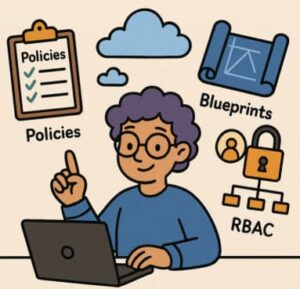
In this post, we’ll explore three essential Azure governance tools—Azure Policy, Azure Blueprints, and Role-Based Access Control (RBAC)—how they differ, how they work together, and how you can use them to create a well-governed Azure environment.
Why Azure Governance Matters
As your Azure environment grows—spanning multiple subscriptions, teams, and resource groups—it’s easy to lose track of standards and access controls. Without governance, you might face inconsistent configurations, security risks, and skyrocketing costs.
Governance establishes the guardrails that keep your Azure resources aligned with organizational and regulatory requirements.
Here’s why it matters:
- Consistency: Ensures all resources follow your company’s standards for naming, tagging, and configuration.
- Security and Compliance: Enforces policies that help maintain regulatory compliance and reduce risks.
- Scalability: Lets you manage governance at scale across many subscriptions.
- Cost Control: Prevents unnecessary resource creation and ensures resources are tagged for proper cost tracking.
Let’s look at the three tools that make this possible.
Azure Policy
Azure Policy is the backbone of Azure governance. It’s a rule engine that continuously evaluates your resources against defined requirements.
What It Does
- You define a policy definition, usually in JSON, that specifies a condition and an effect. For example:
- “All resources must include the tag ‘Environment’.”
- “Only deploy virtual machines in the East US region.”
- These policies are assigned to a scope—which can be a management group, subscription, resource group, or individual resource.
- Azure Policy then checks whether existing and newly created resources comply with these rules.
- Depending on the policy, it can audit, deny, modify, or even deploy resources automatically to correct non-compliance.
Why It Matters
Azure Policy ensures that your organization’s standards are consistently applied, even across hundreds of subscriptions. It enforces what is allowed or denied, independent of who has access.
RBAC controls who can do what, while Azure Policy controls what can be done. Together, they ensure both authorization and compliance.
Best Practices
- Start with audit mode before enforcing with deny or modify. This helps identify violations without breaking deployments.
- Group related policies into initiatives for easier assignment and reporting.
- Define policies at higher levels like management groups for broad enforcement.
- Treat policies as code—version them, review changes, and automate deployments to maintain control.
Role-Based Access Control (RBAC)
While Azure Policy governs resources, RBAC governs people. RBAC defines who can do what on which resources.
Core Concepts
- RBAC assigns roles (like Owner, Contributor, or Reader) to principals (users, groups, or managed identities).
- Each role includes a set of permissions, such as “read,” “write,” or “delete.”
- These assignments apply at different scopes—management group, subscription, resource group, or specific resource.
Why It Matters
RBAC helps implement the principle of least privilege. Instead of giving everyone broad access, you provide only the permissions they need.
This minimizes risk by preventing accidental or unauthorized changes and ensures accountability through clear access controls.
Best Practices
- Always grant the least privilege possible. Avoid giving Owner rights broadly.
- Assign roles at the narrowest scope that makes sense.
- Conduct regular access reviews to remove outdated permissions.
- When built-in roles aren’t enough, create custom roles tailored to specific job functions.
RBAC provides the foundation of security in Azure by ensuring that only authorized users can perform specific actions.
Azure Blueprints
If Azure Policy sets the rules and RBAC controls access, Azure Blueprints brings it all together. It’s a packaging and deployment tool that enables you to define and roll out a governed environment consistently across your organization.
What It Does
- A blueprint is a collection of artifacts such as Resource Groups, Azure Policies, Role Assignments, and ARM templates.
- You create and publish a blueprint, then assign it to a subscription or management group.
- The blueprint ensures that every deployment meets your organizational standards from the start.
- Blueprints can be versioned and updated as your governance requirements evolve.
Why It Matters
Blueprints make it easy to create consistent and compliant environments. For example, when onboarding a new project team or business unit, you can deploy a preconfigured Azure environment with all the right roles, policies, and resources baked in.
This eliminates configuration drift, speeds up provisioning, and enforces compliance automatically.
Best Practices
- Use versioning to track changes and ensure consistency across environments.
- Apply Blueprints when managing multiple subscriptions that must adhere to the same governance standards.
- Include your core governance policies and role assignments directly in the blueprint.
- Regularly review and update blueprint assignments to stay current with evolving business or regulatory needs.
How They Work Together
Understanding how Azure Policy, RBAC, and Blueprints complement each other is key:
- RBAC defines who can do what.
- Azure Policy defines what can be done.
- Azure Blueprints define how everything is deployed and governed.
Together, these tools create a full lifecycle governance framework—from access control to compliance enforcement and environment provisioning.
Real-World Example
Imagine your company has multiple departments, each with its own Azure subscription. You want to make sure:
- Only approved regions can be used.
- Every resource has the required tags.
- Access is restricted to specific administrators.
- New subscriptions can be onboarded quickly with all controls in place.
Here’s how you could use these tools:
- Azure Policy: Create policies that restrict regions and enforce tagging. Assign them at the management group level.
- RBAC: Assign Contributor roles to department admins and Reader roles to auditors.
- Azure Blueprints: Package your policies, roles, and network templates into a blueprint. When a new subscription is created, simply assign the blueprint to deploy a compliant, secure setup in minutes.
This approach scales governance while keeping flexibility for individual teams.
Common Governance Challenges
Even with the right tools, organizations often face challenges:
- Overly strict policies can block legitimate work. Start with audit mode and move to enforcement gradually.
- Flat subscription structures make it hard to apply consistent governance. Use management groups effectively.
- Access sprawl happens when permissions are not reviewed regularly. Schedule quarterly audits of RBAC assignments.
- Governance drift occurs when standards aren’t updated. Treat policies and blueprints as living documents.
- Manual management can cause inconsistency. Automate governance using Infrastructure as Code and CI/CD pipelines.
Azure governance is not just about control—it’s about enabling secure, compliant, and scalable growth. By using Azure Policy to enforce standards, RBAC to manage access, and Azure Blueprints to deploy consistent environments, organizations can ensure that every workload is deployed responsibly and efficiently.
The key takeaway is simple: govern early and govern often. Don’t wait for chaos to strike—bake governance into your Azure environment from day one. Over time, these tools will not only protect your resources but also empower your teams to innovate with confidence.
Extra posts:
 How to Implement Azure AD Conditional Access Policies Step-by-Step
  Token-Based Authentication in Azure Using JWT for Stateless Security
  How Azure Active Directory Supports Secure Copilot Access
  Event Based Design Architecture Pattern in Azure
  Federated Identity in Azure Seamless Access with External Identity Providers
  A Complete Guide to Azure Database Migration Strategies, Tools, and Best Practices