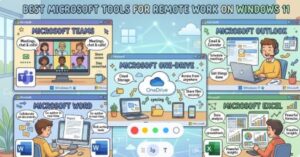
Remote work has transformed from a temporary workplace solution into a long-term business strategy for companies worldwide. As organizations continue embracing hybrid and remote environments, professionals need tools that improve communication, productivity, collaboration, and workflow management.
Windows 11 has become one of the most powerful operating systems for remote professionals because it integrates seamlessly with Microsoft’s productivity ecosystem. From communication apps to automation tools and AI-powered assistants, Microsoft now offers a complete digital workspace designed for modern remote teams.
Whether you are a freelancer, business owner, project manager, or enterprise employee, using the right Microsoft tools on Windows 11 can significantly improve efficiency and reduce workplace friction.
In this article, we explore the best Microsoft tools for remote work on Windows 11 and how they help professionals stay productive in 2026.
1. Microsoft Teams
Microsoft Teams has become the backbone of remote communication for businesses across the globe. It combines messaging, video conferencing, file sharing, scheduling, and collaboration into one centralized workspace.
Instead of switching between multiple apps, remote teams can communicate, manage meetings, and collaborate on documents directly inside Teams.
Key Features
- Video meetings and webinars
- Team messaging and channels
- File collaboration
- Shared calendars
- AI-generated meeting notes
- Screen sharing and recordings
One of the biggest advantages of Microsoft Teams is its integration with Microsoft 365. Employees can collaborate on Word documents, Excel spreadsheets, and PowerPoint presentations in real time without leaving the platform.
Why Teams Is Essential for Remote Work
Remote teams often struggle with disconnected communication. Important updates may get buried in emails, while project discussions become difficult to track across different platforms.
Microsoft Teams solves this issue by creating a unified workspace where conversations, meetings, files, and tasks are stored together.
The addition of AI-powered meeting summaries and task recommendations also helps reduce meeting fatigue and improves asynchronous collaboration across different time zones.
Best For
- Corporate teams
- Hybrid workplaces
- Enterprise collaboration
- Project management communication
2. Microsoft OneDrive
Cloud storage has become essential for remote work, and Microsoft OneDrive is one of the best solutions for Windows 11 users.
OneDrive allows users to securely store, sync, and share files across devices. Since it is deeply integrated into Windows 11, users can access their documents instantly without relying on external storage devices.
Key Features
- Automatic cloud backup
- Real-time file syncing
- Secure file sharing
- Version history
- Cross-device access
- Offline file support
Why OneDrive Matters for Remote Teams
Remote employees need instant access to files from anywhere. OneDrive ensures documents remain available whether users are working from home, coworking spaces, or traveling.
The platform also reduces the risk of data loss through automatic backups and recovery features. Teams can collaborate on shared documents without sending endless email attachments back and forth.
For businesses already using Microsoft 365, OneDrive creates a seamless workflow across the entire Microsoft ecosystem.
Best For
- File management
- Remote collaboration
- Secure document sharing
- Cloud storage
3. Microsoft PowerToys
Microsoft PowerToys is one of the most underrated productivity tools available for Windows 11 users. Originally developed for advanced users, it now provides practical utilities that significantly improve workflow efficiency for remote professionals.
Most Useful PowerToys Features
FancyZones
FancyZones enhances multitasking by allowing users to create custom desktop layouts. Remote workers using multiple monitors can organize applications more efficiently and reduce desktop clutter.
PowerToys Run
PowerToys Run acts as a fast application launcher and search tool that helps users quickly open apps, files, and commands.
Keyboard Manager
This feature allows users to remap shortcuts and optimize repetitive tasks, improving overall workflow speed.
File Explorer Add-ons
PowerToys improves File Explorer with features like SVG previews, Markdown previews, and enhanced file management.
Why Remote Workers Love PowerToys
Remote work often requires handling multiple apps simultaneously, including communication tools, browsers, spreadsheets, documents, and project management software.
PowerToys helps users manage these workflows more efficiently and reduces time wasted navigating between windows and files.
Best For
- Multitasking
- Productivity optimization
- Advanced workflows
- Multi-monitor setups
4. Microsoft Copilot
Artificial intelligence is rapidly changing how remote teams work, and Microsoft Copilot is becoming one of the most valuable AI tools in Windows 11.
Copilot acts as an AI assistant integrated directly into the operating system and Microsoft 365 apps.
What Copilot Can Do
- Summarize meetings
- Generate content drafts
- Analyze spreadsheets
- Answer questions
- Automate repetitive tasks
- Organize workflows
Why Copilot Improves Remote Productivity
Remote professionals spend large amounts of time searching for information, writing emails, organizing tasks, and managing documentation.
Microsoft Copilot helps reduce this workload by assisting with daily administrative and creative tasks. Instead of manually creating reports or summarizing conversations, users can rely on AI assistance to complete tasks faster.
As AI adoption grows in workplaces, Copilot is becoming a central productivity companion for Windows 11 users.
Best For
- AI-powered productivity
- Content generation
- Workflow assistance
- Business professionals
5. Microsoft Power Automate
One of the biggest productivity killers in remote work is repetitive manual work. Microsoft Power Automate helps solve this problem through workflow automation.
Power Automate enables users to create automated workflows between apps and services without advanced coding knowledge.
Common Automation Examples
- Automatically saving email attachments
- Sending reminders
- Organizing files
- Updating spreadsheets
- Managing approvals
- Synchronizing data
Why Automation Matters for Remote Work
Remote employees often spend hours every week on repetitive administrative tasks. Automation allows teams to focus on meaningful work instead of routine processes.
Power Automate also helps reduce human errors and improves operational efficiency across distributed teams.
Best For
- Workflow automation
- Administrative tasks
- Business operations
- Productivity optimization
6. Microsoft Outlook
Email remains a core communication tool for businesses, and Microsoft Outlook continues to be one of the best professional email platforms for remote workers.
Modern Outlook now includes:
- Integrated calendars
- Meeting scheduling
- AI-assisted email writing
- Task management
- Shared mailboxes
- Focused inbox organization
Why Outlook Is Important for Remote Teams
Remote work depends heavily on scheduling and communication. Outlook simplifies coordination by integrating calendars, meetings, and email conversations into one platform.
Its integration with Teams also makes scheduling and joining meetings much faster and more efficient.
Best For
- Business communication
- Scheduling
- Calendar management
- Professional email workflows
7. Microsoft Whiteboard
Brainstorming remotely can be challenging, especially for creative and collaborative teams. Microsoft Whiteboard solves this issue by providing a shared digital canvas for visual collaboration.
Teams can:
- Sketch ideas
- Create diagrams
- Add sticky notes
- Collaborate in real time
- Conduct remote workshops
Why Whiteboard Works for Remote Collaboration
Visual collaboration is often missing in remote work environments. Whiteboard recreates the experience of brainstorming in a physical meeting room while allowing participants to contribute from anywhere.
Best For
- Brainstorming sessions
- Workshops
- Team collaboration
- Creative planning
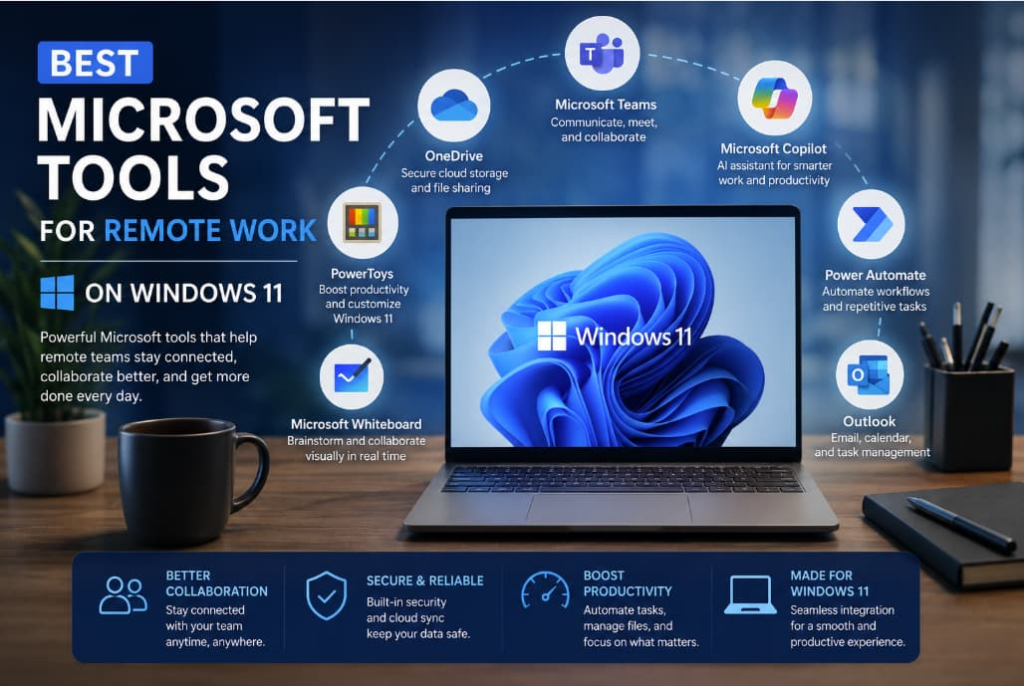
Windows 11 has evolved into a complete productivity platform for remote professionals, especially when combined with Microsoft’s ecosystem of collaboration and automation tools.
The best Microsoft tools for remote work are not just about communication. They help teams:
- Stay organized
- Automate repetitive tasks
- Collaborate efficiently
- Manage files securely
- Improve productivity with AI
For most professionals, a strong remote-work setup on Windows 11 includes:
- Microsoft Teams for communication
- OneDrive for cloud storage
- PowerToys for productivity
- Copilot for AI assistance
- Power Automate for automation
- Outlook for scheduling and email
As remote work continues evolving in 2026, businesses that adopt integrated productivity ecosystems will gain a major advantage in efficiency, flexibility, and collaboration.