
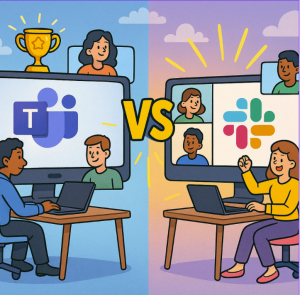
Remote work is now deeply embedded in how many companies operate. Tools like Microsoft Teams and Slack are no longer just optional extras — they’re mission-critical infrastructure. As of 2025, both platforms have matured significantly. Let’s compare them across key dimensions that matter for distributed teams and see which comes out ahead — or in what scenarios.
What’s New in 2025
Before comparing, it’s important to note the recent upgrades and changes each platform has rolled out in 2025. These features shift the balance in some ways.
Slack Highlights for 2025
- Expanded AI features across plans: conversation and thread summaries, huddle notes, advanced recaps, translations, and workflow generation.
- Deeper Salesforce integration with “Salesforce Channels” to collaborate around customer data and service cases directly in Slack.
- Improved security on Free/Pro plans: session duration controls, ability to block jailbroken devices, file download blocking, and message copying controls.
- Phasing out legacy custom bots and classic apps; encouraging migration to newer app frameworks.
Microsoft Teams Highlights for 2025
- Added threaded conversations, with options for post-based or thread-based layouts; “followed threads” view for focus.
- Expanded meeting and event features: town hall meetings with up to 100,000 attendees (with Teams Premium).
- Accessibility upgrades: real-time speech interpretation, multi-language spell checking, and transcription.
- UI improvements: resizable panes, detachable chat/notes panels, better shared screen controls.
Side-by-Side Comparison: Key Categories
| Feature / Dimension | Microsoft Teams (2025) | Slack (2025) | Edge / When |
|---|---|---|---|
| Communication & Messaging | Threaded conversations, chat layout options, robust video and voice integration within Microsoft 365. | Mature chat features, lots of app integrations, huddles, summaries, and lightweight UX. | Slack is quicker for fast messaging; Teams excels if you want unified communication within Microsoft. |
| Meetings & Events | Strong for large events, webinars, training, with advanced transcription and interpretation. | Best for quick huddles and smaller meetings. Large events require extra tools. | Teams for scale, Slack for casual syncs. |
| AI & Knowledge Work | Strong meeting recaps and Copilot features integrated into the Microsoft 365 ecosystem. | Advanced AI for summaries, translations, workflow generation, and enterprise search. | Slack leads for AI-driven knowledge management; Teams fits best if you’re already in Microsoft’s ecosystem. |
| Integration & Ecosystem | Seamless with Outlook, SharePoint, OneDrive, and Office apps. | Huge marketplace of apps and bots, flexible integrations with Salesforce, Google, and others. | Teams for Microsoft-centric orgs; Slack for mixed-stack flexibility. |
| Security & Compliance | Enterprise-grade compliance, strong access controls and device management. | Improved admin tools and security, but enterprise compliance is less extensive than Microsoft’s. | Teams is stronger in regulated industries; Slack is fine for smaller, agile teams. |
| User Experience | Improved layout control and accessibility, but still heavier than Slack. | Sleek, fast, intuitive; strong customization for workflows. | Slack wins for fluid UX; Teams is better for structure. |
Pros & Cons
Microsoft Teams
Pros:
- Excellent for large-scale meetings and events.
- Deep Microsoft 365 integration.
- Strong enterprise security and compliance.
- New features (threading, interpreters, layout control) improve usability.
Cons:
- Can feel heavy and resource-intensive.
- Steeper learning curve.
- Best only if you’re already committed to Microsoft 365.
- Some features still rolling out gradually.
Slack
Pros:
- Fast to adopt and intuitive for chat-based work.
- Strong AI features for summaries, workflows, and translations.
- Flexible app marketplace.
- Lightweight and agile for small to medium teams.
Cons:
- Rising costs for advanced AI and enterprise features.
- Deprecation of older apps and bots requires migration work.
- Limited for large-scale meetings and compliance needs.
- Can become noisy with too many integrations.
Looking Ahead
Future battles between the two will hinge on:
- AI agents and workflows — how flexibly each platform integrates AI into daily work.
- Asynchronous tools — summaries, transcripts, and thread management.
- Cross-platform performance — mobile, low-bandwidth, and global usability.
- Pricing models — how cost-effective advanced features are for small vs. large teams.
- Interoperability — ability to work seamlessly with external tools beyond each ecosystem.
Extra posts:
 Best Microsoft Tools for Remote Work on Windows 11
  What’s New in Microsoft Teams – May 2025 Update (With How-To Guide)
  Collaboration Scenarios How Teams, SharePoint, and OneDrive Work Together for Seamless Productivity
  Transforming Remote Healthcare Collaboration with Microsoft 365
  The Small Business Owner’s Guide to Using AI 5 Immediate Wins with Microsoft 365
  Unlocking Productivity Remote Tools for Microsoft Edge