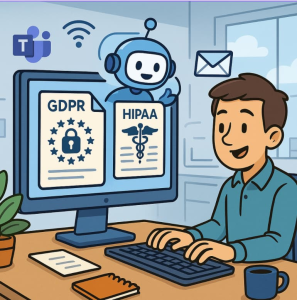
In today’s data-driven workplace, legal and compliance teams face a constant balancing act: staying ahead of complex regulations like GDPR and HIPAA while managing the sheer volume of communication data flowing through Microsoft Teams and Outlook. Every chat message, email thread, and shared document can contain personal or protected information—making manual reporting and redaction nearly impossible to sustain.
Enter Copilot for Microsoft 365. Beyond its productivity benefits, Copilot is rapidly becoming a powerful ally for compliance automation—helping organizations move beyond compliance checkboxes and toward proactive, data-aware governance.
The Challenge: Hidden Sensitive Data Across Platforms
Consider a compliance officer tasked with preparing a quarterly GDPR audit report. They must ensure that:
- No personal data (PII) is being mishandled in Teams chats.
- Outlook threads containing health information (PHI) are properly redacted before external sharing.
- Reports are generated quickly to demonstrate compliance posture.
Traditionally, this involves manual searches, complex filters, and painstaking review—a process prone to human error and burnout.
The Solution: Copilot-Powered Compliance Automation
By integrating Copilot across Teams and Outlook, compliance teams can now automate sensitive data discovery, summarization, and reporting—directly from the apps they already use.
Here’s how Copilot can transform key workflows:
1. Summarize and Classify Communications
Copilot can scan Teams channels or Outlook mailboxes and generate structured summaries of data handling activities:
“Summarize all Teams chats this quarter that include customer names or email addresses.”
Copilot identifies PII mentions and organizes them by type (e.g., contact info, financial details, health data), providing an instant overview of compliance exposure.
2. Redact Sensitive Information Automatically
Before sharing chat logs or email exports, Copilot can redact or mask sensitive fields:
“Redact all health-related information from this Outlook thread before exporting.”
Using built-in Microsoft Purview sensitivity labels, Copilot ensures that redaction aligns with corporate data classification policies—minimizing manual review effort and risk.
3. Generate GDPR or HIPAA Audit Reports
Copilot can compile compliance-ready reports summarizing incidents, mitigations, and retention timelines:
“Create a GDPR compliance report summarizing all Teams and Outlook conversations containing PII from the last 90 days.”
It can even cross-reference retention policies, data subject requests, or incident logs—producing a comprehensive audit trail ready for legal review or submission.
Cross-Application Insight: The Power of Connected Compliance
Because Copilot operates across the Microsoft 365 ecosystem, it can bridge the compliance gaps that often exist between collaboration and communication tools:
- From Teams to Outlook: Identify when sensitive data shared in chat later appears in an email chain.
- From Outlook to SharePoint: Flag attachments containing PHI uploaded to shared drives.
- From Excel to Word: Summarize data exports or report drafts to ensure consistent redaction.
This connected approach enables compliance teams to respond faster to data subject access requests (DSARs), internal investigations, and regulatory audits—with full visibility and context.
Beyond Compliance: Building a Culture of Responsible AI
Copilot doesn’t replace the need for compliance expertise—it amplifies it. By automating the repetitive aspects of GDPR and HIPAA reporting, legal and compliance professionals can focus on higher-value tasks: interpreting risk, advising business units, and shaping data ethics policies.
As AI becomes embedded across enterprise workflows, responsible automation is key. Copilot helps ensure that automation is accountable—traceable, transparent, and aligned with governance frameworks.
Getting Started
To unlock these capabilities:
- Enable Copilot in Microsoft Teams and Outlook within your tenant.
- Integrate Microsoft Purview for sensitivity labeling and data loss prevention.
- Define custom prompts for compliance scenarios (e.g., “Summarize potential GDPR risks in this chat”).
- Automate report generation through Power Automate or SharePoint workflows linked to Copilot outputs.
With these steps, your compliance team can move from reactive reporting to proactive governance—ensuring privacy and compliance are woven into every digital conversation.
The future of compliance isn’t just about following the rules—it’s about building systems that make doing the right thing effortless.
With Microsoft Copilot, compliance automation becomes not just a safeguard, but a strategic advantage.
Extra posts:
 Privacy and Compliance Standards (ISO, GDPR, HIPAA) in Microsoft 365
  Auditing the AI How to Use the Copilot Interaction Export API for Compliance Logs
  Transform Your Email Game with Outlook Copilot
  How do I automatically convert emails to tasks in Outlook using Copilot?
  How to Collaborate Better with Copilot in Microsoft Teams
  How Microsoft 365 Copilot Is Changing Project Management in Teams