Skip to content

Microsoft 365 Copilot and the Future of Visual Agent Is It Deprecated or Replaced?

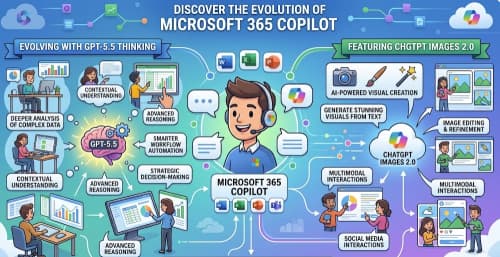
The AI Agent Evolution in Microsoft 365 Copilot Microsoft 365 Copilot represents Microsoft’s vision of embedding advanced AI across Word, Excel, Outlook, Teams, and other apps to help users with content generation, data analysis, and… 

License Plans for Microsoft 365 Copilot

As Microsoft adds increasingly powerful AI capabilities, Copilot is becoming central to their strategy for powered productivity. But with power comes complexity: there are now several licensing plans depending on whether you’re an individual, a… 

Crafting Better AI Images with Copilot Tips Techniques and Pitfalls

In the age of generative AI, tools like Microsoft Copilot (with its built-in image creator) give everyday users the power to turn a concept into a visual in seconds. But to get images that feel… 

The Small Business Owner’s Guide to Using AI 5 Immediate Wins with Microsoft 365

Running a small business often means wearing multiple hats—manager, marketer, bookkeeper, and customer service rep all in one. Fortunately, artificial intelligence (AI) tools built into Microsoft 365 can give you back valuable time and help… 

Introducing Knowledge Agent in SharePoint (Public Preview)

In September 2025, Microsoft launched the Knowledge Agent feature in public preview for SharePoint, as part of the broader Copilot & AI investments. This marks a significant step toward making SharePoint not just a content… 

Building Prompts for M365 Copilot That Give Consistently Good Results

Microsoft 365 Copilot is powerful—it can summarize meetings, draft reports, generate presentations, and even help analyze data in Excel. But like any AI assistant, the quality of its output depends heavily on the quality of… 

AI Mistakes in Microsoft Copilot and How to Fix Them

Artificial Intelligence (AI) is transforming the way we work, and Microsoft Copilot is at the forefront of this change—integrating AI into tools like Word, Excel, PowerPoint, and Outlook. While Copilot has the potential to save… 

Copilot in Excel Turning Data Nightmares into Insights in Seconds

We’ve all been there: staring at a massive spreadsheet filled with endless rows and columns, wondering how on earth to make sense of it all. Whether it’s messy sales data, survey results, or financial reports,… 

Stress-Free Travel How to Use Microsoft 365 and Copilot to Plan Your Vacation or Business Trip

Planning a trip should be exciting—but between flights, hotels, expenses, and scheduling, it often feels like a second job. Luckily, if you’re using Microsoft 365, you already have a travel planning toolkit at your fingertips.… 

Supercharge Your IT Certification Prep How Copilot Can Be Your Study Buddy

Preparing for IT certifications like Microsoft Azure, Microsoft 365, or Power Platform exams can feel overwhelming. The amount of material, the constant updates, and the pressure to both understand theory and practice hands-on skills can… 

Unlock Marketing Superpowers with Copilot in Microsoft 365 A Step-by-Step Guide

In today’s fast-paced digital world, marketing teams juggle content creation, campaign planning, analytics, and collaboration—all while trying to stay creative and ahead of the competition. Enter Copilot in Microsoft 365 (M365): your AI-powered partner that… 

Writing Effective Prompts for Microsoft 365 Copilot

Microsoft 365 Copilot is transforming the way we work by bringing the power of AI directly into the apps we use every day — Word, Excel, PowerPoint, Outlook, and Teams. But like any AI-powered tool,…