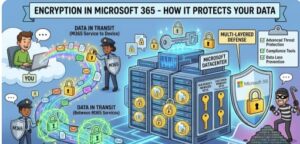
In today’s digital workplace, data is constantly moving between emails, cloud storage, collaboration tools, mobile devices, and remote teams. As businesses rely more heavily on cloud platforms, protecting sensitive information has become one of the top priorities for organizations of every size. This is where Microsoft 365 encryption plays a critical role.
Encryption is one of the strongest defenses against cyber threats, unauthorized access, and data breaches. Microsoft 365 uses multiple layers of encryption technologies to safeguard business communications, files, identities, and applications. Whether your employees are sending emails through Outlook, storing files in OneDrive, collaborating in Teams, or managing documents in SharePoint, encryption helps ensure that your data remains protected at all times.
This article explains how encryption works in Microsoft 365, the different types of encryption used, and why it is essential for modern businesses.
What Is Encryption?
Encryption is the process of converting readable information into coded data that can only be accessed or decoded by authorized users with the correct encryption key. Even if cybercriminals intercept encrypted information, they cannot read or use it without the proper decryption credentials.
In simple terms, encryption acts like a digital lock for your data.
Microsoft 365 uses encryption to secure:
- Emails and attachments
- Files and documents
- Teams conversations
- SharePoint content
- User identities and credentials
- Data stored in the cloud
- Data transferred between systems
This ensures confidentiality, integrity, and compliance with modern security standards.
Why Encryption Matters in Microsoft 365
Organizations today face a growing number of cybersecurity risks, including:
- Phishing attacks
- Ransomware
- Insider threats
- Data leaks
- Unauthorized access
- Compliance violations
With remote and hybrid work becoming the norm, employees access company data from multiple devices and locations. Without proper encryption, sensitive business information can easily become vulnerable.
Microsoft 365 encryption helps organizations:
- Protect confidential business information
- Secure customer and employee data
- Meet compliance requirements such as GDPR and HIPAA
- Reduce the risk of data breaches
- Enable secure remote collaboration
- Maintain customer trust
Encryption is no longer optional — it is a fundamental part of enterprise security.
Types of Encryption Used in Microsoft 365
Microsoft 365 uses several encryption methods to protect data both in transit and at rest.
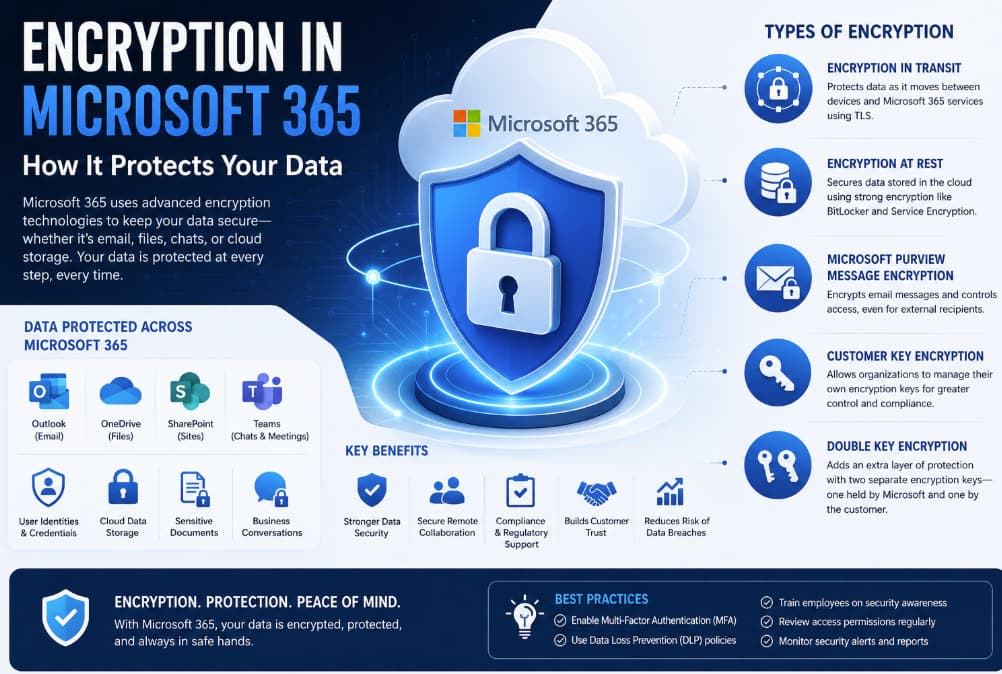
1. Encryption in Transit
When data moves between users, devices, or cloud services, Microsoft 365 protects it using Transport Layer Security (TLS).
TLS encrypts communications between:
- Email servers
- User devices
- Microsoft cloud services
- Web applications
For example, when an employee sends an email through Outlook, TLS helps prevent attackers from intercepting or reading the message while it travels across the internet.
This type of encryption is especially important for remote workers and organizations using public or unsecured networks.
2. Encryption at Rest
Data stored in Microsoft 365 is encrypted even when it is not actively being used.
Microsoft uses technologies such as:
- BitLocker
- Distributed Key Manager (DKM)
- Service Encryption
This protects files stored in:
- OneDrive
- SharePoint Online
- Exchange Online
- Teams
Even if physical storage hardware were compromised, the encrypted data would remain unreadable.
3. Microsoft Purview Message Encryption
Microsoft Purview Message Encryption allows organizations to send encrypted emails both internally and externally.
Key capabilities include:
- Encrypting sensitive email messages
- Preventing unauthorized forwarding
- Restricting copying or printing
- Secure communication with external recipients
This is especially useful for industries handling confidential information such as finance, healthcare, legal services, and government organizations.
Recipients can securely open encrypted emails even if they do not use Microsoft 365.
4. Customer Key Encryption
Some organizations require greater control over encryption keys. Microsoft 365 offers Customer Key capabilities that allow businesses to manage their own encryption keys.
Benefits include:
- Enhanced control over sensitive data
- Improved compliance support
- Additional protection against insider threats
This feature is commonly used by enterprises with strict regulatory or governance requirements.
5. Double Key Encryption
Double Key Encryption provides an extra layer of protection by requiring two separate encryption keys:
- One managed by Microsoft
- One managed by the customer
This approach ensures Microsoft cannot independently access protected content.
Double Key Encryption is particularly valuable for:
- Government agencies
- Defense contractors
- Highly regulated industries
- Organizations managing classified information
How Microsoft 365 Protects Emails
Email remains one of the biggest targets for cyberattacks. Microsoft 365 includes advanced encryption and security features designed to secure email communication.
Email Security Features Include:
- Automatic email encryption
- Anti-phishing protection
- Malware scanning
- Safe attachments
- Data Loss Prevention (DLP)
- Rights Management Services
For example, administrators can create policies that automatically encrypt emails containing:
- Credit card numbers
- Financial information
- Personal identification data
- Healthcare records
This reduces the risk of accidental data exposure.
Encryption in Microsoft Teams
Microsoft Teams has become a central communication tool for businesses worldwide. Since Teams conversations often contain sensitive business information, Microsoft uses encryption to secure:
- Chat messages
- Video meetings
- Shared files
- Voice calls
Teams data is encrypted both during transmission and while stored in Microsoft data centers.
Microsoft also offers end-to-end encryption for certain one-on-one Teams calls, providing additional privacy for sensitive communications.
SharePoint and OneDrive Encryption
Microsoft OneDrive and Microsoft SharePoint store massive amounts of organizational data. Microsoft protects this content using:
- File-level encryption
- Disk-level encryption
- Per-file encryption keys
- Secure access controls
Each file is encrypted individually, which reduces the impact of a potential breach.
Additionally, Microsoft 365 continuously monitors for suspicious activities such as:
- Unauthorized access attempts
- Unusual downloads
- Abnormal login behavior
This combination of encryption and intelligent monitoring strengthens overall data security.
Compliance and Regulatory Support
Many industries must comply with strict data protection regulations. Microsoft 365 encryption helps organizations meet compliance standards including:
- GDPR
- HIPAA
- ISO 27001
- SOC 2
- FedRAMP
Microsoft provides built-in compliance tools that help businesses:
- Classify sensitive data
- Apply encryption policies
- Monitor compliance risks
- Generate audit reports
This simplifies regulatory management while improving security posture.
Benefits of Microsoft 365 Encryption
Stronger Data Security
Encryption significantly reduces the likelihood of unauthorized access.
Better Remote Work Protection
Employees can securely collaborate from anywhere without exposing sensitive information.
Improved Customer Trust
Clients and customers feel more confident knowing their information is protected.
Regulatory Compliance
Encryption helps organizations satisfy industry and legal requirements.
Reduced Risk of Financial Loss
Data breaches can result in legal penalties, downtime, and reputational damage. Encryption minimizes these risks.
Best Practices for Using Encryption in Microsoft 365
To maximize security, organizations should combine encryption with other cybersecurity practices.
Recommended Best Practices:
- Enable Multi-Factor Authentication (MFA)
- Use strong password policies
- Configure Data Loss Prevention policies
- Train employees on phishing awareness
- Regularly review access permissions
- Monitor security alerts and reports
- Use conditional access policies
Encryption works best as part of a layered security strategy.
The Future of Encryption in Microsoft 365
As cyber threats continue to evolve, Microsoft continues investing in advanced security technologies powered by artificial intelligence, automation, and zero-trust architecture.
Future encryption innovations may include:
- Quantum-resistant encryption
- Enhanced AI-driven threat detection
- More granular encryption controls
- Stronger identity protection systems
Microsoft’s commitment to security ensures that organizations using Microsoft 365 remain protected against emerging threats.
Encryption in Microsoft 365 is far more than a technical feature — it is a critical business safeguard. By protecting emails, files, communications, and cloud data, Microsoft helps organizations maintain security, compliance, and operational resilience in an increasingly connected world.
Whether you run a small business or a large enterprise, leveraging Microsoft 365 encryption capabilities can dramatically strengthen your cybersecurity posture. As data breaches become more sophisticated and costly, encryption remains one of the most effective ways to protect valuable information.
Organizations that prioritize encryption today will be better prepared for the security challenges of tomorrow.