

Observability Patterns: Distributed Tracing Across Microservices in Azure
In today’s cloud-native world, systems are composed of dozens — sometimes hundreds — of microservices. When something goes wrong, understanding where and why it happened can feel like searching for a needle in a haystack.
That’s where distributed tracing comes in — a critical observability pattern for modern architectures.
What Is Distributed Tracing?
Distributed tracing allows developers and operators to follow a single request as it travels through multiple microservices. It creates a trace, which is a collection of spans — each span representing a service call or operation within the request’s lifecycle.
With distributed tracing, you can:
- Visualize the request path across microservices.
- Measure latency and pinpoint bottlenecks.
- Identify failures, retries, and performance anomalies.
- Correlate logs and metrics for complete observability.
Why Distributed Tracing Matters in Azure
Azure provides rich tools and integrations for observability. Implementing distributed tracing in Azure helps teams:
- Detect issues faster with unified telemetry.
- Improve performance through latency analysis.
- Enhance collaboration between dev and ops using shared insights.
Implementing Distributed Tracing in Azure
1. Use Azure Monitor and Application Insights
Azure Monitor collects metrics and logs from your distributed system.
Application Insights — part of Azure Monitor — automatically tracks requests, dependencies, and exceptions. With the right SDK setup, it can visualize trace data as an Application Map showing service relationships and latency.
Steps:
- Add Application Insights SDK to each microservice.
- Use
TelemetryClientto send trace data. - Enable distributed tracing with the
Request-IdandTraceparentheaders. - View the end-to-end trace in the Application Map and Performance tabs.
Implementing Distributed Tracing in Azure
1. Use Azure Monitor and Application Insights
Azure Monitor collects metrics and logs from your distributed system.
Application Insights — part of Azure Monitor — automatically tracks requests, dependencies, and exceptions. With the right SDK setup, it can visualize trace data as an Application Map showing service relationships and latency.
Steps:
- Add Application Insights SDK to each microservice.
- Use
TelemetryClientto send trace data. - Enable distributed tracing with the
Request-IdandTraceparentheaders. - View the end-to-end trace in the Application Map and Performance tabs.
2. Integrate OpenTelemetry
OpenTelemetry (OTel) is an open-source standard for observability.
Azure supports OTel out of the box through the Azure Monitor OpenTelemetry Distro — allowing you to collect trace, metric, and log data consistently across languages and frameworks.
Key benefits:
- Vendor-neutral instrumentation.
- Automatic propagation of trace context.
- Easy export to Azure Monitor, Grafana, or other backends.
Example (Python):
from opentelemetry import trace
from opentelemetry.instrumentation.requests import RequestsInstrumentor
from opentelemetry.sdk.trace import TracerProvider
from opentelemetry.sdk.trace.export import BatchSpanProcessor
from azure.monitor.opentelemetry.exporter import AzureMonitorTraceExporter

trace.set_tracer_provider(TracerProvider())
tracer = trace.get_tracer(__name__)

exporter = AzureMonitorTraceExporter.from_connection_string(
    "InstrumentationKey=<your-key>"
)
trace.get_tracer_provider().add_span_processor(BatchSpanProcessor(exporter))
RequestsInstrumentor().instrument()
3. Propagate Context Across Microservices
Every service should pass trace headers (traceparent, tracestate, request-id) downstream so Azure can correlate requests end-to-end.
If a service doesn’t propagate headers, traces will appear fragmented — breaking the observability chain.
4. Visualize and Analyze Traces
Once traces are flowing, use:
- Application Map — to visualize service dependencies.
- Transaction Search — to view specific trace IDs.
- Workbooks — to build custom dashboards.
- Log Analytics — to query trace and span data with Kusto Query Language (KQL).
Best Practices for Distributed Tracing in Azure
- Use consistent correlation IDs across all services.
- Combine metrics, logs, and traces for full observability.
- Enable sampling to balance performance and data volume.
- Adopt OpenTelemetry early for vendor-neutral flexibility.
- Integrate alerts in Azure Monitor for latency and error thresholds.
Distributed tracing is not just a debugging tool — it’s an observability pattern that builds confidence in your system’s behavior.
By adopting Azure Monitor, Application Insights, and OpenTelemetry together, you can gain a 360° view of your distributed applications — from a single user request to the deepest microservice call.
Trace it. See it. Fix it.
That’s the essence of observability in Azure.
Extra posts:
 Tracing the Cloud Thread Distributed Tracing Patterns for Microservices in AWS
  Riding in Tandem Unlocking the Sidecar Pattern in Azure Microservices
 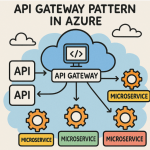 API Gateway Pattern in Azure Managing APIs and Routing Requests to Microservices
  Centralized Logging in Azure Proven Observability Patterns for Modern Apps
  Scalability Patterns in the Cloud AWS & Azure Approaches
 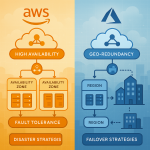 Building Resilient Applications Availability & Resilience Patterns in AWS and Azure