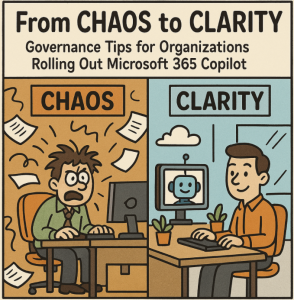
The arrival of Microsoft 365 Copilot has many organizations excited about AI-powered productivity. But without the right governance, that excitement can quickly turn into confusion—or worse, security and compliance risks.
Rolling out Copilot isn’t just a technical project; it’s a cultural and operational change. To make sure your organization gets the benefits while avoiding pitfalls, you need a clear governance framework.
Here are practical governance tips—backed with examples—that can help you steer Copilot adoption in the right direction.
1. Start with a Clear Data Access Policy
Copilot pulls insights from your Microsoft 365 data—emails, documents, Teams chats, and more. If the wrong people have the wrong access, Copilot might surface sensitive information unintentionally.
Example:
Imagine an HR team member searching for a budget forecast in Copilot and accidentally seeing executive salary details stored in a SharePoint library with loose permissions.
Tip: Conduct a permissions review in SharePoint and Teams before rolling out Copilot, ensuring “least privilege” access is applied.
2. Define Use Cases Before Deployment
Without guardrails, employees may use Copilot for anything—from drafting legal documents to generating financial reports—without considering accuracy or compliance.
Example:
A marketing team uses Copilot to draft a press release, but relies entirely on AI-generated facts, leading to inaccuracies.
Tip: Identify “approved use cases” for each department, like drafting first drafts of emails or summarizing meeting notes, and provide guidelines for human review.
3. Educate Users on Responsible AI Practices
Copilot can accelerate work, but it’s still prone to mistakes and bias. Governance should include training on validating outputs.
Example:
A project manager uses Copilot to analyze customer feedback but fails to spot that the AI misinterpreted certain sentiment trends.
Tip: Implement short “AI literacy” sessions so staff know how to fact-check AI outputs, cite sources, and avoid overreliance.
4. Establish a Feedback & Monitoring Loop
Governance isn’t “set it and forget it.” You need ongoing oversight to adjust policies as adoption grows.
Example:
An IT team notices that Copilot usage spikes during month-end reporting. They also see repeated requests for data outside the intended scope.
Tip: Set up monthly reviews with usage reports, user feedback, and any flagged compliance incidents.
5. Involve Compliance & Security Teams Early
Your security and compliance officers aren’t just box-tickers—they’re risk navigators. Bringing them in from the start ensures policies align with regulatory obligations.
Example:
In a healthcare setting, Copilot could inadvertently surface patient details if HIPAA compliance isn’t considered.
Tip: Partner with compliance teams to define what data Copilot can access and ensure AI use stays within legal boundaries.
6. Communicate the “Why” and the “How”
Resistance often comes from uncertainty. Clear communication helps employees trust Copilot and use it effectively.
Example:
Instead of a generic “Copilot is live!” email, a company launches with departmental demos, a FAQ, and real-world examples of how Copilot can save time.
Tip: Pair your governance rules with success stories so staff see policies as enablers, not blockers.
Microsoft 365 Copilot can transform productivity—but only if paired with smart governance. Think of governance as the steering wheel: without it, you might accelerate into unknown risks. With it, you can confidently navigate the road to AI-powered work.
By setting clear access controls, defining use cases, training users, monitoring usage, involving compliance, and communicating effectively, you’ll set your organization up for a smooth, secure, and successful Copilot journey.
Extra posts:
 The Copilot Impact Report Turning Usage Telemetry into Actionable Governance Insights
  How to Ask Copilot to Improve Tone and Clarity in Microsoft Word
  Best Prompts to Use with Microsoft 365 Copilot for Maximum Efficiency
  GPT‑5 Finally Arrives in Microsoft 365 Copilot
  Managing Access and Permissions for Copilot in Microsoft 365
  Writing Effective Prompts for Microsoft 365 Copilot