
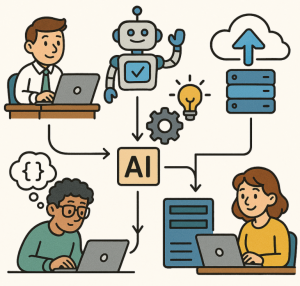
What is Agentic AI?
Agentic AI refers to systems that go beyond simple question-answering or rule-based automation. These systems are autonomous, goal-oriented, and adaptive — meaning they can plan, act, and learn with minimal human oversight.
Unlike traditional automation that follows static rules, or generative AI that produces text or images on demand, agentic AI brings reasoning and decision-making into the loop. It can break down complex goals, decide which actions to take, execute them, and adjust based on results.
The Core Loop: Perceive → Reason → Act → Learn
Agentic AI systems typically follow a continuous feedback cycle:
- Perceive
The agent gathers information from available data sources — APIs, databases, documents, or sensors. It preprocesses this information to understand the current context. - Reason / Plan
Based on its goal, the agent formulates a plan. It decides which subtasks to perform, in what order, and what tools or data it will need. - Act
The agent executes its plan by calling APIs, writing data, interacting with other software, or generating communications. This is where AI meets the real world. - Learn / Adapt
The agent evaluates the outcome of its actions. If results don’t match expectations, it refines its approach for future iterations. Over time, it becomes smarter and more efficient.
This loop enables dynamic, context-aware, and autonomous behavior.
Core Components of Agentic AI
Building an agentic AI system usually involves several major components:
- Large Language Models (LLMs): The cognitive core that interprets instructions, reasons about tasks, and generates actions or text.
- Memory Systems: Store short-term and long-term context so the agent remembers what’s been done and what worked.
- Tool / API Integrations: Let the agent interact with other systems — databases, communication tools, or applications.
- Planning and Decision Modules: Help the agent prioritize tasks and handle uncertainty.
- Safety and Guardrails: Define boundaries, permissions, and escalation points for human oversight.
- Monitoring and Observability: Provide visibility into agent behavior and ensure accountability.
Why Agentic AI Matters
Agentic AI can transform how we work by automating not just tasks, but entire workflows that require reasoning. It’s ideal for:
- Intelligent customer or IT support agents
- Dynamic business process automation
- Data analysis and reporting agents
- Personalized digital assistants
- Proactive monitoring and compliance systems
It reduces manual effort, adapts to change, and continuously improves.
Challenges and Risks
While powerful, agentic AI introduces new challenges:
- Data quality – Poor or incomplete data undermines reasoning.
- Oversight and trust – Agents need explainable reasoning and human review.
- Complexity – Building and maintaining multi-component architectures is nontrivial.
- Security and privacy – Agents must handle sensitive data safely.
- Cost management – LLMs and tool integrations can increase compute usage.
These must be addressed through governance, architecture design, and responsible AI principles.
How to Build an Agentic AI Solution in Azure
Microsoft Azure provides a rich ecosystem for building and deploying agentic AI systems. Here’s a practical roadmap:
1. Define the Use Case and Goals
Start by identifying the business process or workflow you want to automate. Clearly define:
- The goal (e.g., automate support ticket resolution)
- The inputs and outputs
- The constraints and success criteria
2. Choose the Core Model
Use Azure OpenAI Service to access models like GPT-4-turbo or other large language models.
These models handle reasoning, text understanding, and generation. You can fine-tune them or use them with prompt engineering to achieve domain-specific behavior.
3. Create the Agent Framework
Set up an architecture that supports autonomous operation:
- Azure Functions or Azure Container Apps for lightweight execution of agent actions.
- Azure Logic Apps for orchestrating workflows and connecting APIs.
- Azure Service Bus or Event Grid for event-driven communication between components.
- Azure Cosmos DB or Azure Table Storage to serve as the agent’s memory.
For agent frameworks, you can build custom logic or integrate open-source libraries such as Semantic Kernel or AutoGen (Microsoft’s open-source frameworks for agentic AI orchestration).
4. Integrate Tools and APIs
Use connectors to link the agent with systems it needs to act on — such as CRM software, databases, or external APIs. Logic Apps and Power Automate make this integration simpler.
Agents can use function calling in Azure OpenAI to trigger these tools dynamically based on reasoning steps.
5. Add Context and Memory
Create a memory layer so the agent can store and recall past states:
- Use Azure Cognitive Search or Vector Search to store and retrieve relevant knowledge.
- Maintain conversation history or prior actions in Cosmos DB.
- Apply embeddings to make the memory semantic and contextual.
6. Build Guardrails and Monitoring
Azure offers responsible AI tools to keep agents safe:
- Azure AI Content Safety – to detect and filter unsafe content.
- Azure Policy and Role-Based Access Control (RBAC) – to limit what agents can access.
- Azure Monitor and Application Insights – for auditing and performance tracking.
7. Train and Improve
Collect telemetry data to evaluate performance. Use Azure Machine Learning for fine-tuning models, reinforcement learning, or continuous improvement.
Example Azure Architecture
A simplified architecture might look like this:
- User Input → Enters through an Azure Bot Service or web app.
- Cognitive Layer (LLM) → Azure OpenAI interprets the goal and plans actions.
- Action Layer → Azure Functions execute tasks via APIs or databases.
- Memory Layer → Cosmos DB + Cognitive Search store knowledge and history.
- Feedback Loop → Logs analyzed in Azure Monitor to adapt and retrain.
The Future of Agentic AI
Agentic AI is moving toward multi-agent ecosystems — networks of specialized agents collaborating to achieve complex goals. Azure’s scalable, cloud-native infrastructure makes it ideal for hosting such distributed intelligence safely and efficiently.
Agentic AI represents a leap from automation to autonomy.
By combining reasoning, memory, and action within secure environments like Azure, organizations can build intelligent systems that think, plan, and act — responsibly and effectively.
If you’d like, I can add an Azure reference architecture diagram or a step-by-step tutorial showing how to deploy a working agent using Azure OpenAI + Semantic Kernel. Would you like me to include that next?
Extra posts:
 Designing and Creating Agentic AI in Azure
  MCP & AI Unlocking Agentic Intelligence with a “USB-C Connector” for AI
  Azure AI Studio / Azure AI Foundry A Powerful Platform for Generative AI
  Getting Started with Copilot Studio Build Your First AI-Powered Bot
  No-Code AI How Non-Developers Can Build Smart Chatbots with Copilot Studio
  How to Use DeepSeek in Azure and Model Catalog