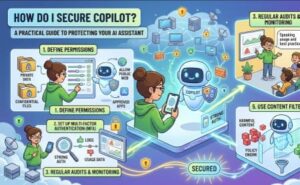
Artificial intelligence has become an essential part of modern workplaces, and Microsoft Copilot is leading the way in helping organizations improve productivity. From drafting emails and summarizing meetings to generating code and analyzing documents, Copilot makes daily work faster and more efficient. However, with these powerful capabilities comes an important question: How do I secure Copilot?
The answer isn’t as simple as turning on a security feature. Securing Copilot requires a combination of identity protection, data governance, access control, compliance, and user awareness. Since Copilot works with your organization’s data, its security depends on how well your Microsoft 365 environment is configured.
In this guide, we’ll explain how to secure Microsoft Copilot, discuss common security risks, and share practical best practices that organizations can implement to confidently use AI while keeping sensitive information protected.
Why Copilot Security Matters
Microsoft Copilot accesses information that users already have permission to view. It doesn’t magically unlock hidden files or bypass permissions. Instead, it works within your existing Microsoft 365 security model.
While this is a strength, it also means that if employees already have excessive permissions or sensitive files are improperly shared, Copilot can surface that information more efficiently. The AI itself isn’t creating a security problem—it simply highlights existing weaknesses in your environment.
For this reason, organizations should treat Copilot deployment as an opportunity to improve their overall security posture.
Understand How Copilot Accesses Data
Before implementing security measures, it’s important to understand how Copilot retrieves information.
Copilot uses Microsoft Graph to access organizational data such as:
- Emails
- Teams chats
- SharePoint documents
- OneDrive files
- Calendars
- Meeting notes
- Business applications connected to Microsoft 365
Every response generated by Copilot is based on the permissions of the signed-in user. If users don’t have access to certain content, Copilot cannot retrieve or display it.
This permission-based architecture makes identity and access management the foundation of Copilot security.
Implement Strong Identity Protection
Identity is the first layer of defense.
Organizations should require Multi-Factor Authentication (MFA) for all users. Passwords alone are no longer enough to protect business accounts from phishing attacks and credential theft.
Modern identity protection should also include:
- Conditional Access policies
- Risk-based sign-in detection
- Passwordless authentication
- Device compliance checks
- Continuous monitoring for suspicious activity
When user identities are secure, unauthorized access to Copilot becomes significantly more difficult.
Review User Permissions
One of the most overlooked aspects of Copilot security is excessive permissions.
Many organizations accumulate years of shared folders, inherited permissions, and publicly accessible SharePoint sites. Employees often gain access to information they no longer need.
Before enabling Copilot across the organization:
- Audit SharePoint permissions.
- Review OneDrive sharing settings.
- Remove unnecessary access.
- Apply the principle of least privilege.
- Archive obsolete content.
Cleaning up permissions not only improves Copilot security but also strengthens your organization’s overall cybersecurity posture.
Classify and Label Sensitive Data
Not every document should be treated the same.
Organizations should classify business information according to its sensitivity. Examples include:
- Public
- Internal
- Confidential
- Highly Confidential
- Financial
- Legal
- Customer Data
Microsoft Purview sensitivity labels can automatically protect documents through encryption, watermarking, or access restrictions.
When sensitive data is properly labeled, Copilot respects these protections because access controls remain in effect.
Prevent Data Loss
Data Loss Prevention (DLP) policies help stop sensitive information from being accidentally exposed.
Examples include preventing users from sharing:
- Credit card numbers
- Customer records
- Healthcare information
- Financial reports
- Employee personal information
DLP policies can monitor emails, Teams chats, SharePoint sites, and OneDrive storage.
Even when employees use Copilot, DLP policies continue protecting regulated information.
Use Conditional Access Policies
Not every login should be treated equally.
Conditional Access allows organizations to evaluate factors such as:
- User identity
- Device health
- Geographic location
- Risk level
- Network location
- Authentication strength
For example, an organization can require MFA only when users connect from unmanaged devices or unfamiliar locations.
This flexible security model helps balance productivity and protection.
Secure Endpoints
Copilot is only as secure as the device being used.
Ensure that company devices:
- Receive regular security updates
- Use antivirus and endpoint protection
- Encrypt storage drives
- Lock automatically after inactivity
- Prevent unauthorized software installation
Managed devices reduce the likelihood of attackers gaining access to business data through compromised endpoints.
Monitor Copilot Activity
Visibility is essential for security.
Organizations should monitor:
- User sign-in activity
- File access
- Permission changes
- Administrative actions
- Unusual download behavior
- AI usage patterns
Security teams can identify abnormal behavior early and respond before incidents escalate.
Regular auditing also supports compliance requirements across many industries.
Protect Against Oversharing
One common concern with Copilot is accidental oversharing.
This usually happens because:
- Files are shared with “Everyone.”
- Old SharePoint sites remain open.
- Teams channels include unnecessary members.
- Documents contain confidential information without protection.
Regular permission reviews help eliminate these risks before deploying AI assistants.
Educate Employees
Technology alone cannot guarantee security.
Employees should understand:
- What information should never be shared
- How Copilot generates responses
- How to recognize phishing attempts
- Safe prompt-writing practices
- Responsible AI usage
- Company data handling policies
Security awareness training significantly reduces human error, which remains one of the leading causes of data breaches.
Enable Compliance Features
Organizations operating in regulated industries should ensure Copilot aligns with compliance requirements.
Key governance practices include:
- Retention policies
- eDiscovery
- Audit logging
- Information governance
- Insider risk management
- Legal hold capabilities
These features help organizations meet regulatory obligations while maintaining visibility into business information.
Apply Zero Trust Principles
Zero Trust assumes that no user or device should be trusted automatically.
For Copilot, this means:
- Verify every identity.
- Authenticate every request.
- Grant minimum necessary access.
- Monitor continuously.
- Assume breach.
- Respond quickly.
This modern security framework reduces risk while supporting secure AI adoption.
Secure Third-Party Integrations
Many organizations connect Copilot to additional business applications.
Before integrating external systems:
- Verify vendor security.
- Review API permissions.
- Limit unnecessary access.
- Monitor data sharing.
- Remove unused integrations.
Third-party applications should meet the same security standards as Microsoft 365.
Keep Your Environment Updated
Cybersecurity is never a one-time project.
Regularly:
- Install security updates.
- Review Microsoft recommendations.
- Update security policies.
- Remove inactive users.
- Audit administrator accounts.
- Test incident response procedures.
A continuously maintained environment provides stronger protection for Copilot users.
Common Mistakes to Avoid
Organizations often make avoidable mistakes when deploying Copilot.
Some of the most common include:
- Enabling Copilot before cleaning permissions
- Ignoring SharePoint oversharing
- Skipping MFA implementation
- Not classifying sensitive data
- Giving excessive administrator privileges
- Neglecting employee training
- Failing to monitor activity logs
Avoiding these mistakes significantly improves your security posture.
Best Practices Checklist
Before rolling out Copilot, verify that you have:
- Enabled Multi-Factor Authentication
- Reviewed user permissions
- Classified sensitive information
- Implemented Data Loss Prevention policies
- Configured Conditional Access
- Protected endpoints
- Enabled audit logging
- Trained employees
- Reviewed third-party integrations
- Established ongoing security monitoring
Treat this checklist as an ongoing process rather than a one-time setup.

Microsoft Copilot can transform workplace productivity, but its effectiveness depends on the strength of your existing security foundation. Rather than introducing new risks, Copilot reflects the permissions, policies, and governance already present in your Microsoft 365 environment.
The safest approach is to combine strong identity protection, least-privilege access, data classification, Data Loss Prevention, endpoint security, and continuous monitoring. Regular permission reviews, employee education, and a Zero Trust mindset further reduce the chances of accidental data exposure or unauthorized access.
Organizations that invest in these fundamentals can confidently embrace AI while protecting sensitive business information, meeting compliance requirements, and maintaining customer trust. In the end, securing Copilot is not just about safeguarding an AI assistant—it is about strengthening the overall security and resilience of your digital workplace.