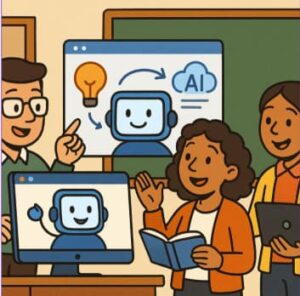
In today’s rapidly evolving digital landscape, teaching students how to understand, use, and critically evaluate artificial intelligence (AI) isn’t optional — it’s essential. By adopting the lens of AI literacy, educators can empower learners not just to use AI tools, but to engage with them responsibly, creatively, and ethically.
AI literacy refers to “the technical knowledge, durable skills, and future-ready attitudes required to thrive in a world influenced by AI.” It’s about developing both cognitive understanding and critical awareness. One powerful way for educators to teach AI literacy is by integrating Microsoft 365 Copilot (hereafter “Copilot”) into classroom practice. With Copilot’s capabilities — from generating prompts to supporting lesson planning — teachers have a hands-on opportunity to model, scaffold, and assess AI literacy in meaningful ways.
This blog outlines how educators can harness Copilot to teach AI literacy, offering frameworks, strategies, classroom applications, and ethical considerations.
Why AI Literacy Matters in Education
Before jumping into tool-specific steps, it’s worth grounding why AI literacy is so important. AI literacy encompasses not just knowledge of AI systems, but also skills such as prompt design, evaluation of outputs, and ethical reflection.
Without intentional teaching, students may use generative AI tools passively (or even inappropriately), rather than as opportunities for learning and critical growth. For educators, it’s not simply about introducing a new tool but about preparing learners to navigate an AI-rich world — while maintaining the human-centric purposes of education.
By embedding AI literacy into instruction, teachers help students:
- Understand how AI systems work (at a conceptual level)
- Use AI tools as collaborators, not crutches
- Critically evaluate AI outputs (accuracy, bias, relevance)
- Reflect on ethical and social implications of AI
- Develop agency: knowing when and how to deploy AI tools
With Copilot, educators have a scaffolded pathway to achieving these outcomes.
How Microsoft Copilot Supports AI Literacy
Microsoft 365 Copilot offers several features that align with teaching AI literacy. It helps teachers generate lesson materials, quizzes, rubrics, and differentiated resources quickly, freeing time for deeper instructional work.
Copilot also supports educators through planning workflows, customizable outputs (e.g., reading level, tone, or format), and seamless integration with familiar platforms like Word, PowerPoint, and Teams. This encourages exploration of AI’s capabilities, limitations, and responsible usage — especially when guided by an educator.
In other words, Copilot isn’t just a productivity tool; it’s a teaching opportunity. Teachers can use its outputs to discuss how AI works, how it sometimes errs, and how to evaluate its usefulness. This transforms AI from a passive helper into a learning catalyst.
A Step-by-Step Approach for Educators
1. Introduce AI Conceptually
Begin by helping students understand what AI is and how it functions in everyday life. Discuss what “AI literacy” means — not just using AI tools, but understanding their design, data sources, and potential biases.
Encourage discussion with questions like:
- How does AI learn?
- Who designs AI systems, and what are their goals?
- What are the strengths and limitations of generative AI tools like Copilot?
2. Demonstrate Copilot as a Tool
Model Copilot usage live in class. Show students how you design a prompt, what kind of response Copilot gives, and how you evaluate that output.
Talk aloud about your thought process:
- Why did you phrase the prompt a certain way?
- What made the result effective or ineffective?
- How could you refine it?
This demonstration introduces students to prompt design — a key AI literacy skill — and shows how phrasing impacts outcomes.
3. Guided Student Exploration
Once students have seen Copilot in action, let them experiment in guided ways.
Example activities:
- Generate a quiz or summary on a topic they’re studying.
- Analyze Copilot’s response for accuracy, completeness, and tone.
- Edit or improve the AI output based on their own knowledge.
Encourage peer feedback sessions where students share prompts and discuss what worked best. This develops critical thinking and communication while reinforcing AI literacy concepts.
4. Deepen Reflection: Limitations, Biases, and Ethics
After exploration, move the conversation toward critical thinking. AI literacy includes understanding that AI systems can reflect bias, produce errors, or make assumptions based on limited data.
Ask reflective questions such as:
- Where did Copilot’s output miss the mark?
- What assumptions might the AI have made?
- How can we verify or challenge AI-generated information?
- What are the ethical issues around data privacy and authorship?
These discussions help students see AI not as infallible but as a tool requiring human judgment and responsibility.
5. Culminating Project: Create and Share
For a final assessment, students can complete a project using Copilot.
Steps might include:
- Define a goal (e.g., create a lesson plan, newsletter, or essay draft).
- Use Copilot to generate a first draft.
- Evaluate and revise the AI-generated content.
- Present both the final product and a reflection explaining their process — including how AI helped or hindered their work.
This encourages metacognition — thinking about thinking — which is crucial for genuine AI literacy.
6. Ongoing Integration and Teacher Reflection
AI literacy isn’t a one-time unit; it’s an ongoing practice. Teachers can continue to integrate Copilot into lessons across subjects.
Reflect regularly on questions like:
- How well do Copilot’s outputs align with student learning goals?
- How do students respond to using AI tools?
- Are we maintaining a balance between automation and authentic student thought?
Building a classroom culture where AI is a partner, not a replacement, keeps both curiosity and critical awareness alive.
Practical Tips for Teachers
- Start small: Use quick, low-stakes exercises to introduce AI concepts.
- Be transparent: Share your own prompts and outputs to demystify the process.
- Scaffold prompt writing: Provide examples, then gradually increase student independence.
- Create evaluation rubrics: Co-design checklists for accuracy, relevance, and bias detection.
- Encourage iteration: Show that refining AI output is part of the process.
- Highlight ethics: Make ethical reflection part of every AI-based task.
- Link to curriculum goals: Integrate AI literacy with standards in writing, digital citizenship, or research.
Challenges and How to Address Them
- Overreliance on AI: Counter this by making human editing and evaluation mandatory.
- Access and equity: Ensure every student can engage fairly, even if devices are shared.
- Teacher readiness: Provide professional development and peer collaboration time to build confidence.
- Bias and misinformation: Turn AI errors into learning moments about reliability and fact-checking.
- Privacy and consent: Always follow institutional policies for student data protection.
- Rapid change: Stay flexible and revisit AI lessons regularly to adapt to new developments.
The Bigger Vision: Teaching for an AI-Rich Future
Integrating Copilot and similar AI tools through the lens of AI literacy isn’t about chasing trends — it’s about preparing learners for the world they’re inheriting. When educators teach AI literacy, they nurture curiosity, creativity, and ethical awareness.
Students who learn to use Copilot critically and thoughtfully won’t just consume AI outputs — they’ll question, improve, and innovate upon them. They’ll understand when and why to use AI, not just how.
Teaching AI literacy with Microsoft Copilot offers educators a transformative opportunity. It enables them to use real-world technology to model responsible AI practices, build critical thinking, and engage students in meaningful dialogue about ethics, bias, and authorship.
By using structured strategies — from concept introduction to reflective project work — teachers can ensure that students not only use AI effectively but also understand it deeply. The goal is not to produce perfect prompts, but thoughtful, informed individuals ready to navigate and shape an AI-driven future.
Extra posts:
 Using GitHub Copilt To Teach Programming
  The ‘Digital Twin’ Employee Creating Hyper-Personalized Copilot Prompts with Copilot Studio
  Best Learning Paths to Master Copilot Skills
  Understanding AI Prompts Writing Better Requests for Copilot
  Create Learning Journals with Copilot in OneNote
  Goodbye, Hours of Chart-Making: Hello, Copilot