
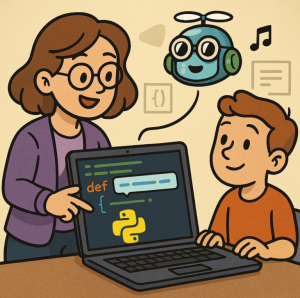
Artificial Intelligence is transforming the way we learn, work, and create. One of the most intriguing applications in computer science education is GitHub Copilot, the AI-powered coding assistant. While originally designed to boost developer productivity, Copilot has the potential to reshape programming education—acting as a tutor, coding partner, and motivator for students.
In this post, we’ll explore how educators can use GitHub Copilot to support teaching, highlight potential benefits and pitfalls, and suggest practical strategies for integrating it into the classroom.
Why Consider Copilot in Education?
For beginners, learning to program can feel like staring at a blank screen—overwhelming and directionless. Copilot reduces this barrier by:
- Providing immediate feedback – Students can see working examples of code in real time, reinforcing syntax and logic.
- Encouraging experimentation – Instead of getting stuck on small errors, students can iterate faster.
- Bridging the gap between theory and practice – Abstract concepts (like recursion, object-oriented design, or algorithms) can be demonstrated with usable code instantly.
Benefits for Educators
- Personalized Support at Scale
Copilot acts like a teaching assistant that’s available 24/7, offering hints and solutions to students working outside of class. - Focusing on Higher-Level Thinking
With Copilot handling boilerplate code or syntax suggestions, educators can emphasize problem-solving, design patterns, and computational thinking. - Demonstrating Multiple Approaches
Teachers can prompt Copilot to generate different implementations of the same problem, sparking discussions on trade-offs, readability, and efficiency.
Potential Challenges
Of course, integrating Copilot into education comes with caveats:
- Over-reliance on AI – Students might accept suggestions without understanding them.
- Academic integrity – Distinguishing between student work and AI-generated code can be tricky.
- Accessibility – Not all institutions or students may have access to Copilot subscriptions.
Practical Strategies for Educators
- Use Copilot as a Mentor, Not a Crutch
Frame it as a “pair programmer” rather than a solution engine. Encourage students to question why the AI suggests certain code. - Teach Critical Evaluation
Make reviewing Copilot’s output part of assignments. Students should explain why the generated code works—or why it doesn’t. - Design Copilot-Resistant Assessments
Focus on problem-solving tasks, debugging exercises, and open-ended projects where AI support is a tool, not the entire solution. - Promote Transparency
Ask students to document when and how they used Copilot in their learning process.
The Future of Programming Education
Rather than fearing AI tools, educators can embrace them as catalysts for deeper learning. GitHub Copilot won’t replace teachers or the need to understand programming fundamentals. But when used thoughtfully, it can empower students to learn faster, think more critically, and gain confidence in writing code.
The future programmer won’t just know how to write code—they’ll know how to collaborate with AI to build better solutions. For today’s educators, preparing students for that reality is not just an option—it’s essential.
Extra posts:
 GitHub Copilot for Students How It Can Help You Learn Faster
  Top 10 Things You Can Do with GitHub Copilot as a New Developer
  How GitHub Copilot Helps with Test-Driven Development (TDD)
  Boosting Productivity with GitHub Copilot Real-World .NET Coding Examples
  Top 10 Things You Can Do with GitHub Copilot as a New Developer
  What Is the GitHub Copilot Certification and Why It Matters for Developers