
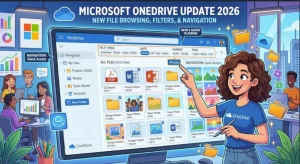
Microsoft is refreshing the OneDrive for the web experience with improved navigation, more powerful file filtering, and a layout modeled on the modern SharePoint document library. Announced through the Microsoft 365 admin center, the update will roll out globally from late August through late October 2026, following a timeline revision published on October 20.
The changes are designed to make it easier for users to locate, organize, and manage files across Microsoft 365. The new experience will be enabled by default, and organizations will not need to change existing permissions, sharing settings, or policies to accommodate the rollout.
For businesses that rely on OneDrive and SharePoint for everyday collaboration, the update represents a practical improvement to file management. It also brings the two services closer together, reducing differences in how users navigate and filter documents across Microsoft’s cloud-based productivity platform.
What Is Changing in Microsoft OneDrive?
The central change is the adoption of the modern SharePoint document library experience for file browsing and management in OneDrive for the web.
Rather than introducing an entirely new file storage service, Microsoft is updating the way users interact with their existing files. The refreshed interface will feature revised navigation, an updated layout, and expanded filtering options across several OneDrive views.
The main improvements include:
- Updated navigation and layout: A more consistent interface across OneDrive and SharePoint.
- File-type filtering: Users can narrow down content by file type in folder-based views, including My files and Shared.
- Multiple simultaneous filters: Users can combine filters to refine results instead of relying on a single criterion.
- Expanded filtering across views: Enhanced filtering will be available in Home, Shared, People, Meetings, and Favorites.
- More consistent file management: Navigation, filtering, and related behaviors will be more closely aligned between OneDrive and SharePoint.
These changes focus on a common workplace challenge: finding the right document among large collections of files shared across teams, projects, and meetings.
Advanced Filtering Aims to Make Files Easier to Find
One of the most useful additions is expanded filtering. As organizations accumulate documents, presentations, spreadsheets, meeting files, and shared resources, browsing through folders can become time-consuming.
The refreshed OneDrive experience will introduce more flexible ways to narrow down file listings. Users will be able to filter content by file type in folder-based views such as My files and Shared.
Microsoft also plans to support filter pills and a dedicated filter pane. These interface elements will give users additional ways to apply and manage their chosen filters.
The ability to apply multiple filters simultaneously is particularly relevant for people working with large document libraries. Instead of reviewing a broad list of files, users can combine available criteria to produce a more focused set of results.
For example, an employee looking for a presentation shared during a project could begin in a relevant OneDrive view and apply the available filters to narrow the list. The exact combination of filters will depend on the options supported in the relevant view.
Microsoft has confirmed that enhanced filtering will extend beyond folder-based browsing. Home, Shared, People, Meetings, and Favorites are also included in the planned improvements.
This wider coverage matters because users do not always look for documents by opening a folder. They may start with a recently accessed item, a colleague, a meeting, or a file saved to Favorites.
OneDrive and SharePoint Are Moving Toward a More Consistent Experience
The update is also part of a broader effort to make Microsoft 365 applications feel more consistent.
OneDrive and SharePoint serve related but distinct purposes. OneDrive is commonly used for individual file storage and sharing, while SharePoint provides collaborative document libraries and content management capabilities for teams and organizations.
Despite their integration, users can encounter differences in navigation and file management between the two services. Microsoft is addressing some of those differences by bringing the modern SharePoint document library experience into OneDrive for the web.
A more familiar interface across both services could make it easier for employees to move between personal work files, shared documents, and team libraries without repeatedly adjusting to different browsing patterns.
The change may also help organizations simplify internal guidance and user training. IT teams that support both OneDrive and SharePoint will have an opportunity to update their documentation around the more closely aligned experience.
However, a consistent interface does not mean the services are becoming identical. Their underlying roles, access arrangements, and organizational uses remain distinct.
Which OneDrive Views Will Receive the Improvements?
Microsoft has identified several views that will benefit from the refreshed filtering experience.
My files and Shared: These folder-based views will offer file-type filtering, with options to apply filters through filter pills and the filter pane.
Home: Users will be able to take advantage of the expanded filtering capabilities while navigating the Home view.
People: The updated filtering experience will also be available when users browse content through the People view.
Meetings: The changes extend to the Meetings view, giving users additional filtering capabilities when working with meeting-related content.
Favorites: The Favorites view is included in the planned expansion, helping users refine the content they have saved for quick access.
The available filtering options may vary by view. Microsoft has confirmed support for multiple simultaneous filters but has not specified in the announcement that every filter will be available in every view.
Organizations should therefore evaluate the interface as it becomes available rather than assume that all views will offer identical controls.
Microsoft OneDrive Update 2026: Rollout Timeline
Microsoft revised the rollout schedule on October 20, 2026. The updated timeline extends the expected completion of worldwide general availability to late October, rather than the previously announced mid-September target.
The published schedule is as follows:
- Targeted Release: Began in mid-August 2026, with completion expected by late August.
- General Availability worldwide: Began in late August 2026, with completion expected by late October.
As of October 21, the worldwide rollout is within its stated completion window. However, the schedule does not guarantee that every user or tenant will receive the updated experience on the same day.
Organizations should monitor their Microsoft 365 Message Center notifications and their own OneDrive environments to determine when the changes become available to their users.
The update is associated with Microsoft 365 Roadmap ID 566316.
What IT Administrators and Businesses Should Do
Microsoft has stated that no administrative action is required to enable the new experience. The feature will be turned on by default, and existing permissions, sharing settings, and policies will remain unchanged.
Nevertheless, a rollout that requires no configuration can still create support and training considerations.
Microsoft recommends that organizations take three preparatory steps:
- Review internal training materials. Update screenshots, instructions, and documentation that describe the current OneDrive for the web interface.
- Prepare help desk and support teams. Make sure support staff understand the updated navigation and filtering controls so they can assist users during the transition.
- Communicate with affected employees. Inform regular OneDrive web users about the refreshed experience before or as it appears in their environments.
IT teams may also want to review frequently asked support questions related to locating shared documents, navigating folders, and managing files across OneDrive and SharePoint.
These preparations can help reduce confusion when users encounter a different layout, particularly in organizations where internal documentation relies heavily on screenshots or detailed navigation instructions.
Will the Update Affect Security, Permissions, or Compliance?
Microsoft’s announcement states that existing permissions, sharing settings, and policies will remain unchanged.
The update is focused on the browsing, navigation, and filtering experience rather than a change to the organization’s underlying access controls. There is no announced requirement to reconfigure permissions or sharing arrangements as part of this rollout.
Microsoft has also identified no specific compliance considerations for the update, while advising organizations to review the changes as appropriate for their own environments.
Administrators should continue to follow their normal governance procedures and distinguish between changes to the user interface and changes to security or data-management controls. The announcement does not indicate that the refreshed interface grants users additional access to files.
What the Update Means for Microsoft 365 Users
For individual employees, the most immediate benefit is likely to be a more flexible way to browse and narrow down files. The improvements may be particularly useful for people who work with large numbers of documents or regularly switch between OneDrive and SharePoint.
For IT departments, the impact is less about technical configuration and more about user readiness. Because the feature is enabled by default, the primary task is to help users understand the revised interface and update outdated support resources.
For organizations that use both services extensively, a more consistent browsing experience could reduce some of the friction associated with moving between different document environments. The actual benefit will depend on how employees use the services and how effectively they adapt to the new controls.
The announcement does not provide quantified performance improvements or user productivity estimates, so any gains should be assessed through real-world use rather than assumed in advance.
What Happens Next?
With the revised rollout expected to finish by late October 2026, organizations should watch for the updated experience to appear across their Microsoft 365 environments.
The next priority will be determining whether the new navigation and filtering options make everyday file management easier for employees. IT teams can gather feedback, identify any documentation gaps, and adjust training based on how users interact with the refreshed interface.
For now, the key message is straightforward: Microsoft is bringing OneDrive for the web closer to the modern SharePoint document library experience, expanding filtering across important views, and making the change available by default.
Businesses do not need to prepare a technical migration, but they should prepare their users. As the rollout progresses, clear communication and updated guidance will help organizations get the most value from the refreshed OneDrive experience.
Extra posts:
 Microsoft Is Removing These OneDrive Copilot Actions From File Explorer in 2026
  Microsoft OneDrive and SharePoint Are Getting AI-Powered PDF Navigation
  How to Fix “This File Can’t Be Synced” in OneDrive
  Microsoft OneDrive Pay-As-You-Go Storage: Preview, Pricing Model and 2026 Rollout
  Advanced File Explorer Tips for Faster Navigation in Windows 11
  Advanced File Explorer Tips for Faster Navigation in Windows 11