

Microsoft is making another practical improvement to SharePoint dashboards, giving dashboard authors more control over what users see on mobile devices. Starting in late August 2026, Microsoft will begin rolling out a new capability that allows authors to control the visibility of individual dashboard cards on mobile form factors.
The update may sound small, but it addresses an increasingly important challenge for organizations: designing dashboards that work well across both large desktop screens and smaller mobile displays.
As employees rely more heavily on smartphones and tablets to access business information, dashboards designed primarily for desktop screens can quickly become crowded or difficult to navigate on mobile devices. With the new SharePoint capability, authors can decide which individual dashboard cards should appear when users access a dashboard from a mobile device.
The worldwide rollout, including GCC, GCC High, and DoD environments, is scheduled to begin in late August 2026 and is expected to be completed by early September 2026.
What Is Changing in Microsoft SharePoint?
The core change is straightforward: SharePoint dashboard authors will be able to configure the visibility of individual dashboard cards specifically for mobile users.
Previously, dashboard authors had less flexibility when adapting the same dashboard experience for different screen sizes. A dashboard that looked well organized on a desktop could contain too many cards or too much information when viewed on a smartphone.
The new capability gives authors an additional design option. Instead of forcing every card to appear across every form factor, authors can choose which cards remain visible on mobile devices.
This means an organization could, for example, prioritize critical metrics, alerts, key links, or frequently used information on a smartphone while leaving secondary information available primarily on larger screens.
Importantly, Microsoft says existing dashboard configurations will remain unchanged unless a dashboard author updates them. Organizations therefore do not need to redesign their dashboards immediately simply because the feature is being introduced.
Why Mobile Dashboard Design Matters
The way employees consume business information has changed considerably. A dashboard is no longer necessarily something an employee opens while sitting at a desktop computer.
Managers may check performance indicators from a phone between meetings. Field employees may need quick access to operational information while away from an office. Executives may review important metrics while traveling. Teams may also use mobile devices to monitor updates without opening a laptop.
That makes mobile dashboard design more than a cosmetic consideration.
A dashboard containing ten or fifteen information cards may be useful on a large monitor, where users can quickly scan multiple sections. On a smartphone, however, the same experience can require extensive scrolling. Important information can become buried beneath less relevant content.
SharePoint’s new mobile card visibility control gives dashboard authors a way to address this problem at the design level.
Rather than simply shrinking the desktop experience, authors can make deliberate decisions about which information deserves priority on a smaller screen.
A More Flexible Experience for Dashboard Authors
The biggest benefit of this update is flexibility.
Dashboard authors often have to balance two competing requirements: providing enough information to make a dashboard useful while keeping the interface simple enough for users to navigate.
The new setting allows authors to think about desktop and mobile experiences differently.
For instance, a sales dashboard might contain cards for revenue, pipeline value, regional performance, customer activity, sales forecasts, product performance, and detailed operational statistics.
On a desktop display, showing all of those cards might make sense. On a mobile device, an author could prioritize revenue, pipeline, and urgent sales alerts while hiding cards that are less important for mobile users.
Similarly, an IT operations dashboard could emphasize service health, active incidents, and critical alerts on mobile while leaving detailed analytics and historical reports available in the desktop experience.
This approach can help organizations create dashboards that are more focused and easier to use.
What Organizations Need to Do
There is no mandatory action associated with this rollout.
Microsoft will make the mobile card visibility setting available automatically as the feature reaches organizations. Existing dashboard configurations will not automatically change simply because the capability is being introduced.
However, Microsoft recommends that organizations inform dashboard authors about the new functionality.
That recommendation is particularly relevant for organizations with a large number of SharePoint dashboards or teams that frequently access SharePoint from mobile devices.
Dashboard owners may want to review their existing dashboards after the feature becomes available and consider whether some cards are unnecessary or less useful on smaller screens.
The rollout therefore does not require a major IT project. Instead, it creates an opportunity for organizations to make incremental improvements to their existing SharePoint experiences.
What Dashboard Authors Should Consider
Once the feature becomes available, dashboard authors should approach mobile optimization from the perspective of the user.
The first question should be: What information does a mobile user actually need?
Not every card that is useful on a desktop needs to be displayed on a smartphone.
Authors can consider prioritizing information based on urgency, frequency of use, and business importance. Critical alerts, key performance indicators, approvals, deadlines, and operational information may deserve a higher priority than detailed reports or secondary metrics.
It is also worth considering how often mobile users interact with a particular dashboard.
A dashboard used by executives for quick status checks should probably provide a different mobile experience from a detailed analytics dashboard used by analysts.
The goal is not necessarily to hide as many cards as possible. Instead, the objective is to create a mobile experience where users can find the information they need without unnecessary scrolling or visual clutter.
The Update Is About User Experience, Not Just Visibility
It would be easy to view this feature simply as another configuration option in SharePoint. However, its broader value is in improving the overall user experience.
Good dashboard design is ultimately about presenting the right information at the right time.
Mobile devices introduce unique constraints. Screen space is limited, navigation is different, and users are often accessing information while multitasking or working away from a desk.
By allowing authors to control individual card visibility, SharePoint gives organizations greater control over how information is presented in that environment.
This can also help dashboard authors avoid compromising the desktop experience just to make a dashboard usable on mobile.
Instead of creating a single layout that attempts to satisfy every device equally, authors can make more intentional decisions about what should be emphasized on different form factors.
Rollout Timeline
Microsoft’s rollout is expected to begin globally in late August 2026 and reach completion by early September 2026.
The availability scope includes:
- Worldwide
- GCC
- GCC High
- DoD
The affected platforms are mobile form factors, meaning the update is specifically focused on how SharePoint dashboards are presented on mobile devices.
Because rollout schedules can vary across tenants, organizations may not see the capability at exactly the same time. Administrators and dashboard authors should therefore watch their SharePoint environment during the rollout period.
Who Is Affected?
The update primarily affects two groups: SharePoint dashboard authors and users who access dashboards on mobile devices.
For dashboard users, the change may result in a cleaner and more focused mobile experience when authors take advantage of the new controls.
For authors, the update provides a new tool for tailoring dashboards without necessarily creating completely separate dashboards for desktop and mobile users.
IT administrators may also want to communicate the change internally, particularly in organizations where SharePoint dashboards play an important role in daily operations.
What About Compliance?
Microsoft has identified no specific compliance considerations for this rollout.
As always, organizations should review the change against their own governance, information architecture, accessibility, and data-management requirements where appropriate.
The feature itself does not require organizations to change their existing configurations, so compliance teams and administrators can treat it primarily as a dashboard design and user-experience enhancement unless their internal policies require a review.
A Small SharePoint Update With Practical Benefits
Microsoft’s mobile dashboard card visibility update is not a dramatic change to SharePoint, but it is the kind of incremental improvement that can make enterprise software easier to use.
The value comes from giving dashboard authors more control.
As mobile access becomes a normal part of workplace productivity, organizations need dashboards that work not only on large monitors but also on phones and tablets. A dashboard packed with information may be powerful on a desktop but frustrating on a mobile device.
The new SharePoint capability provides a simple way to address that difference.
Organizations do not need to take immediate action, and existing dashboards will remain unchanged unless authors decide to modify them. Nevertheless, the rollout is a good opportunity for SharePoint teams to review their dashboards and ask whether every card currently displayed is genuinely useful to mobile users.
For organizations that already have a strong mobile workforce, this could be particularly valuable.
The broader lesson is that effective dashboard design is increasingly about context. Users need different information depending on where they are, what device they are using, and what they are trying to accomplish.
With individual mobile card visibility controls, Microsoft SharePoint is giving dashboard authors another way to deliver that more targeted experience.
As the feature rolls out globally from late August through early September 2026, SharePoint administrators and dashboard owners should keep an eye out for the new setting and consider using it as part of their next dashboard optimization review.
Extra posts:
 SharePoint Gets Smarter: Microsoft Brings AI-Powered Charts to Pages
  Microsoft Teams Adds Mandatory Participant Consent Before Meetings: What Admins Need to Know
  Microsoft Teams Adds In-Meeting AI Toggle: Users Gain More Control Over Copilot and Facilitator
  The Future of SharePoint AI, Agents, and Smarter Collaboration (2025 Update)
 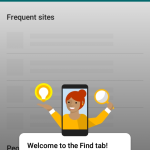 A look into SharePoint Mobile app from Android
  SharePoint News Gets an AI Audio Upgrade: A Smarter Way to Catch Up on Company Updates