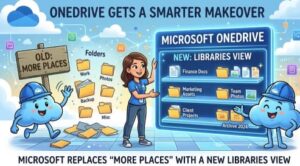
Microsoft is giving OneDrive for the web a useful navigation upgrade that should make it easier for users to find the SharePoint document libraries they work with every day.
The company is replacing the existing “More places” experience with a new Libraries view, bringing recently accessed libraries, Teams-connected libraries, and favorite SharePoint sites into a more organized browsing experience.
The change is part of Microsoft 365 Roadmap ID 566315 and is designed primarily around one simple goal: helping people spend less time searching for shared content and more time actually working with it.
According to Microsoft’s updated announcement on August 14, 2026, the rollout timeline has been adjusted. Targeted Release began in early July and was expected to finish by mid-July. General Availability began in mid-July and is now expected to continue through the end of August 2026, extending the earlier timeline that had targeted late July.
For organizations that rely heavily on OneDrive, SharePoint, and Microsoft Teams, the change is relatively small from an administration perspective but could make a noticeable difference to everyday users.
From “More places” to Libraries
The biggest change is straightforward: users will no longer rely on the familiar More places experience to browse these connected document libraries.
Instead, OneDrive for the web will present a dedicated Libraries view.
The new experience is intended to bring commonly used SharePoint document libraries closer to the user. Rather than forcing people to remember where a library lives or repeatedly navigate through different Microsoft 365 services, OneDrive can surface libraries based on recent activity and existing connections.
This is particularly useful in workplaces where employees interact with multiple SharePoint sites or Teams. A user might work with a project library in Microsoft Teams, a department library on SharePoint, and several other shared locations throughout the week. Finding the right location can become surprisingly time-consuming when there are dozens of sites and libraries involved.
The new Libraries view aims to make that process more intuitive.
Recent libraries take center stage
One of the most useful additions is the ability to see recently accessed document libraries.
Instead of starting from scratch every time, users can return to libraries they have recently worked with. This could be especially helpful for people who regularly switch between projects, departments, clients, or Teams.
Think of it as a shortcut to the places where work is already happening.
If an employee spent the morning working in a project document library and needs to return to it later in the day, the library should be easier to locate from the Libraries view.
That may sound like a minor improvement, but small navigation changes can have a significant impact across large organizations. Saving a few clicks for one person may not seem important. Saving those clicks across hundreds or thousands of employees every day is a different story.
Better access to Teams and favorite SharePoint sites
The new Libraries experience also brings libraries connected to Microsoft Teams and favorite SharePoint sites into the same browsing experience.
This reflects how people actually work in Microsoft 365 today. OneDrive, SharePoint, and Teams are closely connected, and users don’t necessarily think about which Microsoft service technically owns a document library.
They simply want to find the files they need.
By making these locations easier to discover from OneDrive, Microsoft is attempting to create a more unified experience across its collaboration ecosystem.
For Teams users in particular, this could make it easier to return to shared project content without having to navigate through individual Teams and channels first.
Filtering makes large libraries easier to find
Another welcome addition is keyword filtering.
Users will be able to filter libraries using keywords, which should be particularly useful for organizations with large numbers of document libraries.
Imagine an employee has access to dozens of libraries with names covering projects, departments, customers, locations, and internal initiatives. Scrolling through a long list isn’t an efficient way to find one particular library.
With filtering, users can enter a keyword and narrow down the available results.
Microsoft’s example shows the Libraries experience being filtered for “Site assets,” demonstrating how the filtering functionality can help narrow the list of available libraries.
Sorting and viewing options add flexibility
Microsoft is also giving users more control over how their libraries are displayed.
The new experience allows libraries to be sorted by recent activity or alphabetically.
That means users can choose the approach that best fits their workflow.
Someone who frequently returns to the same few libraries may prefer sorting by recent activity. Another user who knows exactly what they’re looking for may find alphabetical sorting more convenient.
There are also list and tile views, giving users another way to organize the information on screen.
These aren’t groundbreaking features on their own, but together they make the new Libraries view feel more like a dedicated workspace rather than simply another location menu.
No administrator action required
For IT administrators, perhaps the most important part of the announcement is what doesn’t need to happen.
Microsoft says the feature will be enabled by default, and organizations do not need to make administrative configuration or policy changes to introduce it.
Existing permissions and access controls will also remain unchanged.
That’s important because a redesigned browsing experience shouldn’t mean users suddenly gain access to content they weren’t previously authorized to see. The update changes how libraries are discovered and displayed, not the underlying permissions governing access.
Microsoft has also identified no specific compliance considerations for the change, although organizations are advised to review the update according to their own compliance requirements and policies.
What businesses should do now
There is no mandatory action required from organizations, but Microsoft recommends a few practical steps.
First, companies may want to update internal training materials that currently reference the More places experience. Screenshots, user guides, onboarding documentation, and internal knowledge-base articles may become outdated once the new Libraries view is fully rolled out.
Second, helpdesk and IT support teams should be made aware of the change.
Users who are accustomed to finding SharePoint libraries through More places may initially wonder where the old option has gone. A simple explanation from the support team could prevent unnecessary tickets.
Finally, organizations should consider communicating the new features to employees.
The change is more than a renamed menu. Users will gain filtering, sorting, recent-library access, and different viewing options. Making employees aware of those capabilities can help ensure the organization actually benefits from the update.
A small change with everyday benefits
Microsoft’s new OneDrive Libraries experience isn’t a dramatic redesign of the Microsoft 365 ecosystem. Instead, it is the kind of incremental improvement that can make everyday work a little less frustrating.
As businesses accumulate more SharePoint sites, Teams, and document libraries, finding the right content can become increasingly difficult. A centralized and more searchable Libraries experience could help reduce that friction.
The replacement of More places also reflects a broader direction in Microsoft 365: bringing different collaboration experiences closer together while making content easier to discover from the tools employees already use.
For end users, the transition should be relatively straightforward because existing permissions remain intact and no special configuration is required.
For IT teams, the main task is communication and documentation.
And for Microsoft, the objective is clear: make OneDrive for the web a better starting point for finding the shared content people need.
With General Availability expected to continue through the end of August 2026, organizations should begin seeing the new Libraries experience as the rollout reaches their users.
Bottom line: OneDrive’s new Libraries view may not change how files are stored, but it could significantly improve how quickly people find the document libraries they already have access to.