
In the fast-moving world of cloud computing and DevOps, one principle stands out as a game-changer: Immutable Infrastructure.
Rather than patching or updating live systems, the immutable infrastructure pattern says: “Don’t fix it. Replace it.”
This post explores how to implement immutable infrastructure on Amazon Web Services (AWS) to build resilient, scalable, and fault-tolerant systems.
🧱 What Is Immutable Infrastructure?
In a traditional (mutable) infrastructure model, servers are updated in place—hotfixes are applied, patches are installed, and configurations are modified directly on running systems. This approach creates configuration drift, inconsistencies, and often production errors that are hard to reproduce or debug.
In contrast, immutable infrastructure treats all compute resources (EC2, containers, etc.) as disposable artifacts. If you need to make a change, you build a new image, deploy new instances, and terminate the old ones.
✅ Think of infrastructure like versioned code artifacts—never edited directly, always rebuilt and redeployed.
🚀 Why Use Immutable Infrastructure?
- Consistency – Every environment is built from the same versioned artifact.
- Speed – Easier automation and faster rollback.
- Security – No SSH access, no configuration drift.
- Reliability – Predictable deployments reduce surprises.
- Auditability – Every change is version-controlled and logged.
🛠️ Implementing Immutable Infrastructure on AWS
Here’s how you can bring the immutable pattern to life using AWS-native services.
1️⃣ Build Custom Machine Images (AMIs)
Start by creating Amazon Machine Images (AMIs) with your application, dependencies, and configuration baked in.
📦 Tools You Can Use:
- Packer – Automates AMI creation.
- EC2 Image Builder – AWS-native image pipeline.
- Docker – If deploying containerized workloads.
Example: Create AMI using Packer
jsonCopyEdit{
  "builders": [
    {
      "type": "amazon-ebs",
      "region": "us-east-1",
      "source_ami": "ami-12345678",
      "instance_type": "t2.micro",
      "ssh_username": "ec2-user",
      "ami_name": "myapp-{{timestamp}}"
    }
  ],
  "provisioners": [
    {
      "type": "shell",
      "inline": [
        "sudo yum update -y",
        "sudo yum install -y nginx",
        "sudo systemctl enable nginx"
      ]
    }
  ]
}
2️⃣ Store and Version Images
Push your AMIs to Amazon EC2 AMI catalog or Elastic Container Registry (ECR) (for Docker-based apps). Use semantic versioning or timestamps for traceability.
3️⃣ Deploy via Auto Scaling Groups (ASGs)
Use EC2 Auto Scaling Groups with Launch Templates referencing your custom AMI. Whenever there’s a new version:
- Update the launch template with the new AMI ID.
- Trigger a rolling update.
Rolling Replacement Strategy:
MinSize = NMaxSize = 2N- Create N new instances
- Drain and terminate old instances
🛑 Avoid in-place updates. ASGs can automatically terminate old instances after launching new ones.
4️⃣ Blue-Green or Canary Deployments (Optional)
To reduce risk:
- Use Blue-Green Deployment: deploy the new version alongside the old, switch traffic using Elastic Load Balancer.
- Use Canary Deployment: direct a small percentage of traffic to the new environment before full rollout.
Tools to help:
- AWS CodeDeploy with Blue/Green support for EC2 and ECS
- Elastic Beanstalk Blue/Green Deployments
- Application Load Balancer weighted target groups
5️⃣ Automate Everything with CI/CD
Use AWS CodePipeline or GitHub Actions to automate:
- Build the app
- Create a new AMI (or container image)
- Update infrastructure via CloudFormation or Terraform
- Replace old instances
Example CI/CD Flow:
plaintextCopyEditCode Commit → Build AMI (Packer) → Push to EC2 → Update Launch Template → Trigger ASG Rolling Update → Test → Promote
💡 Optional Enhancements
- Use Amazon EC2 Image Builder for native image automation.
- Use Amazon SSM for remote commands if needed (without SSH).
- Use Immutable ECS Tasks for container workloads.
⚖️ Mutable vs Immutable: Quick Comparison
| Feature | Mutable | Immutable |
|---|---|---|
| Update Strategy | In-place changes | Rebuild and replace |
| Configuration Drift | Common | None |
| Debugging | Manual SSH | Reproducible builds |
| Rollbacks | Complex | Easy (redeploy previous image) |
| Automation | Harder | Easier |
| Consistency | Low | High |
✅ Best Practices
- Never SSH into production instances. Use logs, metrics, and monitoring instead.
- Tag AMIs and resources with build metadata.
- Test images before deployment (use staging environments).
- Use CloudWatch Alarms and AWS Config to detect unauthorized changes.
- Consider ECS with Fargate or Lambda for fully serverless immutability.
Adopting the Immutable Infrastructure pattern is a significant step toward modern, reliable, and maintainable systems. On AWS, you have all the tools you need to implement this pattern efficiently and safely.
By baking your applications into machine images, deploying through automation, and treating infrastructure as disposable, you eliminate many of the issues that plague mutable environments.
Extra posts:
 Building Resilient Systems with Immutable Infrastructure on Azure
  Building Resilient Applications Availability & Resilience Patterns in AWS and Azure
  MLOps Architectures Building Scalable AI Systems
  Software Architecture Frameworks and Artificial Intelligence Building Smarter Systems
  Event-Driven Architectures for Agentic Systems: Building Responsive, Intelligent, and Scalable AI
 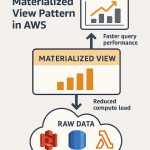 🚀 Materialized View Pattern in AWS Precompute for Performance