
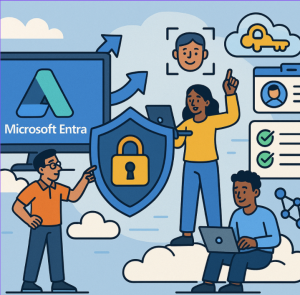
Introduction: The Identity & Access Challenge in a Cloud-First World
As organizations shift more workloads to the cloud, adopt hybrid and remote work models, and integrate multicloud environments, identity and access risk becomes a central security frontier. Traditional network perimeter defenses are no longer sufficient. Zero Trust is the guiding principle: no implicit trust, always verify, least privilege, assume breach.
Microsoft Entra is Microsoft’s identity and network access family, designed to help organizations build a “trust fabric” across identities, access, and networks. The Entra Suite is a bundled offering that combines key capabilities around identity protection, governance, network access, and verification, aiming to simplify and strengthen Zero Trust adoption.
In this blog, we’ll cover:
- What is Microsoft Entra Suite?
- Core components and capabilities
- What problems it solves (benefits & use cases)
- Licensing, prerequisites, and considerations
- Challenges, trade-offs, and adoption tips
- The future direction & closing thoughts
1. What Is Microsoft Entra Suite?
The Entra Suite is a premium bundle that integrates several advanced Microsoft Entra services. It is designed to unify identity and network access, enabling consistent Conditional Access policies based on both identity and network context.
It combines five major capabilities:
- Entra Private Access
- Entra Internet Access
- Entra ID Protection
- Entra ID Governance
- Entra Verified ID with Face Check
This integration allows organizations to manage identity and access with a more holistic approach, rather than juggling disparate tools.
2. Core Components & Capabilities
| Component / Capability | What It Does | Key Highlights |
|---|---|---|
| Entra Private Access | Provides secure access to private (internal) applications and resources without a traditional VPN. | Zero Trust Network Access for internal apps, whether on-prem or multicloud. |
| Entra Internet Access | Secure, identity-aware Internet access acting as a cloud Secure Web Gateway. | Outbound traffic filtering, web content controls, and identity-driven protection. |
| Entra ID Protection | Detects identity-based risks and responds in real time. | Supports risk-based Conditional Access, requiring MFA or blocking risky logins. |
| Entra ID Governance | Automates and governs user access lifecycle. | Handles entitlement requests, onboarding/offboarding, and access reviews. |
| Entra Verified ID (Face Check) | Provides secure identity verification using verifiable credentials and biometrics. | Enables smoother onboarding and passwordless authentication. |
Together, these components simplify policy administration and provide unified identity + network controls.
3. Problems Solved & Benefits
a) Unified Policy & Simpler Administration
Administrators can manage policies from one place, unifying identity and network security, reducing tool sprawl, and minimizing conflicting rules.
b) Least Privilege & Governance
Automates access reviews, entitlement management, and role assignments, preventing privilege creep.
c) Better Risk Detection & Adaptive Response
Adaptive policies can enforce MFA or block access dynamically, based on risk signals and behavior.
d) Modern Secure Access Without VPNs
Cloud-delivered access solutions reduce dependence on legacy VPNs and on-prem secure web gateways.
e) Improved User Experience
Passwordless options, streamlined onboarding, and consistent policies improve employee productivity and satisfaction.
f) Cost & Complexity Reduction
Consolidating multiple security tools under Microsoft’s suite can lower total cost of ownership while simplifying operations.
4. Licensing, Prerequisites & Considerations
- Pricing is around $12 per user per month with an annual commitment.
- Requires Entra ID P1 or equivalent licensing as a baseline.
- Some Entra products remain outside the Suite (such as External ID).
- Organizations must have a strong identity foundation before layering advanced policies.
- Careful migration planning is necessary when moving away from existing VPNs or governance systems.
5. Adoption Tips & Best Practices
- Start small, expand gradually – Begin with ID protection or governance before rolling out network access.
- Clean up your identity baseline – Remove stale accounts and refine group/role structures.
- Design policies carefully – Model Conditional Access rules with fallback scenarios.
- Pilot with a subset of users – Validate and adjust before wider rollout.
- Monitor and iterate – Use telemetry to fine-tune access decisions.
- Communicate with end users – Reduce confusion with clear onboarding and training.
- Plan for emergency access – Always have break-glass accounts in case of lockout.
- Understand legacy dependencies – Some apps may require special handling during transition.
- Stay current with updates – Microsoft frequently enhances Entra features.
6. Future Outlook & Closing Thoughts
Microsoft Entra Suite represents the convergence of identity, governance, and network access security in one package. By providing a unified Zero Trust framework, it helps organizations protect identities, streamline access, and modernize security infrastructure.
Looking ahead, we can expect:
- Deeper integrations with Microsoft Defender and Sentinel.
- More biometric and verification options.
- Continuous authentication and session monitoring.
- Stronger multicloud and third-party support.
While it’s not a one-click solution, Entra Suite is a powerful step forward for organizations looking to simplify and strengthen secure access in a cloud-first, hybrid work world.
Extra posts:
 What Microsoft Entra Really Means for Identity and Security
  Federated Identity in Azure Seamless Access with External Identity Providers
  Federated Identity in AWS Streamlining Access with External Identity Providers
  Mastering Keyboard Shortcuts Across the Microsoft 365 Suite
  Unlocking Employee Potential A Complete Guide to Microsoft Viva Suite
  Create Dynamic Groups Using Microsoft Entra Rule Builder