
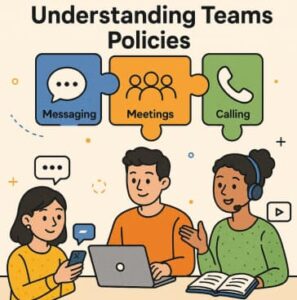
Since the models of work now is either hybrid(mic between on site office and any location) or remote continue to evolve so tools like Microsoft Teams have become the basic of collaboration in organizations across the globe. Teams is not just a communication app it is a unified hub for teamwork that combines messaging, meetings, file sharing, and calling. But behind the scene lies a powerful layer of administrative control: Teams policies.
Teams policies give IT admins control over what users can do within the platform. If it is restricting who employees can chat with, controlling meeting features like recording, or defining how calls are routed, policies ensure the organization remains compliant, secure, and productive.
In this blog, we will go through everything you need to know about Microsoft Teams messaging, meetings, and calling policies and how they form the user experience.
What Are Teams Policies?
Teams policies are configurations applied by administrators to manage how users interact within Teams. They serve three main purposes:
- Govern communication and collaboration
- Protect sensitive information through compliance and security settings
- Standardize user experiences across the organization
Policies can be applied globally, per group, or to individual users, giving organizations flexible, layered control.
Messaging Policies in Teams
Messaging is at the core of daily collaboration. Teams messaging policies help admins define:
- Who employees can chat with
- Whether external guests are allowed
- If GIFs, memes, or stickers are enabled
- How chats and channel messages are managed
Common Messaging Policy Settings
| Feature | What It Controls |
|---|---|
| Private chat | Allow or disable direct messages between users |
| Read receipts | Whether users can see if messages are read |
| File sharing | Restrict uploading or downloading files |
| Giphy, stickers, emojis | Enable or limit creativity and engagement |
| Chat with external users | Communication with partners or clients |
These policies help balance productivity with compliance. For example, a financial or healthcare institution may limit external messaging and disable file sharing for certain roles due to regulatory requirements.
Why Messaging Policies Matter
- Reduce risk of data leakage
- Ensure communication stays professional
- Support role-based restrictions (e.g., frontline workers)
- Improve productivity by reducing distractions
Messaging policies give organizations the power to create a communication environment that fits their culture and compliance rules.
Meeting Policies in Teams
Teams meetings are essential for hybrid collaboration whether through quick huddles or major webinars. Meeting policies control what participants can do before, during, and after meetings.
Key Meeting Policy Areas
| Policy Area | Example Controls |
|---|---|
| Scheduling | Who can schedule meetings & meeting size |
| Lobby permissions | Who can bypass the lobby |
| Recording policies | Allow or block meeting recordings |
| Screen sharing | Enable screen and content sharing |
| Chat in meetings | Limit chat access before/after meetings |
| Breakout rooms | Control access to breakout features |
Admins can also control participant experience, such as:
- Allowing remote participants to unmute themselves
- Managing camera and mic access
- Enabling transcription for accessibility and compliance
Why Meeting Policies Are Critical
- Ensure secure handling of sensitive discussions
- Provide consistent meeting experiences for users
- Maintain control over recorded content
- Support organizational rules and privacy laws
Meeting policies help strike the right balance between open collaboration and secure communication.
Calling Policies in Teams
Microsoft Teams also functions as a cloud-based phone system, and calling policies determine how voice communication operates.
Important Calling Policy Features
| Setting | Purpose |
|---|---|
| Call forwarding & delegation | Control how calls are transferred |
| Voicemail settings | Allow/disable voicemail features |
| Call recording & compliance | Legal recording requirements |
| WIFI calling restrictions | Ensure quality and cost control |
| Caller ID protection | Prevent unauthorized number exposure |
Admins can assign calling licenses and policies to:
- Contact centers
- Sales teams
- Customer service departments
- Executives requiring additional controls
Main Benefits of Calling Policies
✔ Improve customer interactions
✔ Prevent unauthorized access to external dialing
✔ Strengthen accountability with recorded proof
✔ Ensure only trained users handle outbound calls
✔ Boost call reliability and professionalism
Teams calling policies turn communication into a structured, trackable process that supports business operations.
How Policies Work Together
While each policy category has unique controls, they are most powerful when combined. For example:
- A healthcare organization may restrict private chats, enable meeting recordings for legal documentation, and limit calling features to admin roles.
- A marketing team may have full chat and meeting flexibility while maintaining controlled external call handling.
Admins typically assign policies based on:
- Department roles
- Security requirements
- Compliance standards
- Licensing needs
This layered approach ensures everyone has the right level of access—no more, no less.
Best Practices for Managing Teams Policies
Here are some proven tips:
| Best Practice | Why It Helps |
|---|---|
| Start with global defaults and only customize when needed | Reduces confusion and policy sprawl |
| Group users by roles or departments | Easier management and consistency |
| Regularly review and audit policy compliance | Stay aligned with business and legal changes |
| Communicate policy changes to users | Avoid confusion and productivity loss |
| Test policies before broad rollout | Prevent disruptions |
Good governance empowers users rather than restricting them.
Microsoft Teams policies are the backbone of secure and efficient communication in today’s digital workplace. Messaging, meeting, and calling policies offer granular control over how employees collaborate—ensuring organizations meet compliance needs while maximizing productivity.
By understanding and applying these policies thoughtfully, IT teams can create a safe, professional, and seamless collaboration experience for all users.
Extra posts:
 Teams Messaging Policies
  How to Archive Conversations in Microsoft Teams: A Complete Practical Guide
  Beginner’s Guide to Microsoft Teams: Chat, Meetings, and Channels
  Best Practices for Running Effective Microsoft Teams Meetings
  Microsoft Teams Rooms Complete Guide
  Microsoft Teams Is Getting a Smarter Meeting Assistant: Facilitator Can Now Join Channel Meetings