
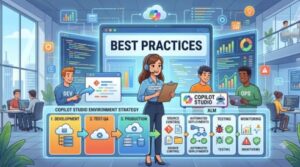
As organizations increasingly adopt Microsoft Copilot Studio to build intelligent copilots, virtual assistants, and AI-powered business solutions, establishing a robust environment strategy and Application Lifecycle Management (ALM) framework becomes critical. While creating copilots is relatively straightforward, managing them across development, testing, and production environments requires careful planning to ensure scalability, security, governance, and operational excellence.
Without a structured environment strategy, organizations often face challenges such as inconsistent deployments, configuration errors, security risks, and difficulties maintaining multiple versions of copilots. A well-designed ALM process helps teams streamline development, improve collaboration, reduce deployment risks, and accelerate innovation.
This blog explores the best practices for Copilot Studio environment strategy and ALM to help organizations build a sustainable foundation for enterprise-scale AI solutions.
Why Environment Strategy Matters in Copilot Studio
Microsoft Copilot Studio is deeply integrated with the Microsoft Power Platform ecosystem. As a result, environment management plays a vital role in how copilots are developed, tested, and deployed.
An effective environment strategy helps organizations:
- Separate development from production workloads
- Reduce the risk of accidental changes
- Support multiple teams and business units
- Improve governance and compliance
- Enable controlled release management
- Simplify troubleshooting and rollback processes
- Maintain consistent deployment practices
Organizations that treat Copilot Studio solutions as enterprise applications rather than isolated projects typically achieve better scalability and long-term success.
Establish a Multi-Environment Architecture
One of the most important best practices is creating dedicated environments for each stage of the development lifecycle.
Recommended Environment Structure
Development Environment
- Used by makers and developers
- Supports experimentation and rapid iteration
- Allows frequent changes and testing
Testing or QA Environment
- Used for functional testing
- Validates integrations and workflows
- Supports user acceptance testing (UAT)
Production Environment
- Hosts live copilots used by business users
- Highly controlled and secured
- Changes only occur through approved deployment processes
For larger organizations, additional environments such as Sandbox, Training, Pre-Production, or Regional Production environments may be required.
This separation reduces operational risks and ensures that unfinished work never impacts end users.
Use Solutions for Everything
Solutions are the foundation of Power Platform ALM and should be used consistently in Copilot Studio projects.
A managed solution approach provides:
- Version control support
- Easier deployment across environments
- Component dependency tracking
- Simplified rollback procedures
- Better governance
Best practice is to create copilots, topics, flows, connections, custom connectors, and related assets within solutions from the beginning of the project.
Many organizations make the mistake of building assets outside solutions and later struggle with migration and deployment challenges.
Implement Source Control Early
Although Copilot Studio offers low-code capabilities, enterprise projects should still follow software engineering principles.
Source control enables teams to:
- Track changes
- Maintain historical versions
- Collaborate effectively
- Support auditing requirements
- Enable rollback when needed
Popular repositories include:
- Azure DevOps Repos
- GitHub
- Git-based enterprise repositories
Store exported solution files, deployment scripts, documentation, configuration files, and release notes within source control systems.
Versioning becomes increasingly important as copilots evolve and involve multiple developers.
Adopt Automated Deployment Pipelines
Manual deployments introduce unnecessary risk and inconsistency.
Organizations should implement CI/CD (Continuous Integration and Continuous Deployment) pipelines using:
- Azure DevOps Pipelines
- GitHub Actions
- Power Platform Build Tools
Automated pipelines can:
- Validate solutions
- Run quality checks
- Export and import solutions
- Manage environment variables
- Enforce deployment approvals
Automation reduces human error while ensuring repeatable and reliable deployments.
Use Environment Variables for Configuration Management
Hardcoded configuration values are one of the most common causes of deployment failures.
Instead of embedding environment-specific information directly into copilots or flows, use environment variables.
Examples include:
- API endpoints
- Database connection strings
- SharePoint site URLs
- External service configurations
- Authentication settings
Environment variables allow the same solution package to be deployed across multiple environments without requiring manual modifications.
This significantly improves maintainability and deployment consistency.
Secure Connections and Credentials
Security should be built into the environment strategy from the start.
Organizations should:
- Follow the principle of least privilege
- Limit maker permissions
- Use service accounts where appropriate
- Regularly review access rights
- Monitor privileged roles
Connection references should be managed carefully to ensure that production systems use approved service accounts rather than personal user credentials.
A common enterprise best practice is establishing dedicated integration accounts for production deployments.
Establish Governance Policies
Governance ensures that Copilot Studio adoption remains controlled and aligned with organizational standards.
Effective governance policies should address:
Environment Creation
Define who can create environments and under what circumstances.
Naming Standards
Use consistent naming conventions such as:
- DEV-HR-Copilot
- TEST-HR-Copilot
- PROD-HR-Copilot
Solution Standards
Document standards for:
- Topics
- Flows
- Variables
- Connectors
- Security roles
Review Processes
Require architecture reviews and deployment approvals before promoting solutions to production.
Governance creates consistency across teams and simplifies long-term maintenance.
Monitor and Audit Continuously
Deployment is not the end of the lifecycle.
Organizations should continuously monitor:
- User interactions
- Performance metrics
- Error rates
- Topic effectiveness
- Integration failures
- Security events
Regular monitoring helps identify issues before they affect users.
Leverage tools such as:
- Power Platform Admin Center
- Microsoft Purview
- Application Insights
- Azure Monitor
- Security Center reporting
Analytics should become part of ongoing operational management.
Implement a Clear Release Management Process
Successful ALM depends on predictable release procedures.
A mature release process typically includes:
- Development completion
- Peer review
- Solution export
- Automated validation
- QA testing
- User acceptance testing
- Production approval
- Production deployment
- Post-deployment monitoring
Documenting release processes reduces confusion and creates accountability across teams.
Plan for Disaster Recovery and Rollback
Even the most carefully tested deployments can experience issues.
Organizations should prepare for failures by:
- Maintaining solution backups
- Storing previous versions
- Documenting rollback procedures
- Testing recovery scenarios
- Protecting critical configurations
Having a recovery strategy significantly reduces downtime and business disruption.
Document Everything
Documentation is often overlooked but becomes invaluable as solutions grow.
Maintain documentation for:
- Environment architecture
- Deployment procedures
- Security models
- Solution dependencies
- Integration points
- Governance policies
- Release history
Good documentation accelerates onboarding and reduces knowledge silos.
Common Mistakes to Avoid
Many organizations encounter avoidable challenges when scaling Copilot Studio implementations.
Common mistakes include:
- Using a single environment for all activities
- Building assets outside solutions
- Relying on manual deployments
- Hardcoding environment-specific settings
- Using personal credentials in production
- Ignoring governance requirements
- Failing to document processes
- Deploying without testing
Avoiding these pitfalls can significantly improve operational stability and deployment success.

A successful Copilot Studio implementation requires much more than building conversational experiences. Organizations must establish a comprehensive environment strategy and ALM framework that supports governance, scalability, security, and operational excellence.
By adopting dedicated environments, solution-based development, automated deployment pipelines, source control, environment variables, governance standards, and continuous monitoring, organizations can create a reliable foundation for enterprise AI initiatives.
As Copilot Studio adoption continues to grow, businesses that invest in strong ALM and environment management practices will be better positioned to deliver secure, scalable, and high-quality AI experiences while minimizing operational risks and maximizing business value.
Extra posts:
 Multi-Turn Conversations and Context Management in Copilot Studio
  Copilot Studio vs Azure AI Agents: What Should You Use?
  What Is Microsoft Copilot Studio? A Beginner’s Guide
  Top 5 Use Cases for Copilot Studio in Your Business
  How to Build Your First AI Agent in Copilot Studio in 15 Minutes
  Getting Started with Copilot Studio Build Your First AI-Powered Bot