
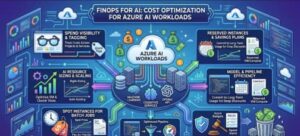
AI has moved from experimentation to production surprisingly quickly. Teams are now using Azure AI workloads for everything from customer support and document processing to content generation, data extraction, search, and intelligent automation. But as AI usage grows, so does a problem that many engineering teams discover the hard way: AI costs can scale much faster than expected.
A workload that costs a few hundred dollars during a proof of concept can become a significant monthly expense once thousands or millions of requests start flowing through it.
This is where FinOps for AI becomes important.
FinOps is not simply about cutting costs. It is about creating visibility into cloud consumption, understanding what drives spending, and making informed decisions that balance cost, performance, reliability, and business value. For high-volume Azure AI workloads, that means looking beyond the price of an individual AI request and examining the entire architecture.
From choosing the right compute instance to scaling workloads intelligently and monitoring consumption continuously, there are several practical ways organizations can improve budget efficiency without sacrificing user experience.
Why AI Workloads Need a Different FinOps Approach
Traditional cloud workloads can often be optimized by looking at CPU, memory, storage, and network consumption. AI workloads add another layer of complexity.
Depending on the architecture, costs may be influenced by:
- Model inference and token consumption
- GPU or CPU compute
- Provisioned versus pay-as-you-go capacity
- Number and duration of AI requests
- Input and output volume
- Data processing
- Storage and database usage
- API calls and supporting Azure services
- Idle or underutilized resources
The challenge becomes even greater when demand is unpredictable. A customer-facing AI application might receive moderate traffic during normal business hours and experience huge spikes during a campaign, product launch, or seasonal event.
FinOps for AI therefore needs to connect engineering decisions with actual consumption patterns.
1. Start With Visibility Into AI Consumption
The first step toward optimization is knowing where the money is going.
It sounds obvious, but many organizations initially look only at the total Azure bill. That number tells you how much you spent, but not necessarily why you spent it.
Create cost visibility at the workload, application, environment, and business-unit levels wherever possible. Azure cost management capabilities, resource tags, subscriptions, resource groups, and monitoring tools can help teams associate consumption with specific workloads.
For AI applications, it is also useful to track metrics such as:
- Requests per minute
- Tokens consumed per request
- Average input and output tokens
- Cost per request
- Cost per successful transaction
- Compute utilization
- GPU utilization where applicable
- Latency
- Error rates
- Cache hit rates
One particularly useful metric is cost per business transaction.
For example, instead of simply asking, “How much did our AI service cost this month?”, ask, “How much does it cost to process one customer interaction?”
That perspective makes optimization much more meaningful.
2. Choose the Right Azure AI Model and Service
One of the easiest ways to overspend on AI is to use a model that is more powerful than the workload actually requires.
Not every request needs the largest or most capable model.
Consider a typical AI application that performs several different tasks. A complex model may be appropriate for generating detailed responses, but a smaller and more cost-efficient model might handle classification, routing, summarization, extraction, or simple customer queries.
A practical architecture can use model routing.
For example:
- Send a request to a lightweight model first.
- Determine whether the task requires advanced reasoning.
- Escalate only complex requests to a more capable model.
This approach can significantly reduce the average cost per request while keeping higher-quality models available when they genuinely add value.
The key is to evaluate models based on cost versus business outcome, not simply technical capability.
3. Scale Compute Based on Demand
For self-managed or compute-intensive AI workloads, scaling strategy can have a major impact on the Azure bill.
Running maximum capacity all the time may provide excellent performance, but it can also mean paying for resources that sit idle for large parts of the day.
Instead, analyze workload patterns and scale capacity according to demand.
For example, if an AI processing workload normally receives 100 requests per minute but regularly reaches 2,000 requests per minute during business hours, the infrastructure should not necessarily run at peak capacity overnight.
Autoscaling can help match resources to demand.
However, scaling too aggressively can create another problem: excessive instance churn, cold starts, or unnecessary capacity. The goal is not simply to scale up and down as quickly as possible. The goal is to find a balance between capacity, latency, reliability, and cost.
Set practical scaling thresholds using real workload data rather than arbitrary CPU percentages.
4. Select Instance Types Based on Workload Characteristics
Instance selection is another important FinOps decision.
For AI workloads that require GPUs, it can be tempting to choose the most powerful available GPU instance. But more powerful does not automatically mean more cost-efficient.
The right question is:
Which instance delivers the required throughput at the lowest effective cost?
Compare instance types using real workloads and measure:
- Requests processed per second
- Average latency
- GPU utilization
- Memory utilization
- Batch processing performance
- Cost per request
- Cost per million requests
A less expensive instance that processes requests slightly more slowly may actually be the better choice if the workload is not latency-sensitive.
On the other hand, a high-performance instance may be more economical for workloads where faster processing allows the infrastructure to handle substantially more requests.
Benchmarking is therefore essential.
Avoid choosing instances based purely on specifications. Test them against representative production workloads.
5. Use Batching Wherever It Makes Sense
High-volume AI processing can often benefit from batching.
If an application does not require real-time responses, processing requests in batches can improve resource utilization. This is particularly useful for tasks such as document processing, classification, embeddings, data enrichment, and offline content generation.
Instead of keeping expensive compute continuously available for individual requests, the system can collect work and process it efficiently in groups.
Batching will not be appropriate for every application. A live conversational assistant, for example, has very different latency requirements from an overnight document-processing pipeline.
The important FinOps principle is to match infrastructure behavior to business requirements.
6. Reduce Unnecessary AI Consumption
Cost optimization does not always require changing infrastructure.
Sometimes the biggest savings come from sending fewer requests or reducing the amount of data processed.
Review the application logic for unnecessary AI calls.
Could the application reuse a previous response?
Could a result be cached?
Could a deterministic rule handle a simple request before an AI model is called?
Could prompts be shorter?
Could unnecessary context be removed?
Could repeated information be summarized once and reused?
These changes can have a surprisingly large impact at scale.
For example, reducing the average token consumption of a request by a small percentage may appear insignificant when the application processes a few hundred requests. At millions of requests, however, the savings can become substantial.
7. Monitor Consumption Continuously
FinOps is not a one-time optimization exercise.
AI workloads change rapidly. Models change, traffic changes, prompts evolve, and new features introduce new consumption patterns.
Establish dashboards that combine cost and performance metrics.
A useful AI FinOps dashboard might show:
| Metric | Why It Matters |
|---|---|
| Total AI spend | Tracks overall budget |
| Daily consumption | Identifies spending trends |
| Cost per request | Measures efficiency |
| Token consumption | Identifies expensive usage patterns |
| Requests per minute | Shows demand |
| Compute utilization | Identifies idle capacity |
| Latency | Protects user experience |
| Error rate | Identifies reliability issues |
| Cost per business transaction | Connects cost to value |
Set budgets and alerts for unusual consumption. A sudden increase in requests, token usage, or compute utilization should trigger investigation before it becomes a major month-end surprise.
8. Create FinOps Guardrails for Development Teams
AI cost management works best when developers can see the consequences of architectural decisions.
Instead of treating FinOps as a finance team’s responsibility, make cost part of engineering conversations.
For example, during design reviews, teams can ask:
- What is the expected request volume?
- Which model is being used and why?
- What is the estimated cost per request?
- How will the workload scale?
- What happens during traffic spikes?
- Are caching or batching possible?
- What monitoring will be implemented?
- What is the expected monthly cost?
These questions help prevent expensive design decisions from reaching production unnoticed.
9. Optimize for Cost Per Outcome, Not Just Cost Per Resource
Perhaps the most important FinOps principle for AI is that the cheapest infrastructure is not always the best infrastructure.
Suppose one model costs twice as much per request but resolves customer issues significantly more effectively. If customers require fewer interactions as a result, the overall business cost could actually be lower.
Likewise, a more expensive GPU may be worthwhile if it processes several times more workload within the same period.
That is why AI FinOps should measure business outcomes alongside infrastructure costs.
The objective is not simply to minimize the Azure bill.
The objective is to maximize the value generated for every dollar spent.
Building a Sustainable AI FinOps Strategy
As organizations move more AI workloads into production, cost management needs to become part of the architecture rather than an afterthought.
A sustainable approach combines several practices:
Visibility: Know which workloads are consuming resources and why.
Right-sizing: Match models, compute instances, and capacity to actual workload requirements.
Autoscaling: Increase capacity when demand rises and reduce it when demand falls.
Optimization: Use caching, batching, prompt optimization, and intelligent model routing to reduce unnecessary consumption.
Monitoring: Track cost, performance, utilization, and business outcomes continuously.
Governance: Establish budgets, alerts, tagging standards, and ownership.
Most importantly, treat FinOps as a continuous feedback loop. Measure consumption, identify inefficiencies, make an architectural change, and measure the result.

High-volume Azure AI workloads can deliver enormous business value, but uncontrolled consumption can quickly turn that value into an unexpected cloud bill.
The good news is that cost optimization does not have to mean compromising AI quality or application performance.
By selecting the right models and instance types, scaling according to demand, improving resource utilization, reducing unnecessary AI calls, and monitoring consumption in real time, organizations can build AI platforms that are both powerful and financially sustainable.
FinOps for AI is ultimately about making smarter engineering decisions.
When developers, cloud architects, finance teams, and business leaders share visibility into AI consumption, cost becomes more than a number on an invoice. It becomes an engineering metric one that can be measured, optimized, and aligned with business value.
Extra posts:
 Cost Optimization for Copilot and AI Agents on Azure
  Building Resilient Cloud Architectures with Azure’s Agentic Agents: Migration, Observability, and Optimization
  Azure Free Tier & Cost Management Learn Azure Without Spending a Dime
  A Complete Guide to Azure Database Migration Strategies, Tools, and Best Practices
  Free Webinar from Microsoft Migrate Your Workloads to Azure Managed Disks
  Azure AI Studio / Azure AI Foundry A Powerful Platform for Generative AI