

Artificial Intelligence is no longer experimental it’s operational. Organizations are rapidly deploying copilots, AI agents, and generative AI solutions on Azure to drive productivity, automate workflows, and unlock insights. But there’s a reality that quickly follows every successful deployment: cost becomes a concern.
As a Solution Architect working with enterprise clients, I’ve seen firsthand how AI costs especially with large language models can spiral if not carefully managed. The good news? With the right architectural decisions and operational discipline, you can significantly optimize costs without sacrificing value.
Let’s break this down into practical strategies that deliver real business impact.
1. Understanding Token Costs (and Why They Matter)
At the core of most AI cost models on Azure is token consumption. Tokens are essentially chunks of text—both input (prompt) and output (response). Every interaction with a model consumes tokens, and costs scale linearly with usage.
Why this becomes expensive:
- Long prompts = more input tokens
- Verbose outputs = more output tokens
- Frequent calls = multiplied costs
- Poor prompt design = unnecessary token waste
Practical Optimization Tips:
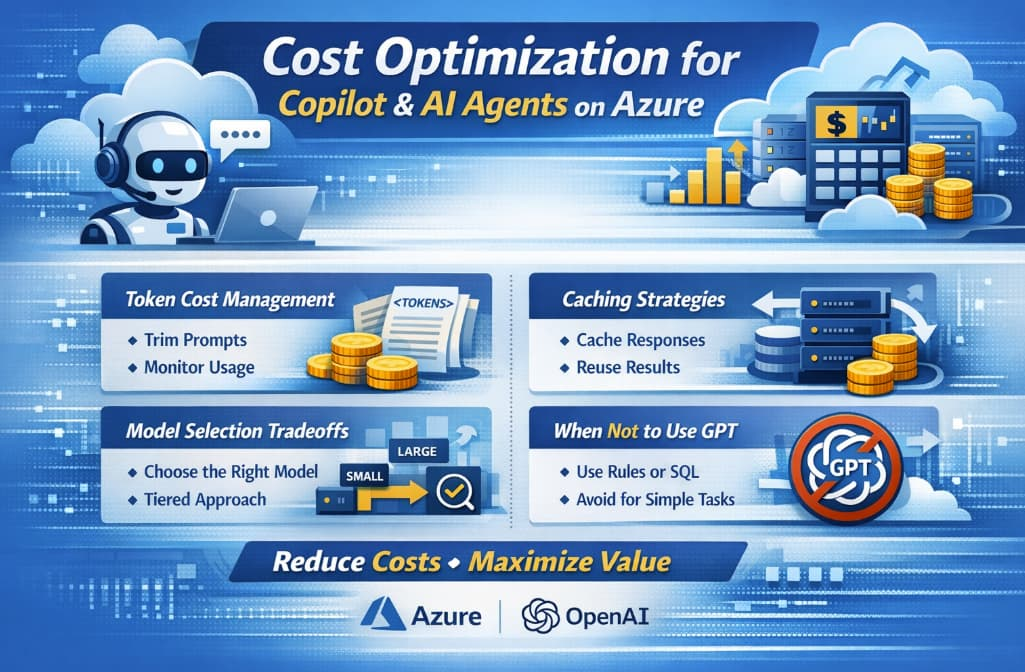
- Trim prompts aggressively: Avoid sending unnecessary context. Don’t pass entire documents if summaries will do.
- Use system prompts wisely: Define behavior once, not repeatedly in each request.
- Control output length: Use parameters like
max_tokensto prevent overly long responses. - Monitor token usage: Azure provides telemetry—use it to identify spikes and inefficiencies.
💡 Business Insight: Reducing token usage by even 20% in a high-volume system can translate into thousands of dollars saved monthly.
2. Caching Strategies: Your Biggest Cost Lever
One of the most underutilized strategies in AI architectures is caching.
Many AI queries are repetitive:
- FAQs in customer support bots
- Common internal knowledge queries
- Reused prompts in workflows
Types of Caching to Implement:
a. Response Caching
Store responses for identical or similar queries.
- Use semantic similarity (vector search) to match queries
- Return cached responses instead of calling the model
b. Embedding-Based Retrieval
Instead of generating responses repeatedly:
- Store documents as embeddings
- Retrieve relevant chunks and only generate when needed
c. Prompt Template Caching
Predefine structured prompts and reuse them instead of rebuilding dynamically.
Tools to Use:
- Azure Cache for Redis
- Azure AI Search (for vector-based retrieval)
💡 Business Insight: In some enterprise copilots, caching reduced AI call volume by 40–60%, drastically lowering costs.
3. Model Selection Tradeoffs: Bigger Isn’t Always Better
One of the most common mistakes is defaulting to the most powerful (and expensive) model for every use case.
Key Considerations:
| Factor | Tradeoff |
|---|---|
| Accuracy | Higher models perform better but cost more |
| Latency | Larger models are slower |
| Cost | Smaller models are significantly cheaper |
| Use Case Complexity | Not all tasks need advanced reasoning |
Practical Strategy:
Use a Tiered Model Approach:
- Small models → classification, tagging, simple Q&A
- Medium models → structured responses, summarization
- Large models (GPT-4 class) → reasoning, complex workflows
Dynamic Routing:
Implement logic to route requests based on complexity:
- Simple queries → cheaper model
- Complex queries → advanced model
💡 Example:
A customer support AI:
- Password reset question → small model
- Billing dispute explanation → large model
💡 Business Insight: This approach can reduce model costs by 30–70% without impacting user experience.
4. When NOT to Use GPT (Critical for Cost Control)
Here’s a hard truth: not every problem needs GPT.
Using generative AI where traditional approaches suffice is one of the biggest cost inefficiencies.
Avoid GPT for:
a. Deterministic Logic
If rules are clear:
- Use code, not AI
- Example: pricing calculations, eligibility checks
b. Structured Data Queries
Instead of GPT:
- Use SQL or APIs
- GPT adds cost and uncertainty
c. Static Content Retrieval
If answers don’t change:
- Use search + retrieval
- No need to generate responses every time
d. High-Volume, Low-Value Tasks
Examples:
- Logging classification
- Simple tagging
Use lightweight ML or rule-based systems instead.
💡 Architecture Principle:
Use AI only where it adds intelligence—not where it adds cost.
5. Observability and Cost Governance
Optimization isn’t a one-time effort—it’s ongoing.
What to Track:
- Token usage per service
- Cost per user / per request
- Model usage distribution
- Cache hit rates
Governance Practices:
- Set budgets and alerts in Azure Cost Management
- Define usage quotas per team or application
- Regularly review prompt efficiency
💡 Business Insight: Organizations with strong AI governance reduce cost overruns by up to 50%.
6. Designing for Cost from Day One
Cost optimization should not be an afterthought—it must be part of your architecture.
Key Design Principles:
- Minimize calls: Batch requests where possible
- Optimize prompts: Short, structured, efficient
- Use retrieval over generation
- Implement fallback mechanisms (cheaper models first)
- Cache aggressively
AI on Azure delivers incredible business value—but unmanaged, it can quickly become expensive.
The goal is not to reduce usage—it’s to maximize value per dollar spent.
As a Solution Architect, my advice is simple:
- Be intentional about when and how you use AI
- Design with cost in mind from the start
- Continuously monitor and optimize
Organizations that master this balance will not only scale AI successfully—but do so sustainably.
Extra posts:
 Building Resilient Cloud Architectures with Azure’s Agentic Agents: Migration, Observability, and Optimization
  Copilot Studio vs Azure AI Agents: What Should You Use?
  The Difference Between Declarative Agents and Autonomous Agents in Copilot Studio
  Azure Free Tier & Cost Management Learn Azure Without Spending a Dime
  How to Introduce Copilot Agents Without Disrupting Your Organization
  How Copilot Agents Think: Goals, Memory, Tools, and Autonomy