
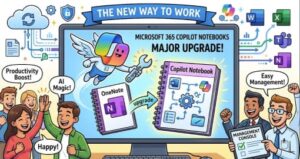
Microsoft is preparing a significant update to the Notebooks experience in the Microsoft 365 Copilot app, giving users a more connected way to organize conversations, AI-generated content, and reference materials in one persistent workspace.
The update is scheduled to begin rolling out worldwide in late August 2026, with Microsoft expecting the rollout to be completed by early September 2026. The timeline was recently updated from the earlier expectation of an early-August start, according to Microsoft’s August 6, 2026 update.
For organizations already using Microsoft 365 Copilot, the change could make it easier to move from individual AI conversations to more structured, ongoing project work. Instead of treating every Copilot interaction as a separate conversation, users will be able to bring relevant chats, creations, and reference material together inside a Notebook.
The most important part for IT administrators is perhaps the simplest: no admin action is required.
A More Connected Notebook Experience
Microsoft describes the updated Notebooks experience as a lightweight, persistent workspace designed to keep project work organized across conversations.
That distinction matters.
Generative AI tools are often excellent at producing an answer or creating a document in the moment, but real-world projects rarely end after one conversation. A business proposal might involve several Copilot chats, reference documents, spreadsheets, presentations, meeting information, and multiple rounds of revisions.
The updated Notebooks experience is designed to bring those pieces together.
Users can use a Notebook as a central place for project-related work, allowing them to continue where they left off rather than repeatedly reconstructing context.
The experience will bring together three important categories of information:
- Chats — conversations and work carried out with Microsoft 365 Copilot.
- Creations — content generated from Notebook work, including supported Word documents, PowerPoint presentations, Excel spreadsheets, Copilot Pages, and other Microsoft 365 objects.
- References — supporting information and materials that users need while working on a project.
This creates a more persistent workflow around Copilot rather than treating AI as a collection of disconnected prompts.
OneNote Is Not Being Replaced
One of the most important details in Microsoft’s announcement is that the existing Notebooks experience in OneNote remains unchanged.
For organizations that have already invested heavily in OneNote, that should provide some reassurance.
The updated experience in the Microsoft 365 Copilot app does not mean existing OneNote Notebooks are being removed or replaced. Instead, Notebooks will remain synchronized between the Microsoft 365 Copilot app and OneNote.
Users will be able to open and continue working with their Notebooks from either environment.
Microsoft also states that the existing Copilot Notebooks entry point and existing Notebook data remain in place. In practical terms, this means organizations do not need to undertake a migration project simply because the Copilot app is gaining the updated experience.
That synchronization could also make the feature more useful for people who move between AI-assisted work and traditional note-taking.
What Happens to Content Created From a Notebook?
Another useful part of the update is the connection between a Notebook and the content created from it.
When users create supported Microsoft 365 content from a Notebook, that content remains associated with the Notebook.
This includes documents and productivity content such as:
- Word documents
- PowerPoint presentations
- Excel spreadsheets
- Copilot Pages
- Other supported Microsoft 365 objects
That association can make it easier to maintain project context.
Imagine a marketing team working on a product launch. Instead of having research in one location, Copilot conversations somewhere else, a presentation in PowerPoint, and a planning document in Word with no obvious connection between them, the Notebook can provide a central workspace around the project.
The goal is not necessarily to create another complicated project-management system. Rather, Microsoft appears to be positioning Notebooks as a lightweight layer that helps users keep AI-assisted work connected.
What Does This Mean for Microsoft 365 Copilot Users?
The update is particularly relevant to users who already have a Microsoft 365 Copilot license.
Once the rollout reaches an organization’s tenant, eligible users will see Notebooks in the Microsoft 365 Copilot app.
For end users, the change should require little or no preparation. The feature is intended to become part of the existing Copilot experience rather than requiring a separate installation or complicated setup.
The bigger change may be behavioral.
Instead of asking Copilot a question, receiving an answer, and moving on, users can potentially treat a Notebook as a continuing workspace for a project.
That could be useful for research, business planning, content creation, presentations, financial analysis, meeting preparation, product development, and many other workflows where work develops over time.
What IT Administrators Need to Know
For IT teams, the announcement is relatively straightforward.
No administrative action is required.
Microsoft recommends that organizations nevertheless prepare their helpdesk and support teams for the change. Licensed users may begin seeing Notebooks in the Microsoft 365 Copilot app as the rollout reaches their tenant.
Organizations that maintain internal documentation about Microsoft 365 Copilot or OneNote should also consider updating that material.
This is particularly important for companies where employees have been given specific instructions about where to store Copilot-generated work or how to use OneNote.
Support teams may receive questions such as: “Why do I now see Notebooks in Copilot?” or “Is this replacing OneNote?”
The answer is no. The new Copilot experience complements the existing OneNote experience, with the two environments keeping Notebook data synchronized.
A Potential Shift in How Employees Use AI
Perhaps the most interesting aspect of the update is what it says about Microsoft’s broader direction for workplace AI.
Early generative AI experiences were largely conversation-driven. Users opened a chatbot, entered a prompt, received a response, and started another conversation when they needed something else.
That model works well for quick questions, but it becomes less effective when AI becomes part of a long-running business process.
Microsoft 365 Copilot Notebooks point toward a more persistent model.
A Notebook can act as a place where the context of a project lives. Conversations, reference materials, and generated work become parts of a continuing workspace.
This could help address one of the biggest challenges with workplace AI: maintaining context over time.
For businesses, that context can be valuable. A project may span days or months and involve multiple types of content. A persistent Notebook gives users a clearer place to organize that work while continuing to use Copilot’s AI capabilities.
Compliance and Data Considerations
Microsoft’s announcement also highlights several compliance-related considerations.
The update makes existing Notebook data available through the Microsoft 365 Copilot app while maintaining synchronization with OneNote. Microsoft states that the existing Notebook entry point and data remain in place.
At the same time, the change expands how users interact with AI around their existing Microsoft 365 content.
That means organizations should still pay attention to their existing Microsoft 365 Copilot governance policies, particularly around what information employees are permitted to use with AI tools and how generated content should be reviewed.
The update itself does not require an administrator to take action, but organizations may want to use the rollout as an opportunity to review internal guidance.
The key question for many businesses will not be whether Notebooks should be enabled, but rather how employees should use them responsibly.
When Is the New Experience Arriving?
Microsoft’s updated rollout schedule puts the worldwide General Availability start in late August 2026, with the rollout expected to finish by early September 2026.
Because Microsoft 365 features are commonly rolled out progressively across tenants, users may not all see the feature on the same day.
Organizations should therefore avoid assuming that the feature is unavailable simply because one user cannot see it yet.
The update is associated with Microsoft 365 Roadmap ID 566318, giving administrators another reference point for tracking the change.
Should Organizations Prepare for the Change?
There is no major deployment project required, but a small amount of preparation could still be worthwhile.
IT departments can notify helpdesk teams, update internal Copilot documentation, and explain to users that Notebooks in the Copilot app are connected with the existing OneNote experience.
For end users, the best preparation may simply be understanding what the new workspace is designed to do.
The real value will likely come from using Notebooks for projects that involve multiple conversations and deliverables rather than treating them as another place to store random notes.
The Bigger Picture
Microsoft’s updated Notebooks experience may look like a relatively small interface change, but it reflects a larger shift in workplace AI.
As Copilot becomes more deeply integrated into Microsoft 365, the focus is moving beyond individual AI answers toward persistent, context-aware workspaces.
By bringing chats, generated content, and references together, Microsoft is attempting to make Copilot more useful for work that does not fit into a single prompt.
The fact that Notebooks remain synchronized with OneNote is also significant. Rather than forcing users to abandon an established productivity tool, Microsoft is connecting the newer AI experience with an existing Microsoft 365 workflow.
For Microsoft 365 Copilot users, the update should arrive with minimal disruption. For IT teams, there is no required administrative action. And for organizations trying to understand where workplace AI is heading, the new Notebooks experience offers another indication that Microsoft’s vision is moving from AI as a chatbot to AI as an ongoing workspace for getting work done
Extra posts:
 Microsoft Planner Lands Inside Outlook and Copilot: A Major Productivity Upgrade for Microsoft 365 Users
  Microsoft Teams Introduces Private Chat for Organizers and Presenters: A Major Upgrade for Meetings, Webinars, and Town Halls
  Microsoft 365 Copilot Agent Builder Gets a Major Usability Update: What’s Changing in August 2026