
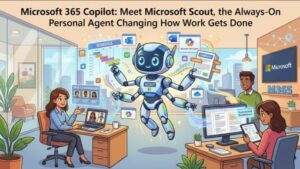
Microsoft is taking its vision for AI-powered work assistants a step further with Microsoft Scout, a new always-on personal agent designed to work proactively across Microsoft 365. Rather than waiting for employees to ask a question or issue a prompt, Scout is built to stay connected to priorities, understand what matters, and help move work forward on the user’s behalf.
The introduction also marks a bigger shift in Microsoft’s AI strategy. The company is introducing a new category called Autopilots—agents designed to operate continuously and autonomously within the permissions, policies, and security controls established by an organization.
Microsoft Scout is the first Autopilot in this category and is now available through Microsoft’s Frontier preview program for Windows and macOS. The early release gives selected organizations an opportunity to experiment with always-on AI before a broader rollout.
What Is Microsoft Scout?
Microsoft Scout is designed as a personal AI agent that works across the Microsoft 365 environment. It can connect with the applications employees already use every day, including Microsoft Teams, Outlook, OneDrive, and SharePoint.
The important distinction is that Scout is not simply another chatbot.
Traditional AI assistants generally respond when a user asks them to do something. Scout is intended to be more proactive. It can remain connected to a user’s work priorities, monitor relevant information, and help identify actions that need attention.
Microsoft describes this new class of agents as Autopilots because they are intended to work autonomously, with their own identity, while acting on behalf of a user under organizational controls.
That could eventually change the way employees think about productivity software. Instead of opening an application, searching for information, writing a prompt, and waiting for an answer, users could have an agent continuously helping them keep track of important work.
Powered by Work IQ
One of the key technologies behind Microsoft Scout is Work IQ, Microsoft’s approach to understanding the context surrounding a user’s work.
The idea is important because workplace productivity is rarely about a single document or message. A project might involve a Teams conversation, several Outlook emails, files stored in OneDrive, documents in SharePoint, meetings, deadlines, and decisions made by different people.
An effective personal agent needs context across these sources.
Scout is designed to use that connected context to understand priorities and help users move work forward. For example, instead of simply summarizing an email, an always-on agent could potentially recognize that the message is connected to an active project and help identify the next action.
This is where Microsoft’s Autopilot concept becomes particularly interesting. The goal is not just to make AI better at answering questions. It is to make AI capable of participating more continuously in the workflow.
Security and Governance Remain Central
An always-on AI agent naturally raises an important question: What is it allowed to do?
Microsoft Scout is being introduced with enterprise security and governance controls rather than as an unrestricted autonomous system.
The agent operates using the user’s identity and is subject to organizational permissions and policies. Microsoft says Scout respects security, identity, compliance, and governance guardrails defined by the organization.
That distinction will matter enormously to IT and security teams.
An AI assistant that can access workplace information is one thing. An autonomous agent that can monitor information and act on a user’s behalf is another. The latter requires organizations to think carefully about identity, permissions, data flows, auditing, and acceptable use.
For that reason, Scout is off by default and cannot simply be enabled by individual users.
Microsoft Scout Requires Administrator Enablement
Organizations participating in the Frontier preview will need to complete several administrative steps before users can successfully access Scout.
Administrators must configure the required policies in Microsoft Intune, complete the required administrative opt-in and attestation, and ensure that eligible users have the necessary licensing.
Microsoft also notes that the preview includes data paths outside Microsoft 365. For example, the experience can use GitHub-based inference, which introduces additional considerations around customer data handling.
That is why administrator attestation is required before the feature can be enabled.
For businesses considering the preview, this should not be treated as a simple application deployment. Security, compliance, identity, and Microsoft 365 administrators should review the feature together before rolling it out to users.
GitHub Copilot Licensing Is Part of the Picture
Another notable requirement is the integration with GitHub Copilot.
Microsoft Scout requires GitHub Copilot licensing for AI credit consumption and billing. This makes the preview different from simply activating a new Microsoft 365 feature through an existing subscription.
IT teams should therefore review their licensing position before starting a pilot.
Organizations will also need to understand how the GitHub integration fits into their existing governance and procurement policies, particularly if they have separate teams responsible for Microsoft 365 and developer tooling.
For helpdesk teams, Microsoft recommends preparing for failed sign-in attempts during the rollout. If a user has installed Scout but cannot sign in, the problem may not be the application itself. Missing administrator configuration, enrollment, attestation, licensing, or other prerequisites can prevent successful access.
What the Frontier Preview Means for Organizations
The Frontier release is best viewed as an opportunity to experiment rather than a finished, universally available product.
Microsoft Scout is currently available to enrolled Frontier customers on Windows and macOS. General availability timing has not yet been announced.
For organizations participating in the program, a controlled pilot could provide valuable insight into how employees interact with an always-on agent.
Companies could begin with a small group of users and establish clear guidelines around what Scout should and should not be used for. Security and compliance teams can then assess the data flows and permissions involved while employees evaluate whether the proactive experience genuinely saves time.
This type of testing may be particularly useful because the biggest question surrounding autonomous workplace AI is not whether it can generate text. The question is whether employees will trust an agent to continuously operate in the background.
A New Era for Microsoft 365 Copilot?
Microsoft Scout could represent an important evolution of Microsoft 365 Copilot.
Generative AI has already changed how people search for information, draft documents, summarize meetings, and analyze content. The next stage is increasingly focused on agentic AI—systems that can reason through tasks, make decisions within boundaries, and take action instead of merely generating responses.
Scout fits directly into that trend.
The move toward always-on agents also suggests that the future Microsoft 365 experience may become less centered around individual applications. Instead, users could increasingly interact with an intelligent layer that understands their work across Teams, Outlook, OneDrive, and SharePoint.
That could be powerful for employees dealing with large volumes of information every day.
Imagine an assistant that understands which projects are important, recognizes changes in conversations, notices relevant documents, and helps keep tasks moving without requiring the employee to repeatedly provide context.
At the same time, that convenience comes with greater responsibility.
The more autonomous an AI agent becomes, the more important identity, governance, transparency, and security become. Organizations will need to know what an agent can access, why it took an action, what information it used, and which policies limit its behavior.
Should Your Organization Enable Microsoft Scout?
For organizations already enrolled in Frontier, Microsoft Scout is worth evaluating, but a cautious pilot approach makes sense.
Before enabling the feature, administrators should review the Intune requirements, licensing requirements, security implications, and data flows. Security and compliance stakeholders should be involved before users are given access.
Organizations should also prepare pilot users for the fact that this is an early preview. Expectations should be realistic, and employees should understand that the experience may evolve significantly before general availability.
Microsoft Scout is not simply another productivity app. It is an early look at a different model of workplace computing—one where AI agents remain active, understand context, and take action within organizational boundaries.
The Bigger Picture
The arrival of Microsoft Scout signals that Microsoft’s AI ambitions are moving beyond chat.
The company’s first Autopilot is designed to be persistent, proactive, and connected to the applications where people already work. Its integration with Microsoft 365, Work IQ, Intune, and GitHub Copilot highlights just how broad the technology stack behind modern enterprise AI is becoming.
For employees, the promise is straightforward: less time spent chasing information and managing repetitive work.
For IT leaders, the challenge is equally clear: enabling that productivity without compromising security, privacy, compliance, or organizational control.
Microsoft Scout is still in Frontier preview, so its long-term impact remains to be seen. But the direction is unmistakable. The next generation of workplace AI may not wait for users to ask, “What should I do next?”
Instead, the agent may already be working on the answer.
Note: Microsoft Scout is currently a Frontier preview experience for eligible enrolled organizations. It is off by default, requires administrator configuration and attestation, and requires the applicable GitHub Copilot licensing and other prerequisites. Organizations should review Microsoft’s latest documentation before enabling the feature.
Extra posts:
 Microsoft Introduces Scout: The Always-On Personal AI Agent That Could Redefine Workplace Productivity
  Microsoft 365 Copilot Agent Builder Gets a Major Usability Update: What’s Changing in August 2026
  Microsoft 365 E7 and Agent 365 Are Now Generally Available: The Future of AI-Powered Work Has Arrived
  Microsoft Expands Microsoft 365 Copilot Legal Agent Worldwide: AI-Powered Contract Review Comes to Global Frontier Users
  How Microsoft 365 Copilot Is Changing Project Management in Teams
  Measuring the Un-Done Work Calculating the ROI of Microsoft 365 Copilot