Skip to content

Microsoft Ignite 2025: The Dawn of the AI-Agent Era

Microsoft Ignite 2025 wasn’t just another tech conference — it was a redefinition of the modern workplace. Instead of incremental upgrades and predictable product updates, Microsoft used the event to signal the beginning of a… 

Understanding Azure AD Tenants, Users, Groups, and Roles: A Practical Guide

As cloud adoption continues to shape modern IT infrastructures, Microsoft Azure Active Directory (Azure AD)—now part of Microsoft Entra ID—has become one of the most essential identity and access management (IAM) solutions for organizations. Whether… 

Step-by-Step: Your First Data Analysis with Copilot in Excel

Data analysis has traditionally required a combination of technical skills, domain knowledge, and familiarity with complex Excel formulas. Today, Microsoft Copilot in Excel makes the process faster, more intuitive, and more approachable—even for beginners. Copilot… 

How to Generate Formulas Using Copilot in Excel

In recent years, artificial intelligence has transformed the way we work in productivity tools, and Microsoft Excel is no exception. With the introduction of Copilot in Microsoft 365, users can now generate formulas, automate workflows,… 

Analyzing Sales Data with Copilot

In today’s fast-paced business world, being able to efficiently analyze sales data is crucial for making informed decisions. Traditionally, this required advanced spreadsheet skills, experience with formulas, or even specialized data analysis tools. But with… 

Understanding Service Level Agreements (SLAs) in Microsoft 365

In today’s digital workplace, organizations depend heavily on cloud services to stay productive, secure, and connected. Microsoft 365 remains one of the most widely adopted platforms, offering a full suite of productivity tools including Exchange… 

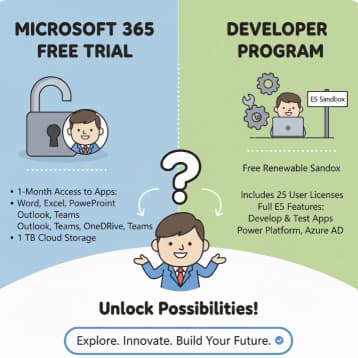
What’s Included in Microsoft 365 Free Trial and Developer Program

Microsoft 365 has become one of the most widely used productivity suites in the world, serving individuals, businesses, remote workers, students, and enterprise-level organizations alike. But before purchasing the full version, Microsoft offers two excellent… 

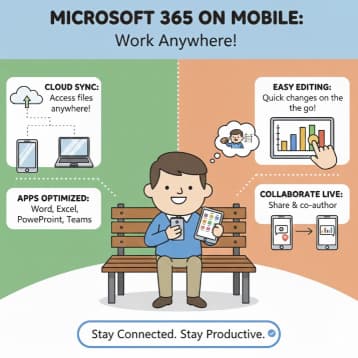
Using Microsoft 365 on Mobile Devices Effectively

In today’s mobile-first digital world, productivity no longer happens only at a desk. Professionals, students, and business owners are increasingly relying on mobile devices to manage email, collaborate with teams, edit documents, attend meetings, and… 

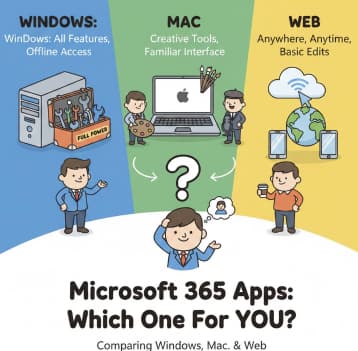
Comparing Microsoft 365 Apps for Windows, Mac, and Web: Which One Is Right for You?

Microsoft 365 has become a central productivity suite for individuals, students, and businesses of all sizes. With apps like Word, Excel, PowerPoint, OneNote, Outlook, Teams, and more, the platform is designed to let users work… 

How to Set Up Parental Controls with Microsoft Family Safety

The internet has become a big part of our daily lives. Children use computers, phones, and tablets for learning, entertainment, and communication. This is great—technology helps kids grow, learn new skills, and explore the world.… 

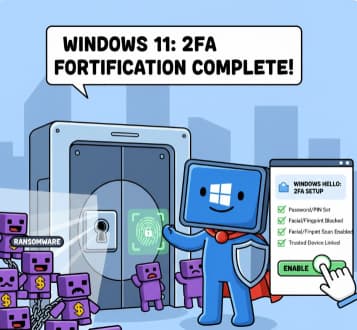
How to Enable Two-Factor Authentication (2FA) in Windows 11

Cybersecurity has become more important than ever. With so much of our work, personal communication, banking, and private information stored on our computers, simply having a password is no longer enough. Passwords can be guessed,… 

Configuring Windows Firewall for Maximum Safety

Windows computers are used everywhere—at home, in schools, and in businesses. Because they are connected to the internet, they face many security risks such as malware, hackers, and network attacks. One of the most important…