

In the fast-paced world of cloud computing, effective management and governance of resources are vital. Microsoft Azure provides a powerful and centralized way to handle these tasks through Azure Resource Manager (ARM) — the core deployment and management service for Azure. ARM acts as the backbone of cloud resource management, ensuring consistency, control, and automation across all Azure environments.
What Is Azure Resource Manager (ARM)?
Azure Resource Manager (ARM) is the deployment and management layer of Azure that allows users to organize, deploy, and monitor resources in a consistent and controlled manner. With ARM, everything you create in Azure—virtual machines, storage accounts, web apps, or databases—exists within a resource group and is managed as part of a resource hierarchy.
ARM replaces the old Azure Service Management (ASM) model, providing a more modern, template-based, and policy-driven approach to infrastructure management.
Core Features of Azure Resource Manager
- Declarative Templates (ARM Templates):
Deploy, update, and delete entire environments with JSON-based templates. These templates ensure infrastructure as code (IaC), promoting repeatability and consistency. - Resource Grouping and Tagging:
ARM lets you logically group and tag resources for better organization, cost management, and access control. - Role-Based Access Control (RBAC):
Secure your environment by assigning precise permissions to users, groups, or applications at various scopes—subscription, resource group, or resource level. - Policy and Governance:
Enforce organizational standards and compliance with Azure Policy, integrated directly into ARM for centralized governance. - Consistent Management Layer:
Whether you use the Azure Portal, CLI, PowerShell, REST APIs, or SDKs, ARM ensures consistent behavior across all management tools.
Benefits of Using Azure Resource Manager
- Centralized Management: Manage all Azure resources in a unified and structured manner.
- Automation and Consistency: ARM templates ensure repeatable deployments, minimizing human error.
- Enhanced Security: Integrates with RBAC and policies to enforce least privilege and compliance.
- Scalability: Easily replicate entire infrastructures across environments (dev, test, prod).
- Visibility and Monitoring: Get full insight into resource usage, dependencies, and performance.
Best Practices for Azure Resource Manager
- Use ARM Templates for Infrastructure as Code (IaC)
Store and version-control your templates using Git for reliable deployments. - Apply Naming Conventions and Tags
Consistent naming helps track usage and apply governance rules effectively. - Implement RBAC and Azure Policies
Secure access and enforce compliance automatically. - Organize Resources by Lifecycle
Group resources that share the same lifecycle to simplify management and deletion. - Monitor and Optimize Regularly
Leverage Azure Monitor and Cost Management to optimize performance and spending.
Azure Resource Manager (ARM) is more than just a management layer—it’s the foundation of Azure’s infrastructure management. By adopting ARM’s templates, policies, and governance features, organizations can build scalable, secure, and automated cloud environments with ease.
Whether you’re deploying a simple web app or a complex multi-tier architecture, ARM ensures that your Azure infrastructure is organized, consistent, and compliant from end to end.
Extra posts:
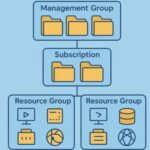 How Azure Organizes Resources Subscriptions, Resource Groups, and Management Groups
  Azure Free Tier & Cost Management Learn Azure Without Spending a Dime
  Azure for Beginners How to Launch Your First Cloud Project in 30 Minutes
  The Hybrid Cloud Playbook Mastering Azure Stack
  Azure Enterprise-Scale Landing Zone Building a Future-Ready Cloud Foundation
  How Solution Architects Can Use Microsoft’s Azure Globe Experience to Design Smarter Cloud Architectures