

In the rapidly evolving world of enterprise architecture, leveraging AI is no longer optional—it’s a competitive advantage. IBM’s new Architect AI tool exemplifies this shift by embedding AI capabilities directly into architectural design, enabling architects and decision-makers to work smarter and faster.
Whether you’re a seasoned enterprise architect or a technology consultant shaping digital transformation strategies, IBM Architect AI deserves your attention. Let’s dive into what it is, how it works, and how to get started.
🚀 What is IBM Architect AI?
IBM Architect AI is a generative AI tool integrated into IBM’s Cloud Transformation Advisor and Watsonx.ai ecosystem. It’s designed to accelerate enterprise application modernization and cloud transformation by helping architects:
- Understand application landscapes
- Generate modernization roadmaps
- Recommend cloud-native migration patterns
- Automate architecture decision records (ADRs)
- Visualize dependencies and component interactions
It acts like a copilot for enterprise architects, using large language models and domain-specific AI to recommend, visualize, and even generate architectural components in real time.
🔍 Key Features at a Glance
- Automated Architecture Discovery: Scan your existing application estate and let the tool build dependency maps and system context diagrams.
- AI-Powered Recommendations: Get tailored advice for modernizing monoliths, containerizing workloads, or adopting microservices.
- Natural Language Interface: Describe your architecture in plain English and let the AI generate models, diagrams, or code snippets.
- Integration with Open Standards: Support for TOGAF, ArchiMate, and UML ensures that the generated models can fit into your existing ecosystem.
- Collaboration Ready: Integrates with IBM Cloud Pak for Applications, Red Hat OpenShift, and Git repositories for real-time collaboration.
🛠️ How to Use IBM Architect AI
1. Access the Tool
You can access Architect AI through:
- IBM Cloud Transformation Advisor (web-based)
- Watsonx.ai console
- Command-line tools for integration into CI/CD
Create an IBM Cloud account and request access to Architect AI from the IBM Cloud Catalog.
2. Connect Your Application Landscape
- Use the Transformation Advisor agents to scan existing applications (WebSphere, Java EE, Spring, etc.)
- The tool collects metadata, source code insights, and runtime dependencies
- Data is securely processed, and a topology map is auto-generated
3. Interact with the AI Assistant
In the Watsonx.ai or Architect AI console, you can ask questions like:
cssCopyEdit"Show me a modernization path for a Java monolith with DB2 backend"
"Generate an ADR for migrating to Kubernetes"
"Suggest a cloud-native replacement for a message broker"
The AI responds with architectural suggestions, diagrams, migration steps, and even links to reference implementations or IBM Cloud services.
4. Generate and Customize Artifacts
Architect AI can produce:
- Architecture diagrams (exportable to Visio, Archi, or Draw.io)
- Code scaffolds for microservices, APIs, or containers
- Modernization plans in PDF/CSV
- ADR templates pre-filled with rationale and context
Review, tweak, and export these artifacts to share with stakeholders or integrate into DevOps pipelines.
5. Collaborate and Iterate
Use Git integration to:
- Version-control your architecture blueprints
- Track AI-generated proposals
- Collaborate asynchronously with development and business teams
Architect AI keeps a conversation history, making it easier to revisit design decisions or audit AI-assisted suggestions.
📈 Use Cases: Where Architect AI Shines
- Legacy to Cloud-Native: Modernize WebSphere apps into Spring Boot microservices with guided AI steps.
- Cloud Migration: Move workloads to IBM Cloud, AWS, or Azure with dependency-aware roadmaps.
- Compliance-Driven Design: Ensure your designs align with security and regulatory requirements using AI-backed guardrails.
- Agile Architecture: Iterate architecture in sprints with continuous feedback from Architect AI.
🧭 Tips for Architects
- Pair AI with human expertise—treat it as a co-designer, not a decision-maker.
- Use Architect AI early in the design phase for maximum benefit.
- Cross-verify AI recommendations with your enterprise architecture principles.
- Maintain traceability by exporting logs and diagrams to your architecture repository.
📚 Learn More
Extra posts:
 Supercharging Solution Architecture with GitHub Copilot Prompts Every Architect Should Know
  Enterprise AI Agent Architecture Patterns Using Copilot Studio
 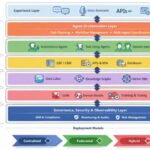 Reference Architecture for Agentic AI in Enterprise IT
  Microservice Architecture Drawbacks and How to Solve Them: A Solution Architect’s Perspective
  Trade-Off Analysis in Architecture: A Practical Guide from a Solution Architect
  Exploring the Core Components of Microsoft Fabric A Unified Data Platform