
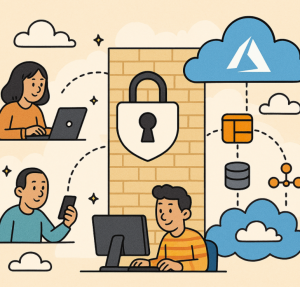
In today’s cloud-driven world, the traditional “trust but verify” security model no longer works. The rise of remote work, hybrid networks, and increasingly sophisticated cyber threats means that organizations can’t rely solely on firewalls or network perimeters to protect their assets. Instead, Zero Trust Architecture (ZTA) has become the gold standard for securing modern cloud environments — especially on platforms like Microsoft Azure.
This article explores the principles of Zero Trust, why it matters, and how to implement it effectively in an Azure environment.
What Is Zero Trust?
Zero Trust is a security model that assumes breach — meaning no user, device, or application is inherently trusted, whether inside or outside your network. Every access request must be explicitly verified, continuously evaluated, and tightly controlled using the principles of least privilege and micro-segmentation.
The core principles of Zero Trust are:
- Verify explicitly: Authenticate and authorize based on all available data points — user identity, device health, service, location, and data sensitivity.
- Use least privilege access: Limit user and application access to only what’s necessary.
- Assume breach: Design your systems with the expectation that an attacker is already inside your network — monitor, detect, and respond accordingly.
Why Zero Trust in Azure?
Azure provides a robust ecosystem of native tools and services that align closely with Zero Trust principles. With Azure’s identity-driven and policy-based approach, you can implement end-to-end Zero Trust controls across identities, devices, data, applications, and infrastructure.
Key benefits include:
- Centralized identity and access management through Microsoft Entra ID (formerly Azure AD).
- Conditional Access policies to adapt authentication requirements dynamically.
- Deep visibility with Microsoft Defender for Cloud, Sentinel, and Purview.
- Seamless integration with hybrid and multi-cloud environments.
Core Pillars of Zero Trust in Azure
Let’s look at how Zero Trust maps to Azure’s security ecosystem.
1. Identity and Access Management
Identity is the new perimeter.
Start by securing identities with Microsoft Entra ID:
- Enable Multi-Factor Authentication (MFA) for all users.
- Use Conditional Access policies to enforce contextual access decisions (e.g., block access from risky countries or uncompliant devices).
- Implement Privileged Identity Management (PIM) for time-bound, approval-based access to critical resources.
- Regularly review access permissions using Access Reviews.
2. Devices
Ensure only trusted and compliant devices can access Azure resources.
- Enroll and manage endpoints with Microsoft Intune.
- Apply device compliance policies (e.g., encryption, OS version, threat protection).
- Use Defender for Endpoint for threat detection and response at the device level.
- Enforce Conditional Access based on device compliance state.
3. Applications
Protect both SaaS and custom-built apps.
- Integrate all apps with Microsoft Entra ID single sign-on (SSO) for centralized control.
- Apply Conditional Access to SaaS apps like Microsoft 365 and Salesforce.
- Use App Proxy to publish internal apps securely without VPNs.
- Scan and classify data flows with Microsoft Defender for Cloud Apps (MCAS).
4. Data
Your ultimate goal is to protect data — everywhere it resides.
- Classify and label sensitive data using Microsoft Purview Information Protection.
- Apply Data Loss Prevention (DLP) policies to prevent unauthorized sharing.
- Use Azure Key Vault to manage encryption keys and secrets.
- Encrypt data at rest and in transit by default across Azure resources.
5. Infrastructure
Adopt Zero Trust principles in virtual networks, workloads, and containers.
- Use Azure Policy to enforce compliance and security baselines automatically.
- Apply Network Security Groups (NSGs) and Azure Firewall to segment traffic.
- Protect workloads with Defender for Cloud and implement Just-In-Time (JIT) VM access.
- Apply Managed Identities to Azure resources to eliminate hardcoded credentials.
6. Visibility and Analytics
You can’t protect what you can’t see.
- Centralize logs with Azure Monitor and Log Analytics.
- Detect and respond to threats using Microsoft Sentinel (SIEM/SOAR).
- Continuously evaluate risk and compliance posture with Defender for Cloud Secure Score.
- Automate response playbooks using Logic Apps or Azure Automation.
A Step-by-Step Implementation Roadmap
- Assess your current security posture using tools like Microsoft Secure Score and Defender for Cloud recommendations.
- Identify and prioritize critical assets, data, and identities.
- Implement identity protection — enforce MFA, SSO, and Conditional Access.
- Harden endpoints with Intune and Defender for Endpoint.
- Segment networks and enforce least privilege access.
- Enable continuous monitoring and integrate threat detection with Sentinel.
- Automate compliance and governance using Azure Policy and PIM.
- Regularly review, adapt, and improve — Zero Trust is a continuous journey.
Common Challenges and Best Practices
| Challenge | Best Practice |
|---|---|
| Legacy systems not supporting modern auth | Use Azure AD App Proxy or identity federation to bridge the gap |
| Overly complex Conditional Access rules | Start simple, pilot with a small group, and expand gradually |
| Lack of visibility into data | Use Purview and Defender for Cloud Apps to classify and monitor |
| User resistance to MFA | Combine with passwordless authentication options like FIDO2 or Windows Hello |
Implementing Zero Trust in Azure isn’t about deploying a single product — it’s about adopting a mindset and framework that treats every access request as potentially risky. With Microsoft’s robust suite of security tools, organizations can build a Zero Trust ecosystem that scales with their hybrid and multi-cloud environments.
The path to Zero Trust is iterative. Start with identity, expand to devices and applications, and mature toward full data and infrastructure protection. Over time, your Azure environment will become more resilient, adaptive, and secure — no matter where your users or workloads reside.
Extra posts:
 Building a Fully Secure Architecture Integrating Azure OpenAI with APIM, Private Endpoints, and Applications
  Service Mesh Architecture Pattern in Azure Handling Service-to-Service Communication, Security, and Observability
  Implementing Event Sourcing in AWS Modeling State as a Sequence of Events
  Event Based Design Architecture Pattern in Azure
  Azure Functions vs. Azure Container Apps Choosing Your Serverless Compute
  Azure AI Studio / Azure AI Foundry A Powerful Platform for Generative AI