

Microsoft is making a small but useful change to the presentation experience in Microsoft Teams. Starting in September 2026, PowerPoint Live will introduce a light mode for presenters, giving users more control over how the presentation interface appears while they are presenting.
The update may sound minor, but for people who spend hours presenting through Teams, these interface improvements can make a noticeable difference. Presenters will soon be able to choose between light, dark, classic, and high contrast modes, depending on their personal preferences, working environment, and accessibility needs.
Importantly, the change applies to the presenter’s interface, not the PowerPoint presentation itself. Attendees will continue to see the presentation as they normally do, so organizations do not need to worry about the update changing the appearance of shared presentation content.
The feature is associated with Microsoft 365 Roadmap ID 567469 and is scheduled to begin rolling out in early September 2026.
Microsoft Teams is giving presenters more display choices
PowerPoint Live has become a common way for people to deliver presentations inside Microsoft Teams meetings. Rather than simply sharing their entire screen, presenters can use PowerPoint Live to present slides while retaining access to presentation controls and other useful meeting features.
Until now, the available display options could feel limited for users who preferred a brighter interface. Microsoft is addressing that with the introduction of a dedicated light mode.
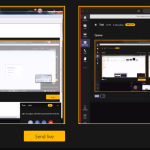
Once the update reaches users, presenters will have four display modes to choose from:
- Light mode
- Dark mode
- Classic mode
- High contrast mode
The idea is straightforward: users can select the interface that works best for them.
Someone presenting in a brightly lit office, for example, may find light mode more comfortable than a dark interface. On the other hand, presenters working in a dim environment may prefer dark mode. Users who rely on accessibility features can also select high contrast mode when appropriate.
This gives PowerPoint Live a little more flexibility without changing the underlying presentation experience.
What is changing in PowerPoint Live?
The biggest change is the addition of light mode to the presenter experience.
When a user starts presenting PowerPoint content through PowerPoint Live in Microsoft Teams, the available display modes will give them greater control over the appearance of the presenting interface.
This is primarily a personalization and accessibility improvement.
It is worth highlighting that Microsoft is not changing the actual PowerPoint slides with this update. A company’s presentation template, fonts, colors, graphics, animations, videos, and other content will remain unaffected.
The update also does not change what meeting attendees see.
That distinction is important for businesses that have standardized presentation templates or strict branding requirements. The new setting is designed around the presenter’s interface rather than the content being delivered to the audience.
Why light mode could make a difference
At first glance, adding another interface theme might not seem like a major Microsoft Teams update. However, interface design can have a meaningful effect on how comfortable people are when working for long periods.
Presenting a slide deck can already require users to monitor several things at once. They may need to keep track of their slides, speaker notes, meeting participants, chat messages, controls, and timing while speaking to an audience.
A display mode that feels uncomfortable or difficult to read can add unnecessary friction.
The new light mode gives presenters another option when the existing interface does not fit their environment.
For example, a presenter working during the day in a bright office may prefer a lighter interface. Another person might find dark mode easier on their eyes during an evening meeting. Someone with specific accessibility requirements may choose high contrast mode instead.
There is no single display setting that works perfectly for everyone, and Microsoft’s update recognizes that.
The update also strengthens accessibility
Accessibility is another important part of this change.
Microsoft has increasingly incorporated personalization and accessibility options across its productivity applications. Giving presenters multiple display modes can help users select an interface that better suits their visual preferences and working conditions.
The inclusion of high contrast mode alongside light, dark, and classic modes is particularly relevant for users who need stronger visual differentiation.
Rather than forcing everyone into the same interface, PowerPoint Live will allow presenters to make their own choice.
That approach is especially useful in large organizations where employees may have very different working environments and accessibility requirements.
What will Teams meeting attendees see?
One of the most important points for organizations is that the change is limited to the presenter experience.
Attendee viewing experiences will not be changed.
If a presenter selects light mode, that does not mean everyone attending the Teams meeting will suddenly see the presentation in a different format.
The PowerPoint content itself remains unchanged. The presenter is simply changing how the PowerPoint Live interface is displayed on their side.
For businesses, this should make the rollout relatively straightforward. Presentation owners will not need to redesign their slide decks, update corporate templates, or make changes to existing PowerPoint content because of the new feature.
When is Microsoft Teams light mode rolling out?
Microsoft’s current rollout schedule puts the update in September 2026.
The targeted release is scheduled to begin in early September 2026 and is expected to complete around the same period.
General Availability for users worldwide, as well as GCC, GCC High, and DoD environments, is scheduled to begin in early September and is expected to continue through late September 2026.
That means organizations may not all see the feature at exactly the same time.
As is common with Microsoft 365 feature rollouts, availability can progress gradually across different environments and users.
For Teams users who do not immediately see the new option, the most likely explanation may simply be that the feature has not yet reached their account or organization.
No administrator action is required
For IT administrators, there is some good news: Microsoft does not require any administrative action for this update.
The change is designed to become available as part of the normal Microsoft Teams and PowerPoint Live experience.
Organizations can still choose to communicate the change internally, particularly if they have employees who frequently present during Teams meetings.
For example, IT departments or Microsoft 365 support teams could mention the new display modes in an internal Teams update, employee newsletter, or productivity tips page.
However, there is no special configuration that administrators need to perform to activate the feature.
Who will benefit from the new feature?
The update is mainly aimed at people who use PowerPoint Live to present content in Microsoft Teams.
That includes a wide range of users, from employees giving weekly team updates to executives delivering company presentations, trainers conducting remote sessions, teachers running online classes, and sales teams presenting to customers.
For occasional presenters, the difference may be relatively small.
For people who spend a significant part of their working week presenting in Teams, however, having more control over the interface can be a welcome improvement.
The feature can also be useful for organizations with employees working across different environments. A presentation taking place in a bright conference room may call for a different interface setting than a late-night remote meeting.
A small update that fits Microsoft’s broader Teams strategy
Microsoft Teams has evolved from being primarily a workplace communication platform into a broader productivity environment. As more work takes place inside Teams, details such as interface customization, accessibility, and usability become increasingly important.
The PowerPoint Live light mode update is not a dramatic change to Teams, nor does it introduce a new collaboration capability. Instead, it is the type of quality-of-life improvement that can make an existing feature easier and more comfortable to use.
Microsoft is essentially giving presenters another choice without disrupting how presentations work.
That can be valuable in enterprise environments, where even relatively small interface improvements can affect the daily experience of thousands of employees.
What organizations should do now
There is no mandatory action for Microsoft 365 administrators.
Still, organizations may want to let employees know about the change once it becomes available.
A short internal message could explain that PowerPoint Live presenters now have four display options and can select the one that best suits their preferences or accessibility requirements.
Support teams may also want to update internal Microsoft Teams documentation if it contains screenshots or instructions related to the PowerPoint Live interface.
For most businesses, though, this should be a relatively simple update. Existing presentations will continue to work, attendees will continue to see the presentation normally, and no changes to PowerPoint files are required.
Microsoft Teams’ new PowerPoint Live light mode is a relatively modest update, but it addresses a practical part of the presentation experience.
Beginning in September 2026, presenters will have access to light, dark, classic, and high contrast display modes, giving them more freedom to customize the interface they use while presenting.
The update is particularly useful from an accessibility and personalization perspective. More importantly for organizations, it does not affect presentation content or what attendees see.
With no administrator action required, businesses can simply allow the feature to roll out and optionally inform employees who regularly use PowerPoint Live.
For Microsoft Teams users, it is another small step toward a more flexible and personalized presentation experience and sometimes those small improvements are the ones that make everyday work a little easier.
Extra posts:
 Microsoft Teams Introduces Private Chat for Organizers and Presenters: A Major Upgrade for Meetings, Webinars, and Town Halls
  Microsoft Teams Call Quality Dashboard Gets a Major Refresh: New UI, Dark Mode and Better Accessibility Coming in 2026
  PowerPoint Gets More Interactive: Microsoft Copilot Can Now Turn Complex Ideas Into Full-Slide Visuals
  Microsoft Teams Is Changing How Users Join Private Teams With a Code
  Live Event Broadcast with Teams
  Microsoft Teams Mobile Calendar to Require Latest App Update by October 2026: Microsoft Announces Critical Change for iOS and Android Users