
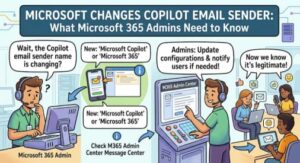
Microsoft is making a small but important change to the way organizations receive emails related to Microsoft Copilot. Starting in mid-September 2026, Microsoft will update the sender address used for Copilot educational, enablement, and service-enablement emails.
The new sender address will be:
microsoftcopilotupdates@microsoft.com
The change is part of Microsoft’s broader transition from the Microsoft 365 Copilot branding to Microsoft Copilot. While the change may appear minor to end users, it could have an impact on organizations that use email filtering, mail flow rules, safe sender lists, or allow lists to control which Microsoft communications reach employee inboxes.
For most organizations, there is no major configuration change required for the rollout itself. However, Microsoft is recommending that administrators review existing email rules and update any configuration that still references the previous sender address.
What is changing with Microsoft Copilot emails?
Microsoft currently sends several types of communications to users who have access to Copilot capabilities. These emails can help users understand the features included in their subscriptions, learn how to use Copilot, discover new capabilities, and get more value from Microsoft’s productivity tools.
As part of the branding transition, Microsoft is changing the sender identity for these communications.
The current sender address:
m365copilotupdates@microsoft.com
will be replaced by:
microsoftcopilotupdates@microsoft.com
Microsoft says the content and purpose of the emails will remain unchanged.
In other words, users should continue receiving the same type of educational and product enablement communications. The primary difference is the email address from which those messages are sent.
The change is scheduled for General Availability worldwide in mid-September 2026.
Why is Microsoft making the change?
The sender update is connected to Microsoft’s ongoing transition toward the Microsoft Copilot brand.
Microsoft 365 Copilot has increasingly become part of a broader Copilot ecosystem spanning productivity applications, AI capabilities, and other Microsoft services. Updating the email sender identity helps Microsoft create a more consistent experience across its Copilot-related communications.
For users, that means emails about Copilot tips, capabilities, training, and service enablement will have a sender address that aligns more closely with the Microsoft Copilot name.
Although branding changes are often viewed as cosmetic, sender-address changes can matter considerably in enterprise environments.
Many organizations have security controls that determine whether emails are delivered, quarantined, flagged, or blocked. A mail flow rule created months or years ago may still specifically reference the old Microsoft 365 Copilot sender address.
That is where administrators need to pay attention.
Which organizations are affected?
The change is particularly relevant to organizations that have opted in to receive Microsoft product and service communications for users with Microsoft Copilot features enabled.
It may also affect Microsoft 365 administrators responsible for:
- Exchange Online mail flow
- Transport rules
- Safe sender configurations
- Allow lists
- Block lists
- Email security policies
- Microsoft Defender for Office 365
- Internal IT documentation
- Help desk and support procedures
Users can also be affected indirectly if an organization’s email security configuration prevents messages from the new sender address from reaching their inboxes.
Organizations that do not have rules referencing the old sender address may not need to make any changes.
However, Microsoft recommends checking existing configurations before the rollout.
What happens to users?
For end users, the experience should remain largely the same.
Users who are granted access to Microsoft Copilot capabilities will continue to receive relevant service-enablement communications. Existing users can also continue receiving educational and product enablement emails.
The important difference is the sender address.
Instead of receiving these communications from:
m365copilotupdates@microsoft.com
users will receive them from:
microsoftcopilotupdates@microsoft.com
Microsoft has confirmed that the emails’ content and purpose are not changing as part of this update.
This means organizations should not interpret the sender change as a change to the type of communication being delivered. It is primarily an identity and branding update.
Why Microsoft 365 administrators should review email rules
For IT administrators, the biggest consideration is email filtering.
Enterprise email environments commonly use rules that allow, block, route, quarantine, or inspect messages based on sender addresses or domains.
Suppose an organization has an allow rule specifically configured for:
m365copilotupdates@microsoft.com
That rule may not automatically apply to:
microsoftcopilotupdates@microsoft.com
As a result, messages that previously arrived without problems could potentially be treated differently after the change.
This does not necessarily mean emails will be blocked. The actual behavior will depend on each organization’s email security configuration.
Nevertheless, reviewing these rules before the rollout is a sensible preventive measure.
Recommended actions for Microsoft 365 admins
Microsoft does not require tenant configuration for the sender-address change to take effect. The update will be enabled automatically.
However, administrators should consider taking a few precautionary steps.
1. Search for the old sender address
Review mail flow rules, transport rules, safe sender entries, allow lists, and other email security configurations for:
m365copilotupdates@microsoft.com
If the address appears in any configuration, determine whether it should be replaced or supplemented.
2. Add the new sender address
Organizations can add:
microsoftcopilotupdates@microsoft.com
to appropriate safe sender or allow-list configurations where necessary.
This can help prevent legitimate Microsoft Copilot communications from being incorrectly filtered.
3. Review Microsoft Defender for Office 365 settings
Organizations using Microsoft Defender for Office 365 should review relevant email security configurations and allow entries.
Administrators should be careful when creating allow rules and ensure they follow their organization’s security policies rather than broadly allowing unnecessary senders or domains.
4. Check internal documentation
IT teams often maintain internal documentation explaining which Microsoft addresses users should expect to see.
If your help desk, knowledge base, onboarding guides, or security documentation references the old Copilot sender, update those materials.
This is especially useful for support teams that troubleshoot missing Microsoft communications.
5. Inform the help desk
A short internal notification can prevent confusion after the rollout.
Support staff should know that emails from microsoftcopilotupdates@microsoft.com are the new expected sender for relevant Copilot communications.
This can help the help desk quickly distinguish between a legitimate sender-address change and a potential email-delivery problem.
What services are involved?
The change touches several parts of the Microsoft ecosystem.
The primary service involved is Microsoft Copilot, but the email-delivery and security implications can extend into other Microsoft 365 services and administrative tools.
Relevant platforms include:
- Microsoft Copilot
- Exchange Online
- Microsoft Defender for Office 365
- Microsoft 365 end-user communications
For administrators, this means the change should be considered not only as a Copilot branding update but also as an email-delivery and security configuration consideration.
No tenant action is required for the rollout
One important point is that Microsoft is not requiring administrators to perform a tenant configuration to activate the change.
The sender update will happen automatically as part of Microsoft’s worldwide rollout.
The recommended administrator actions are therefore preventive rather than mandatory deployment steps.
Organizations should review their environment if they have previously customized email filtering around the old Copilot sender.
This distinction is important because administrators do not need to schedule a migration or enable a new Copilot setting simply because of this announcement.
Instead, the goal is to make sure existing security controls do not unintentionally interfere with the new sender address.
Could users mistake the new address for phishing?
Potentially, yes.
Any time a familiar sender address changes, users may notice the difference and wonder whether a message is legitimate.
That’s another reason organizations may want to communicate the change internally.
Employees who regularly receive Copilot educational emails may see microsoftcopilotupdates@microsoft.com for the first time and question why the address has changed.
A simple IT notification explaining that Microsoft is changing the sender identity can reduce unnecessary phishing reports and help desk tickets.
At the same time, organizations should continue following their normal email security practices. A sender-address change should not be interpreted as a reason to automatically trust every message claiming to come from Microsoft.
Security teams should continue evaluating messages using their established authentication, filtering, and threat-detection controls.
What this means for Microsoft Copilot adoption
The change also highlights a broader trend in enterprise technology: AI tools are increasingly becoming part of everyday employee workflows, and communication around those tools is becoming an important part of adoption.
Microsoft Copilot educational emails are designed to help users discover features and understand how Copilot can support productivity.
Consistent branding and reliable delivery therefore matter.
If users do not receive these communications because of outdated email rules, organizations could miss useful product guidance and training opportunities.
For companies actively rolling out Copilot, keeping communication channels working correctly can be just as important as enabling the technology itself.
The bottom line
Microsoft’s Copilot sender-address update is a relatively small change, but it is worth putting on the checklist for Microsoft 365 administrators.
From mid-September 2026, Microsoft will begin using:
microsoftcopilotupdates@microsoft.com
for relevant Copilot educational, product enablement, and service-enablement emails.
The previous address:
m365copilotupdates@microsoft.com
will no longer be used for these communications.
The email content and purpose will remain unchanged, and Microsoft says no tenant configuration is required for the rollout.
Still, organizations should review mail flow rules, transport rules, safe sender settings, allow lists, and Microsoft Defender for Office 365 configurations that reference the old sender address.
Updating those configurations ahead of the rollout can help ensure employees continue receiving Microsoft’s Copilot guidance without interruption.
For IT teams, this is a straightforward housekeeping task — but one that is worth completing before the new sender address starts appearing in employee inboxes.
Extra posts:
 Microsoft Outlook Gets a Smarter AI Writing Partner: Copilot Moves Into Email Drafting
  Microsoft 365, Copilot & Copilot Studio News
  Accessibility Features in Microsoft 365 That Most Admins Forget to Enable
  Microsoft Teams Adds Mandatory Participant Consent Before Meetings: What Admins Need to Know
  Transform Your Email Game with Outlook Copilot
  Microsoft 365 E7 and Agent 365 Are Now Generally Available: The Future of AI-Powered Work Has Arrived