Skip to content

Mastering Windows 11 Keyboard Shortcuts You Didn’t Know Existed

Windows 11 brings a sleek new design and improved performance, but one of its most underrated upgrades lies in keyboard shortcuts. While many classics from Windows 10 still work, Microsoft has introduced a collection of… 

Turning Widgets into a Personal Productivity Dashboard in Windows 11

Windows 11 brought a sleek new interface and, with it, the Widgets panel—a customizable space for at-a-glance information. While many people ignore it, widgets can actually serve as your personal productivity dashboard. Instead of opening… 

Windows 11 Setting Up Virtual Desktops for Better Multitasking

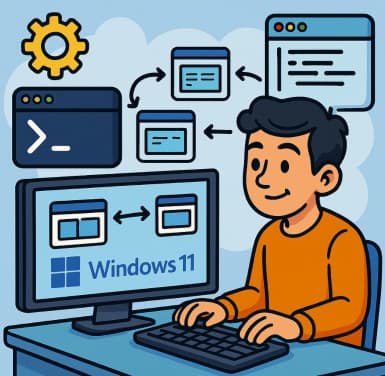
Multitasking is at the heart of productivity, and Windows 11 makes it easier than ever with Virtual Desktops. Whether you’re juggling work projects, personal tasks, or creative hobbies, virtual desktops let you organize your space… 

Mastering Snap Layouts and Snap Groups in Windows 11

Windows 11 has introduced several productivity-focused features, and Snap Layouts and Snap Groups are among the most useful. They make multitasking seamless by allowing you to quickly arrange windows on your screen and return to… 

Unlocking the Power of AI with Azure Cognitive Services

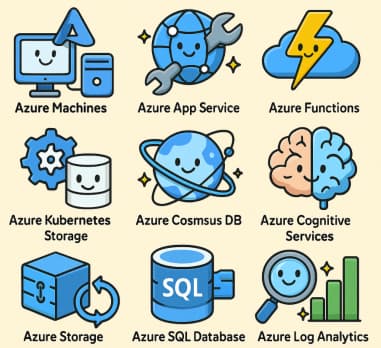
Artificial Intelligence (AI) is no longer just a futuristic concept—it’s now a core part of how businesses enhance customer experiences, streamline operations, and gain insights from their data. Microsoft’s Azure Cognitive Services offers one of… 

No-Code AI How Non-Developers Can Build Smart Chatbots with Copilot Studio

The rise of no-code tools has transformed how people approach technology. Once upon a time, creating a chatbot required deep programming knowledge, natural language processing (NLP) expertise, and countless hours of development. Today, no-code AI… 

Top 5 Use Cases for Copilot Studio in Your Business

In today’s fast-paced digital world, businesses are increasingly turning to AI-powered tools to streamline operations, improve productivity, and enhance customer engagement. Microsoft Copilot Studio is one of the most promising solutions, allowing organizations to build,… 

Copilot Studio vs. Power Virtual Agents What’s Changed?

1. Rebranding & Evolution 2. Expanded Capabilities & AI Advancements 3. Broader Deployment & Reach 4. Licensing & User Impact 5. Cutting-Edge Automation via “Computer Use” 6. Customer Stories & Use Cases Summary Table: PVA… 

Preparing Your Team for Microsoft 365 Copilot A Change Management Guide

Microsoft 365 Copilot is more than a flashy new feature—it’s a powerful AI assistant woven into the apps your team already uses: Word, Excel, Outlook, Teams, and beyond. With the right preparation, it can transform… 

API Gateway Pattern in AWS Managing APIs and Routing Requests to Microservices

Modern applications are increasingly built using microservices — small, independent services that each handle a specific business capability. While this architecture offers scalability and agility, it also introduces complexity: The solution: the API Gateway pattern.… 

API Gateway Pattern in Azure Managing APIs and Routing Requests to Microservices

In the world of microservices, flexibility comes with complexity. Each service is autonomous, has its own database, and runs independently — but with that independence comes the challenge of how clients communicate with these services… 

Managing Data Retention Policies Without Overcomplicating Things in Microsoft 365

Data retention is one of those topics that can easily spiral into complexity. Between compliance requirements, storage limits, and security concerns, it’s tempting to over-engineer the whole process. But in Microsoft 365, you don’t need…