
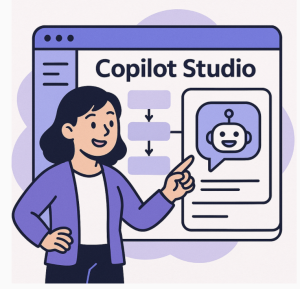
The rise of no-code tools has transformed how people approach technology. Once upon a time, creating a chatbot required deep programming knowledge, natural language processing (NLP) expertise, and countless hours of development. Today, no-code AI platforms like Copilot Studio are making it possible for non-developers to design, deploy, and manage intelligent chatbots without writing a single line of code.
Why No-Code AI Matters
AI is no longer reserved for engineers and data scientists. Businesses, educators, entrepreneurs, and customer service teams are harnessing no-code AI platforms to streamline communication, boost engagement, and improve efficiency. By lowering the technical barrier, no-code AI tools empower anyone to create meaningful digital experiences.
What is Copilot Studio?
Copilot Studio is a no-code platform that simplifies the process of building AI-powered chatbots. Think of it as a visual workspace where you can:
- Design conversations using drag-and-drop flows.
- Integrate AI to understand user intent and provide smart responses.
- Connect with external tools like CRMs, knowledge bases, and APIs.
- Deploy across channels such as websites, messaging apps, or customer portals.
The platform’s real power lies in its ability to make advanced AI capabilities—like natural language understanding—accessible to everyone.
Building a Smart Chatbot Without Code
Here’s a simple step-by-step look at how non-developers can create a chatbot using Copilot Studio:
- Define Your Goal – Start by identifying what you want your chatbot to achieve: customer support, lead generation, onboarding, or FAQs.
- Use Drag-and-Drop Builder – Map out conversation flows visually. For example, create paths for greeting users, answering questions, or escalating to a human agent.
- Add AI Understanding – Train the chatbot to recognize keywords and intents. With Copilot Studio, this doesn’t require programming; you just provide example phrases.
- Integrate with Tools – Connect your chatbot with services like Salesforce, Google Sheets, or help desk platforms to give it access to real-time information.
- Test and Deploy – Preview the chatbot’s behavior, refine it based on feedback, and publish it across your chosen channels.
Benefits for Businesses and Teams
- Faster Implementation: No need to wait for development cycles.
- Cost-Effective: Reduce reliance on specialized developers.
- Scalable: Update and improve chatbots without major technical overhead.
- User-Friendly: Empower marketing, sales, or HR teams to build their own solutions.
The Future of No-Code AI Chatbots
As no-code AI platforms evolve, we’ll see even more personalization, multilingual support, and seamless integrations with emerging technologies. Copilot Studio represents a shift in how organizations leverage AI: it’s no longer about who can code, but who can create.
With tools like Copilot Studio, non-developers aren’t just participants in the AI revolution—they’re leaders.
Extra posts:
 No-Code AI: How Non-Developers Can Build Smart Chatbots with Copilot Studio
  Low-Code vs Pro-Code How Copilot Studio Bridges the Gap
  Getting Started with Copilot Studio Build Your First AI-Powered Bot
  How to Build Your First AI Agent in Copilot Studio in 15 Minutes
  What Is Microsoft Copilot Studio? A Beginner’s Guide
  Top 5 Use Cases for Copilot Studio in Your Business