
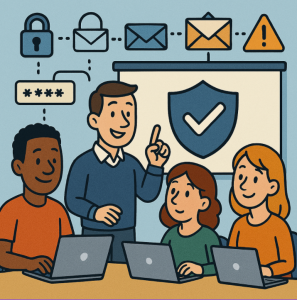
In today’s workplace, Microsoft 365 (M365) is more than just Word, Excel, and Outlook—it’s the backbone of collaboration, communication, and productivity. But with that convenience comes risk. Cybercriminals know how much sensitive data flows through M365, making it a prime target for phishing, ransomware, and data theft.
The good news? You don’t need to be in IT to play a big role in keeping your organization secure. Here’s what every non-technical team member should know.
1. Strong Passwords + Multi-Factor Authentication (MFA) Are Non-Negotiable
- Use unique, complex passwords—avoid reusing the same one across accounts.
- Enable MFA (that quick code sent to your phone or app). It stops attackers even if they steal your password.
- Think of MFA as locking your front door and adding a deadbolt.
2. Recognize Phishing Attempts
Most breaches start with a suspicious email. Red flags to look for:
- Urgent requests for passwords or money transfers.
- Links that look “off” (hover to preview before clicking).
- Attachments from unknown senders.
If something feels odd—don’t click. Report it instead.
3. Keep Teams, SharePoint, and OneDrive Clean
- Only share files with people who actually need them.
- Use permissions instead of sending files as email attachments.
- Regularly review shared folders to avoid “over-sharing.”
Good housekeeping reduces the chance of accidental leaks.
4. Watch What You Share in Chats & Meetings
It’s easy to drop confidential information into a Teams chat, but remember:
- Chats can be exported, copied, or screenshotted.
- Sensitive data (like client details or financials) should only be shared in secure, approved channels.
5. Keep Devices Updated
Whether you’re on a laptop, tablet, or phone:
- Always install updates when prompted.
- Updates patch security holes hackers try to exploit.
- Avoid using personal devices for work unless they’re approved and secured.
6. Report Suspicious Activity—Fast
If you see something unusual (e.g., unexpected login alerts, missing files, or strange account activity), tell IT immediately. Quick action can stop a small issue from becoming a big breach.
Why It Matters for Non-IT Teams
Cybersecurity isn’t just “an IT thing.” Everyone in the organization is a gatekeeper to sensitive data. By following these simple steps, non-IT teams help protect:
- Customer trust
- Company reputation
- Daily productivity
✅ Takeaway: Microsoft 365 security is strongest when everyone plays a role. Even small habits—like using MFA or spotting a phishing email—make a huge difference.
Extra posts:
 Microsoft 365 Security Best Practices for Enterprises
  Microsoft Defender for 365 Your All-in-One Security Shield for Modern Threats
  Unleash the Power of Windows Security: A Simple Guide to Using Defender Effectively
  Lesser-Known Microsoft 365 Features That Save Hours (Beyond Teams and Outlook)
  How to Set Up Basic Security Policies in a Microsoft 365 Trial Tenant
 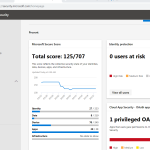 New Microsoft 365 security center and new compliance center