

Microsoft 365 Copilot represents a new era of productivity, blending the power of artificial intelligence with the familiar tools people use every day—Word, Excel, PowerPoint, Outlook, and Teams. But what lies beneath the surface of this intelligent assistant? Let’s explore the core components that make Microsoft 365 Copilot work seamlessly and intelligently within your digital workspace.
1. Large Language Models (LLMs)
At the heart of Copilot lies a large language model, or LLM, developed using advanced AI technology. These models are trained on vast amounts of text data to understand language, context, and intent. This allows Copilot to interpret user prompts and generate natural, coherent, and contextually relevant responses—whether it’s drafting a report, summarizing a meeting, or analyzing spreadsheet data.
2. Microsoft Graph
The Microsoft Graph acts as the connective tissue between Copilot and your Microsoft 365 environment. It securely maps relationships between people, emails, files, meetings, and chats across the Microsoft ecosystem. By accessing this data graph, Copilot can deliver responses that are not only accurate but also contextually aware—tailored to your role, workflow, and current activity.
3. Copilot System Orchestration
This intelligent orchestration layer bridges the gap between user requests, the LLM, and your enterprise data. It interprets commands, decides which data sources to use, and ensures that Copilot adheres to organizational policies and permissions. Essentially, it acts as the “brain” coordinating between your input and the appropriate Microsoft 365 applications.
4. Security, Compliance, and Privacy
Microsoft has built Copilot with enterprise-grade security at its core. It inherits all the robust compliance, privacy, and security features already established within Microsoft 365. That means your business data stays protected—Copilot only accesses information you already have permission to view, ensuring that insights are both powerful and secure.
5. Continuous Learning and Integration
Copilot is designed to continuously evolve. Through ongoing updates, integration enhancements, and model fine-tuning, it becomes more capable over time. The seamless integration with Microsoft 365 apps ensures that new functionalities are introduced without disrupting existing workflows.
Microsoft 365 Copilot is more than just a smart assistant—it’s a powerful collaboration between AI and the Microsoft ecosystem. By combining large language models, Microsoft Graph, intelligent orchestration, and strong security foundations, Copilot empowers users to work more efficiently, make informed decisions, and unlock creativity like never before.
Extra posts:
 Exploring the Core Components of Microsoft Fabric A Unified Data Platform
  Using Copilot in Loop Components for Seamless Collaboration
  Microsoft 365 Copilot & Agents Fundamentals
  Comparing Copilot in Microsoft 365 vs. GitHub Copilot: Key Differences
 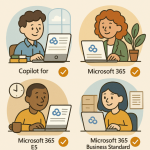 License Plans for Microsoft 365 Copilot
  Inside Microsoft 365 Copilot: How It Actually Works