
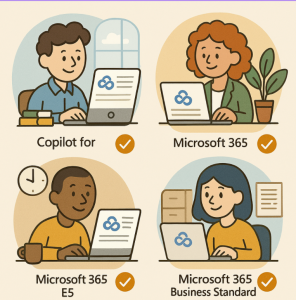
As Microsoft adds increasingly powerful AI capabilities, Copilot is becoming central to their strategy for powered productivity. But with power comes complexity: there are now several licensing plans depending on whether you’re an individual, a business, or an enterprise. Understanding what each plan offers — and which fits your needs — is key.
What is Microsoft 365 Copilot?
Microsoft 365 Copilot is an AI assistant built into Microsoft’s productivity tools (Word, Excel, PowerPoint, Outlook, Teams, etc.). It can help with drafting, summarization, data analysis, research, and more. There are different levels of how “grounded” the AI is in your data (just from the web vs. using your organizational data), how many features & usage limits you get, and the kind of AI agents/custom tools you can build.
Major License Categories
Microsoft’s Copilot licensing can be divided broadly into:
- Consumer (Individual / Family / Personal users)
- Business / Enterprise
- Copilot Studio (for building custom agents)
- Specialized add-ons (like for Sales, Service, etc.)
Individual / Consumer Plans
If you’re a sole user or using with family, here are the relevant plans:
| Plan | Price* | Users / Accounts | Key Features |
|---|---|---|---|
| Microsoft 365 Personal | $9.99/month | 1 person | Comes with Copilot built in; usage limits above the free version; includes core productivity apps; access across multiple devices. |
| Microsoft 365 Family | $12.99/month | Up to 6 people | Similar core apps + Copilot for the account-holder; shares storage & security features. |
| Microsoft 365 Premium | $19.99/month | Up to 6 people | Highest usage limits among the consumer plans; exclusive Copilot features; more generous quotas, priority-access during peak times; stronger security features like Microsoft Defender. |
* Prices are U.S. list; actual pricing may vary by region / local currency.
Business / Enterprise Plans
For organizations, there are options for enabling Copilot across multiple users, along with more advanced features, security, compliance, and agent-/data-grounding capabilities.
| Plan / Add-on | Price* | Who it’s for | What you get |
|---|---|---|---|
| Microsoft 365 Copilot (for business / enterprise users) | $30/user/month (paid annually) | Businesses and enterprises with qualifying Microsoft 365 subscriptions | Unlocks the full Copilot experience: AI-powered chat grounded in your work data; use in apps like Teams, Outlook, Word, Excel, PowerPoint; create & use agents (with Copilot Studio); enterprise-grade security, privacy, compliance. |
| Copilot for Sales / Copilot for Service | $50/user/month | Teams focused on sales or service roles | Includes Microsoft 365 Copilot + sales- or service-specific features/tools. |
Copilot Studio & Pay-As-You-Go Build Options
If your organization wants to build custom Copilot agents or integrate advanced AI workflows, there’s “Copilot Studio” licensing:
- A Copilot Studio plan (or capacity pack) lets you build and deploy AI agents.
- You pay for how much you use: either via a monthly allocation of “Copilot Credits” or a pay-as-you-go model.
- Example: One tier is 25,000 Copilot Credits/month, paid yearly (~USD 200) for that base capacity.
Free & Included vs. Add-on Features
Some Copilot features are included for free (or at least “no extra cost beyond your existing Microsoft 365 subscription”) via Copilot Chat:
- Copilot Chat is available to users with eligible Microsoft 365 accounts without buying the full Copilot add-on. It offers an AI chat experience, web-grounded, etc.
- But to get “work-grounded chat” (AI that can access your organization’s documents, emails, meetings), or to use Copilot directly within Word, Excel, PowerPoint, Teams, etc., or to build custom agents, you need the paid Copilot add-on license.
What to Consider When Choosing a Plan
- Usage Limits / Quotas
Higher plans get higher limits for AI usage, image generation, etc. If you expect heavy usage, Premium (consumer) or the business/enterprise add-ons are better. - Data-Grounding & Integration
If you need Copilot to work with your company’s/internal data (documents, email, chats), or want Copilot built into the Office apps—not just a web chat—you’ll need the paid add-on. - Security, Compliance & Governance
Business/Enterprise plans offer stronger guarantees, admin controls, and compliance features. - Custom Agents / Automation & Workflows
If you want to create custom agents, automation, or integrate Copilot into your apps/workflows, check whether Copilot Studio or relevant credits/capacity are required. - Annual Commitment vs. Monthly
Many enterprise/business Copilot add-ons are priced annually. - Regional Pricing & Local Availability
Microsoft sometimes varies pricing, features or availability by region. Always check your country’s Microsoft site or your Microsoft partner.
Recent Changes & New Bundles
Microsoft has introduced Microsoft 365 Premium (for individuals) which bundles Office + Copilot Pro-level features in a single package. The Premium plan offers higher usage limits and some exclusive AI features.
Also, Copilot Pro standalone (for individuals) is being phased out or consolidated as Premium becomes the main consumer-tier with the most features.
Summary: Which Plan Might Be Right for You
- Solo user / personal use → Microsoft 365 Personal is a good starting point; upgrade to Premium if you want more usage, better performance, more features.
- Family collaboration → Microsoft 365 Family or Premium (family-owner) makes sense.
- Business or organization → Likely need the Copilot add-on license ($30/user/month) so Copilot can integrate with your documents, apps, teams etc.
- Custom agents / workflows → Look into Copilot Studio or capacity packs; check the cost of “Copilot Credits” or usage-based fees.
Extra posts:
 Microsoft Teams has Assignments app in Office 365 for Education License
  Overview of Microsoft 365 Products and Plans
  Best Prompts to Use with Microsoft 365 Copilot for Maximum Efficiency
  GPT‑5 Finally Arrives in Microsoft 365 Copilot
  Managing Access and Permissions for Copilot in Microsoft 365
  Writing Effective Prompts for Microsoft 365 Copilot