

Microsoft Azure is one of the leading cloud platforms in the world, supporting businesses of all sizes with scalable services, advanced security, and global availability. But as organizations grow in their cloud usage, the importance of reliable support becomes impossible to ignore. Whether your team is just beginning with Azure or already running business-critical workloads, having the right support plan can make the difference between smooth operations and costly downtime.
Azure offers multiple support plans with varying levels of responsiveness, guidance, and pricing. Understanding what each plan includes—and who it’s best suited for—can help your organization make an informed decision. In this guide, we’ll compare all Azure Support Plans so you can choose the one that aligns with your business needs, budget, and technical priorities.
Why Azure Support Matters
Running workloads in the cloud requires expertise, planning, and sometimes fast answers—especially during audits, outages, deployments, migrations, or complex architectural decisions. Azure Support provides:
- 24/7 technical assistance based on plan level
- Guidance from certified engineers
- Faster issue resolution
- Operational best practices
- Proactive support and monitoring (for higher tiers)
But not every organization needs the same level of support. Costs scale based on the plan, so choosing the right one helps balance service coverage and budget.
Overview of Azure Support Plans
Azure offers five primary support plans:
- Basic (Free)
- Developer
- Standard
- Professional Direct (ProDirect)
- Premier (Enterprise)
Each plan varies in cost and service level, so let’s look at them individually.
1. Azure Basic Support – Best for Learning and Non-Critical Environments
Azure Basic Support comes at no additional cost and is automatically included with every Azure subscription. While it offers access to self-help resources, it is limited in terms of human support.
What It Includes
- Access to documentation, forums, and online communities
- Billing and subscription support
- Service Health Dashboards and alerts
Limitations
- No technical support engineers
- No guaranteed case response times
- Not suitable for production workloads
Ideal For
- Students and individuals learning Azure
- Proof-of-concept testing
- Non-critical personal projects
If your environment involves business users or production operations, stepping up to a paid support plan is recommended.
2. Azure Developer Support – Best for Dev/Test Environments
The Developer plan is the entry-level paid support tier, offering technical help at an affordable cost. It is ideal for small teams building and experimenting in Azure who don’t yet need enterprise-grade support.
Key Features
- 8-hour initial response time for normal cases
- Unlimited support tickets
- Access to online training resources
- Business-hour engineer support
Limitations
- Limited response speed
- No emergency 24/7 critical issue coverage
- Not recommended for live production systems
Best For
- Small development teams
- Startups experimenting with Azure
- Testing and staging environments
If uptime isn’t mission-critical, the Developer plan offers cost-effective assistance without the commitment of higher tiers.
3. Azure Standard Support – Best Balance of Cost and Response Speed
Azure Standard is designed for organizations running production workloads where reliability matters. It offers significantly improved response times.
What You Get
- 24/7 support for critical issues
- 1-hour response time for priority cases
- Unlimited technical support cases
- Faster resolution and escalation paths
Why It Matters
Production systems require rapid responses when issues occur. Azure Standard ensures organizations aren’t waiting until the next business day to receive help.
Ideal For
- Organizations with live production environments
- Businesses beginning to rely on Azure operationally
- Companies needing predictable response times
For many mid-sized businesses, Standard is the sweet spot between cost and coverage.
4. Professional Direct (ProDirect) – Best for Large and Fast-Growing Organizations
Professional Direct expands on the Standard plan with more advanced services, proactive monitoring, and faster issue resolution. It also introduces guidance from Azure experts who help organizations optimize performance and scalability.
Key Benefits
- Faster 1-hour critical response times with priority routing
- Architectural guidance from Microsoft Azure engineers
- Onboarding assistance
- Operational and advisory services
- Proactive issue detection
- Access to Azure Rapid Response teams
Why Organizations Choose ProDirect
Professional Direct is designed for companies that need not only troubleshooting, but also ongoing operational insight and preventative support.
Best For
- Businesses scaling quickly on Azure
- Organizations with complex cloud deployments
- Companies without in-house Azure architects
For mid-market to enterprise organizations, Professional Direct offers strong return on investment through faster support and operational improvement.
5. Premier Support – Best for Large Enterprises and Mission-Critical Environments
Premier Support is Microsoft’s highest support tier, tailored for large enterprises with strict uptime requirements, large development teams, or complex hybrid architectures.
What It Includes
- 24/7 direct access to senior Microsoft engineers
- Fastest response and resolution times available
- Dedicated Technical Account Manager (TAM)
- On-site services (where applicable)
- Architecture planning sessions
- Full lifecycle support
- Enterprise class proactive services
Ideal For
- Global organizations with mission-critical cloud workloads
- Enterprises running Azure as part of business continuity plans
- Companies requiring guaranteed minimal downtime
Premier is the most expensive option, but for organizations handling transactions, government services, or large customer bases, the cost is typically justified by the minimized risk of outages.
Comparing Support Plans Side by Side
| Feature | Basic | Developer | Standard | ProDirect | Premier |
|---|---|---|---|---|---|
| Monthly Cost | Free | Low | Moderate | Higher | Enterprise pricing |
| 24/7 Critical Support | No | No | Yes | Yes | Yes |
| Response Time for Critical Issues | N/A | 8 hours | 1 hour | 1 hour (priority) | Fastest guaranteed |
| Proactive Guidance | No | Limited | Limited | Advanced | Full enterprise advisory |
| Dedicated Account Manager | No | No | No | Optional | Included |
| Best For | Learning/testing | Dev teams | Production workloads | Fast-growth scaling | Global mission-critical enterprises |
How to Choose the Right Azure Support Plan
When choosing a support plan, ask:
- How critical are our workloads?
- How quickly do we need responses when something breaks?
- Do we need advisory and architectural guidance, or just outage support?
- Do we have internal Azure expertise?
- What is our budget?
General Recommendations
- Startups & Dev Teams: Developer
- Growing organizations in production: Standard
- Large or complex deployments: Professional Direct
- Mission-critical enterprise environments: Premier
Azure is powerful, but like any cloud platform, it requires the right support strategy to ensure stability, efficiency, and business continuity. Understanding the differences between Azure’s support tiers helps ensure you’re not overpaying—or worse, under-protected when something goes wrong.
Choosing the right Azure Support Plan puts your organization in a position to operate confidently, respond faster to challenges, and continue growing with the support of Microsoft’s experts behind you.
Extra posts:
 Azure Functions vs. Azure Container Apps Choosing Your Serverless Compute
  Unlocking Smarter Search How to Use Azure AI Search & Azure OpenAI Service Together
 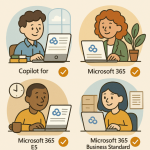 License Plans for Microsoft 365 Copilot
  Overview of Microsoft 365 Products and Plans
 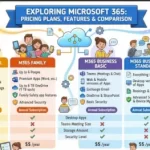 Microsoft 365 Pricing Plans, Features, and Comparison
  Branding Your SharePoint Site for Your Organization