
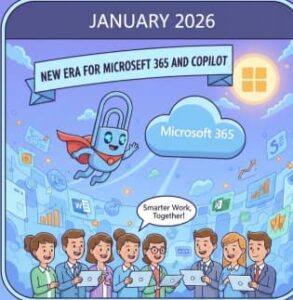
January was a strong start to the year for Microsoft 365 and Copilot. Throughout the month, Microsoft released several meaningful updates that highlight how quickly its AI vision is evolving — from enterprise-grade agent governance to hands-on productivity improvements in everyday tools like Excel.
Rather than focusing on flashy one-off features, Microsoft’s January announcements show a clear strategy: make Copilot reliable, scalable, and deeply embedded into how people work, learn, and build solutions.
Below is a full breakdown of the most important Microsoft 365, Microsoft 365 Copilot, and Copilot Studio news released during January — and why it matters.
Copilot Studio: Preparing Organizations for an Agent-Driven Future
One of the most significant themes Microsoft emphasized in January was agent readiness. As more organizations move beyond experimenting with AI and start deploying multiple Copilot agents across teams, Microsoft outlined a structured approach to scaling responsibly.
The company introduced six core pillars that organizations should consider when adopting Copilot agents at scale. These pillars focus on practical, real-world concerns such as governance, visibility, cost management, performance tracking, and deployment consistency.
This guidance reflects a major shift in how AI is being positioned. Copilot agents are no longer treated as isolated assistants — they are becoming digital teammates that require oversight, lifecycle management, and integration into existing business processes.
For IT leaders and enterprise architects, this marks an important moment. Microsoft is acknowledging that AI adoption needs guardrails, standards, and operational clarity if it’s going to succeed long-term.
Copilot Studio and Visual Studio Code: A Big Win for Developers
January also brought good news for developers working with Copilot Studio. Microsoft announced that the Copilot Studio extension for Visual Studio Code is now generally available.
This update bridges the gap between low-code agent creation and professional software development. With this extension, developers can work on Copilot agents directly inside Visual Studio Code, using familiar workflows such as version control, collaboration, and structured development practices.
For teams building complex or enterprise-grade agents, this is a major improvement. It allows Copilot agents to be treated more like traditional software assets, rather than isolated configurations managed only through web interfaces.
This move reinforces Microsoft’s broader platform approach — giving both citizen developers and professional engineers the tools they need, without forcing them into a single development style.
Microsoft 365 Copilot in Excel: Agent Mode Expands
Excel users saw one of the most tangible Copilot improvements in January with the general availability of Agent Mode on desktop. Previously introduced on the web, Agent Mode now extends to desktop users, bringing more powerful AI-assisted workflows directly into Excel.
Agent Mode allows users to interact with Copilot in a more dynamic way. Instead of simple one-off prompts, users can guide Copilot through multi-step data analysis, transformations, and insights using natural language.
Another notable addition is the ability to switch between different AI models, giving users flexibility depending on the type of task they’re performing. This makes Copilot feel less like a static assistant and more like a customizable analytical partner.
For analysts, finance teams, and anyone working heavily with data, this update significantly reduces time spent on repetitive or complex spreadsheet tasks.
Microsoft 365 and AI in Education: Expanded Student Access
Microsoft also reinforced its commitment to education in January by expanding access to premium productivity and AI tools for students.
Eligible college students were offered 12 months of Microsoft 365 Premium alongside LinkedIn Premium Career. This bundle gives students access to Copilot-powered tools across Word, Excel, PowerPoint, and more — as well as career development resources through LinkedIn.
From writing assistance and presentation creation to resume building and job search support, this initiative positions Copilot as a learning companion, not just a workplace tool.
It also reflects Microsoft’s long-term strategy: helping students build AI literacy early, so they enter the workforce already comfortable collaborating with AI-powered tools
Why These January Updates Matter
Taken together, January’s announcements paint a clear picture of where Microsoft 365 and Copilot are headed.
1. AI Is Becoming Operational, Not Experimental
Microsoft is moving beyond “try it and see” AI adoption. The focus on governance, cost visibility, and performance tracking shows that Copilot is being designed for real-world, long-term use.
2. Copilot Is for Everyone — Not Just Power Users
From Excel Agent Mode to student offers, Microsoft is ensuring Copilot benefits knowledge workers, analysts, developers, educators, and learners alike.
3. Developers Are Central to the Copilot Ecosystem
By bringing Copilot Studio into Visual Studio Code, Microsoft is making it easier to build, maintain, and scale intelligent agents using professional development practices.
4. AI Is Embedded Across the Microsoft 365 Stack
Rather than standing apart, Copilot continues to integrate more deeply into familiar apps, reducing friction and increasing everyday value.
What to Expect Next
If January is any indication, the coming months will continue to expand Copilot’s reach across Microsoft 365. Organizations can expect:
- Deeper Copilot integrations across Teams, Outlook, and PowerPoint
- More enterprise governance and analytics capabilities
- Continued evolution of agent-based workflows
- Expanded access and offers across education and business segments
Microsoft’s vision is clear: Copilot is not an add-on — it’s becoming the connective intelligence layer of Microsoft 365.
Extra posts:
 Microsoft 365, Copilot & Copilot Studio News
  Microsoft Copilot Studio Adds MCP-Compliant Tools to Agent Workflows: What It Means for AI Automation
  Microsoft Makes Copilot Easier to Try: Free 30-Day Microsoft 365 Copilot Trial Arrives for SMBs Without Payment Details
  Microsoft Edge Gets Smarter: Microsoft 365 Copilot Brings Contextual Answers to Tabs, Documents and YouTube
  Anthropic Claude Opus 4.8 in Microsoft 365 Copilot – A New Era of AI-Powered Productivity
  The ‘Digital Twin’ Employee Creating Hyper-Personalized Copilot Prompts with Copilot Studio