
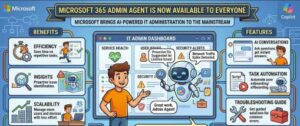
Microsoft is taking another major step in its push toward AI-powered workplace management. The company has announced that the Microsoft 365 Admin agent is now generally available worldwide, giving eligible Microsoft 365 administrators a new way to manage their environments through natural-language conversations.
Instead of relying entirely on traditional admin dashboards, menus, reports and configuration pages, administrators can now interact with Microsoft 365 through an AI-powered administrative assistant.
The Microsoft 365 Admin agent is available through both the Microsoft 365 admin center and Microsoft 365 Copilot Chat, giving administrators a unified experience for discovering information, troubleshooting issues, managing services and handling administrative tasks.
For IT departments managing increasingly complex Microsoft 365 environments, the release could represent a significant change in how everyday administration is performed.
But Microsoft is also emphasizing an important point: the AI agent does not take control away from administrators.
The agent works within existing Microsoft Entra permissions, requires administrator approval before making changes and records administrative actions through the underlying workload audit logs.
Microsoft 365 Administration Gets an AI Upgrade
Managing Microsoft 365 can involve a long list of responsibilities.
Administrators may need to manage users and groups, assign licenses, monitor service health, investigate incidents, review Message Center announcements, manage Microsoft 365 Copilot and oversee the growing number of AI agents being introduced into organizations.
Traditionally, completing these tasks often means navigating through different areas of the Microsoft 365 admin center and understanding where individual settings and reports are located.
The Microsoft 365 Admin agent introduces a different approach.
Rather than starting with a specific administrative page, an administrator can begin with a question or request using everyday language.
The agent can then help identify relevant information, explain administrative options, troubleshoot problems or prepare an administrative action.
This conversational approach could make Microsoft 365 administration faster, particularly when administrators know what they want to accomplish but don’t remember exactly where a particular setting or report is located.
Who Can Use the Microsoft 365 Admin Agent?
Microsoft says the Microsoft 365 Admin agent is being made available to users assigned Microsoft Entra built-in administrator roles.
That includes administrators such as:
- Global Administrators
- AI Administrators
- Teams Administrators
- SharePoint Administrators
- Other Microsoft 365 administrators with eligible roles
The exact capabilities available to an administrator depend on the permissions associated with their assigned role.
The agent is pre-installed for eligible administrators, and Microsoft says there is no additional cost for eligible users.
The worldwide general availability rollout means organizations don’t have to wait for a future preview phase to begin exploring the capability.
One Agent Across Microsoft 365 Admin Center and Copilot Chat
Another important part of the announcement is the unified experience.
Microsoft is making the same Microsoft 365 Admin agent experience available through both the Microsoft 365 admin center and Microsoft 365 Copilot Chat.
Administrators can also move between the two experiences without losing their conversational context.
That could make the agent particularly useful for administrators who already use Copilot Chat as part of their daily workflow.
Instead of treating administration as a completely separate activity, Microsoft is bringing administrative capabilities closer to the same conversational AI environment employees and IT professionals are increasingly using across Microsoft 365.
The goal is straightforward: make complex administrative information easier to find and administrative workflows easier to navigate.
What Can the Microsoft 365 Admin Agent Do?
The Microsoft 365 Admin agent is designed to support a wide range of administrative scenarios.
Administrators can use natural-language conversations to discover information, configure services, troubleshoot problems and manage Microsoft 365 environments.
Some of the areas covered by the agent include:
User management: Administrators can work with information related to users and their Microsoft 365 environments.
Licensing: The agent can help administrators review and manage licensing-related information.
Groups: Administrators can work with Microsoft 365 groups and related administrative tasks.
Service health: The agent can help administrators investigate service health information and understand issues affecting Microsoft 365 services.
Message Center: Administrators can use natural-language prompts to find and review relevant Message Center information.
Copilot: The agent can assist with Microsoft 365 Copilot-related administration and management.
Agent governance: As organizations deploy more AI agents, administrators can use the agent to help manage and govern those capabilities.
Troubleshooting: Instead of manually searching through multiple administrative resources, administrators can ask questions about Microsoft 365 issues and use the agent to help investigate them.
The important point is that the agent isn’t simply designed to answer general questions.
It is intended to become part of the administrative workflow.
Microsoft Keeps the Human in Control
For enterprise organizations, one of the biggest questions surrounding AI-powered administration is what happens when an AI system has the ability to perform real changes.
Microsoft has addressed that concern directly.
The Microsoft 365 Admin agent does not automatically modify a tenant.
When the agent proposes an action that would write or execute a change, the administrator must explicitly confirm the action before it is carried out.
This creates a human approval step between the AI’s recommendation and the actual administrative change.
That distinction is extremely important.
An administrator can use AI to understand a situation, identify an option or prepare an action without giving the agent unrestricted authority to make changes independently.
The administrator remains responsible for approving the operation.
For organizations with strict change-management procedures, this approach could make AI-assisted administration easier to introduce without completely removing existing approval practices.
Existing Microsoft Entra RBAC Still Applies
Another major security feature is the agent’s relationship with Microsoft Entra role-based access control.
The Microsoft 365 Admin agent doesn’t bypass an administrator’s existing permissions.
Instead, it respects the roles and permissions already assigned to the administrator.
This means an administrator’s ability to use the agent is still governed by the access they already have.
For example, an administrator with a role focused on a particular Microsoft 365 workload should only be able to access and perform actions permitted by that role.
This is especially important as organizations begin introducing AI into administrative environments.
AI can make complex systems easier to operate, but it should not become a shortcut around established security controls.
Microsoft’s approach keeps existing identity and access management policies at the center of the experience.
Administrative Actions Are Auditable
Another important consideration for enterprise IT and compliance teams is auditing.
Microsoft says administrative actions performed through the Microsoft 365 Admin agent are recorded in the underlying workload audit logs.
That provides organizations with visibility into administrative operations carried out through the AI-powered experience.
For security teams, this is an important feature.
AI-assisted administration should not create a black box where nobody knows what actions were taken.
By maintaining audit records, organizations can continue to monitor administrative activity and incorporate those events into their existing security and compliance processes.
IT teams should still review their own audit and monitoring policies to ensure that AI-assisted administrative activity is being handled appropriately.
Organizations Can Restrict the Agent
Although Microsoft is making the Microsoft 365 Admin agent generally available, organizations are not forced to allow unrestricted use of the capability.
Microsoft provides administrative controls through the Microsoft 365 admin center’s Agents Registry.
Organizations can use these controls to block or restrict deployment of the agent if they decide that it isn’t appropriate for their environment.
This is particularly relevant for organizations with strict AI governance requirements.
Some businesses may want to enable the agent immediately for their Microsoft 365 administrators.
Others may prefer to evaluate the security, compliance and operational implications first.
Having the ability to restrict or block the agent gives IT teams more control over how AI capabilities are introduced.
No Action Is Required to Enable It
For eligible administrators, Microsoft says no action is required to enable the Microsoft 365 Admin agent.
The agent is pre-installed for users assigned supported Microsoft Entra built-in administrator roles.
However, organizations shouldn’t interpret “no action required” as “nothing to review.”
The arrival of the agent is a good reason for IT departments to review their administrative environment.
Organizations should verify that administrator roles are correctly assigned, particularly for highly privileged accounts.
They should also review their AI governance policies and determine how administrative agents fit into existing security and compliance requirements.
What IT Teams Should Do Now
Even though the Microsoft 365 Admin agent is available without an additional enablement step, IT teams can take several practical actions.
Review Microsoft Entra Roles
Organizations should check their administrator role assignments and make sure users have only the permissions required for their responsibilities.
This is particularly important as AI becomes increasingly capable of interacting with administrative systems.
Inform IT and Helpdesk Teams
Helpdesk employees and Microsoft 365 administrators should know that the new agent is available.
Teams should understand what the agent can do, what permissions it uses and when administrator approval is required.
Review AI Governance Policies
Organizations should consider whether existing AI governance policies adequately cover administrative agents.
Questions worth asking include:
- Who should be allowed to use AI administrative tools?
- Which workloads should be included?
- How should AI-generated administrative actions be reviewed?
- What monitoring requirements should apply?
- How should organizations respond if an AI recommendation appears incorrect?
Review Audit Monitoring
Security and compliance teams should review existing audit procedures and determine how administrative actions performed through the agent should be monitored.
Check Agent Registry Settings
Organizations that don’t want the Microsoft 365 Admin agent available can review their Agent Registry settings and block or restrict deployment as appropriate.
Why This Release Matters
The significance of the Microsoft 365 Admin agent goes beyond one new Microsoft 365 feature.
It reflects a larger transformation in enterprise IT.
For decades, administrators have relied on dashboards, command-line interfaces, scripts, APIs and documentation to manage complex technology environments.
AI agents introduce another interface: natural language.
Instead of remembering exactly which administrative page contains a particular setting, an administrator can describe the problem or desired outcome.
That doesn’t mean traditional administration tools are disappearing.
Experienced administrators will continue to use PowerShell, APIs and dedicated management interfaces for many tasks.
But AI can provide another layer between the administrator and the underlying complexity.
For organizations with large Microsoft 365 deployments, that could become particularly valuable.
AI Could Change How IT Professionals Work
The biggest potential benefit may be time.
IT administrators often spend significant amounts of time searching for information, interpreting configuration options and moving between different management interfaces.
An AI-powered administrative agent could reduce some of that friction.
Instead of searching through documentation or navigating several pages, administrators can ask a question and receive information in a conversational format.
More importantly, the agent can potentially connect that information to administrative workflows.
This could make routine investigations faster and help administrators focus more of their time on higher-value work.
However, organizations should avoid assuming that AI will eliminate the need for experienced IT professionals.
In fact, the opposite may be true.
As AI becomes more capable, organizations will still need skilled administrators who can evaluate recommendations, understand business requirements, assess risks and make informed decisions before approving sensitive actions.
The Rise of the AI-Powered Administrator
The Microsoft 365 Admin agent is part of a much larger movement toward agent-based enterprise software.
Microsoft is increasingly positioning AI agents as tools that can assist with not only productivity tasks but also business operations, security, governance and administration.
That raises the importance of responsible AI deployment.
An AI agent that can help write an email has relatively limited operational impact.
An AI agent that can help manage users, licenses, groups, services and enterprise settings is operating in a very different environment.
The consequences of an incorrect action can be much greater.
That’s why Microsoft’s focus on permissions, approval workflows, audit logging and administrative controls matters so much.
The technology may be conversational, but the underlying governance still needs to be enterprise-grade.
A New Era for Microsoft 365 Administration
The general availability of the Microsoft 365 Admin agent marks an important moment for Microsoft 365 administrators.
The company is effectively bringing AI into the administrative layer of Microsoft 365 and making natural-language interaction a first-class way to work with enterprise services.
For eligible administrators, the capability is available now and comes without an additional cost.
The agent can help with discovery, troubleshooting, configuration, governance and management while continuing to operate within existing Microsoft Entra permissions.
Most importantly, Microsoft is not handing the keys to the tenant over to an autonomous AI.
Administrators remain in control.
Changes require confirmation, administrative activity can be audited and organizations can restrict the agent through administrative controls.
That balance between AI assistance and human oversight could determine how quickly businesses adopt AI-powered administration.
Microsoft 365 has already become a critical platform for millions of organizations.
Now Microsoft is giving the people responsible for managing those environments a new way to interact with the platform.
The future of IT administration may be conversational.
But with the Microsoft 365 Admin agent, Microsoft is making one thing clear: the AI can assist, recommend and simplify — but the administrator still makes the final call.
Extra posts:
 Microsoft 365 E7 and Agent 365 Are Now Generally Available: The Future of AI-Powered Work Has Arrived
  Microsoft Teams Rooms Gets Smarter: AI-Powered Facilitator Brings Real-Time Meeting Notes to Physical Meeting Rooms
  Supercharging IT Management Microsoft 365 Admin Agent in Copilot
  Learning Agent by Microsoft: The Future of Personalized AI-Powered Employee Upskilling Has Arrived
  Microsoft Expands Microsoft 365 Copilot Legal Agent Worldwide: AI-Powered Contract Review Comes to Global Frontier Users
  Managing Microsoft 365 on the Go The Power of the Microsoft 365 Admin Mobile App