
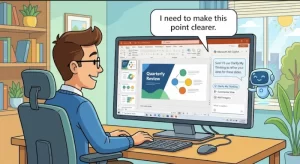
Microsoft is introducing a new “Clarify my thinking” skill in Microsoft 365 Copilot for PowerPoint on desktop, giving users an additional way to challenge their ideas, sharpen their messaging, and improve presentations before sharing them with colleagues or audiences. The worldwide general availability rollout begins October 8, 2026, according to the supplied Microsoft update.
Previously referred to as “GrillMe,” the feature has been renamed with more customer-friendly wording. It is designed to help users work through questions about their presentation content rather than simply generate slides or polish existing text.
For organizations already using Microsoft 365 Copilot, the update does not require administrator action before rollout. However, Microsoft recommends communicating the change to users and reviewing internal Copilot training materials where appropriate.
What Is Microsoft’s ‘Clarify My Thinking’ Skill?
The new skill adds a prompt-based way for users to ask Copilot questions intended to strengthen their thinking and improve presentation quality. Instead of focusing exclusively on the mechanics of building a slide deck, the feature encourages users to examine the ideas and messages behind their slides.
A presentation may contain accurate information and attractive visuals but still leave important questions unanswered. Its central argument might be unclear, its supporting evidence might not be convincing, or its recommendations might need further explanation.
The Clarify my thinking skill is intended to help users address these issues by engaging with Copilot through questions and feedback.
For example, a user preparing a presentation for senior management could ask Copilot to help clarify the main argument, identify points that need stronger explanations, or consider questions an audience might raise. These are illustrative uses of the skill’s stated purpose, rather than a verified list of dedicated prompts.
The distinction matters because improving a presentation is not always about adding more content. Sometimes the better approach is to identify an unsupported assumption, remove an unnecessary detail, or explain a recommendation more clearly.
Worldwide Rollout Begins October 8, 2026
Microsoft’s supplied update identifies October 8, 2026, as the start date for general availability worldwide.
The rollout applies to Microsoft 365 Copilot in PowerPoint on desktop. Eligible users will see the skill as part of the existing Copilot experience, rather than as a separate product that their organization must purchase or deploy independently.
The key rollout details are:
- Feature: Clarify my thinking.
- Product: Microsoft 365 Copilot in PowerPoint.
- Platform: PowerPoint on desktop.
- Availability: Worldwide general availability, with rollout beginning October 8, 2026.
- Administrator action: None required before rollout.
- Licensing and controls: Existing Microsoft 365 Copilot requirements and administrative controls continue to apply.
A rollout start date does not necessarily mean every eligible user will see the feature immediately. Organizations should account for deployment timing when communicating availability or updating support documentation.
Why the Feature Matters for Presentation Quality
Presentations frequently serve as the final stage of a much longer process involving research, analysis, planning, and decision-making. Yet teams can spend considerable time refining slide layouts while leaving the underlying argument relatively untested.
Clarify my thinking addresses this part of the workflow by giving users another way to review their ideas with AI assistance.
Moving beyond slide creation
Generative AI tools are often associated with producing first drafts, summarizing information, or helping users create content more quickly. Those tasks can save time, but a quickly generated presentation still needs careful review.
A useful presentation must do more than communicate information. It needs to explain why the information matters, establish a logical connection between evidence and conclusions, and give the audience a clear understanding of the intended message.
By encouraging users to question and refine their ideas, the new skill supports a different stage of the presentation process: evaluating content before it reaches an audience.
Helping users identify gaps in their reasoning
A slide deck may appear complete to its author because the author already understands the background and assumptions behind every point. An unfamiliar audience may not share that understanding.
Asking questions about a presentation can help expose missing context, vague explanations, or conclusions that need additional support. Copilot can provide a starting point for this review, although users remain responsible for deciding which feedback is relevant and whether the underlying claims are accurate.
The practical value will depend on how well users frame their requests and how critically they evaluate the responses.
Supporting clearer business communication
In workplace settings, presentations are often used to explain project updates, recommend investments, communicate strategy, or secure approval for proposed changes.
In these situations, unclear reasoning can create more problems than an imperfect slide design. A recommendation that lacks sufficient context may be misunderstood, while a presentation that fails to address likely objections may leave decision-makers unconvinced.
A tool that encourages users to examine their arguments before presenting them could help teams prepare more effectively. However, the feature should be treated as an aid to human judgment, not as a guarantee that a presentation is persuasive, complete, or factually correct.
What Organizations Need to Do Before and After the Rollout
Microsoft states that no administrator action is required before the feature becomes available. Existing licensing requirements and Copilot administrative controls remain in place, so organizations do not need to treat the skill as an entirely separate deployment.
Even so, IT teams, Microsoft 365 administrators, and workplace learning leaders may want to prepare for questions from users.
Recommended steps include:
- Notify eligible users: Explain that Clarify my thinking is becoming available in Copilot for PowerPoint on desktop and describe its intended purpose.
- Update internal guidance: Revise Copilot documentation, presentation guidelines, or training materials if they cover AI-assisted presentation creation and review.
- Demonstrate appropriate use: Show employees how to use AI feedback to examine an argument, clarify a message, and identify areas that need further work.
- Reinforce human review: Remind users to verify facts, check important assumptions, and assess whether Copilot’s suggestions fit the audience and business context.
- Monitor user feedback: Gather feedback on how the skill fits existing presentation workflows and whether additional training would help.
These measures are recommendations for adoption and change management, not mandatory technical steps identified in the supplied update.
For organizations with established Microsoft 365 Copilot programs, the most useful response may be a small update to existing guidance rather than a separate training initiative.
Security, Compliance, and Responsible AI Considerations
The supplied Microsoft update flags the feature as introducing a new way for end users to interact with generative AI. It also identifies the use of Copilot to analyze presentation content and generate feedback as a relevant AI-related consideration.
That distinction is important for organizations operating under internal data-handling policies, regulatory obligations, or formal AI governance requirements.
Because the skill works within the PowerPoint Copilot experience, organizations should continue applying their existing Microsoft 365 Copilot controls and licensing arrangements. They should also ensure that employees understand the rules governing confidential information, sensitive business material, and the use of AI-generated suggestions.
The available source material does not specify new permissions, changes to data retention, or a separate security configuration associated with this skill. Organizations should not assume that such changes have occurred—or that every compliance question has been resolved—without consulting the applicable Microsoft documentation and their own policies.
Human oversight remains essential. Copilot feedback may help users identify weaknesses in an argument, but it should not replace verification of financial figures, legal claims, operational commitments, or other consequential information in a presentation.
What the Change Signals About AI-Assisted Work
The introduction of Clarify my thinking reflects a practical direction for workplace AI: helping people improve the quality of their decisions and communication, rather than concentrating solely on generating content.
This is particularly relevant in presentation software, where the final product often represents a person’s reasoning as much as their writing or design skills. AI assistance becomes more useful when it helps users consider what they are trying to communicate, what their audience needs to understand, and which parts of their argument require further explanation.
The feature’s earlier name, GrillMe, also offers context for the change. The new name communicates the intended benefit more directly, potentially making the skill easier for users to understand and adopt without requiring familiarity with its development history.
Its actual value, however, will depend on how the feature performs in everyday use. The quality of Copilot’s feedback, its usefulness across different presentation types, and employees’ willingness to question AI-generated suggestions will all influence its impact.
Organizations should therefore evaluate the skill as part of their broader approach to AI-assisted work, rather than assuming that availability alone will improve presentation outcomes.
What Happens Next?
With the worldwide rollout beginning October 8, 2026, eligible Microsoft 365 Copilot users can look for Clarify my thinking in PowerPoint on desktop as the feature becomes available to their accounts.
For administrators, the immediate priority is straightforward: communicate the update, keep internal guidance current, and reinforce responsible use of AI-generated feedback. No additional administrative action is required before the rollout, according to the supplied announcement.
The longer-term question is whether employees use the skill to examine their thinking as carefully as they use Copilot to create their content. If they do, it could become a useful part of preparing presentations that are not only polished, but also clearer, better reasoned, and more effective at communicating important decisions.
Extra posts:
 PowerPoint Copilot Gets “Record a Skill” to Make Repetitive Tasks Easier
  Microsoft Brand Kit Adds Custom Presentation Skills for Copilot in PowerPoint
  Microsoft 365 Copilot Gets Smarter: GPT-5.5 Thinking and ChatGPT Images 2.0 Transform Workflows
  Microsoft 365 Adds New Copilot Governance Control for Advanced Agents and Plugins
  Microsoft 365 Copilot Gets a Faster Way to Work in Word, Excel and PowerPoint
  Microsoft 365 Copilot in PowerPoint Gets Stricter Brand Control With Notes Steering