
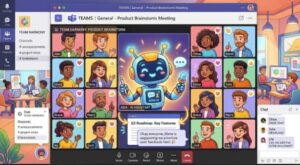
Microsoft is making meetings in Teams a little easier to manage with an update that brings its Facilitator experience directly into channel meetings.
Starting in September 2026, organizations that have Microsoft Teams Facilitator enabled will be able to add Facilitator to channel meetings. Once added, the AI-powered assistant can help with some of the most time-consuming parts of a meeting, including taking notes, managing the agenda, answering questions, and keeping track of tasks.
For teams that spend much of their working day inside Microsoft Teams, the change could make channel meetings more organized and reduce the amount of administrative work that usually falls on the meeting organizer or another team member.
The update is associated with Microsoft 365 Roadmap ID 568936 and is scheduled to roll out in stages beginning in September.
Facilitator is coming to Teams channel meetings
Channel meetings are commonly used by teams to discuss projects, share updates, solve problems, and coordinate work. While the conversation itself may be productive, someone still has to make sure the meeting stays on track, capture important notes, record decisions, and remember what needs to happen afterward.
That is where Microsoft Facilitator comes in.
With the upcoming update, users will be able to add Facilitator to a channel meeting. Rather than simply being another feature hidden within Teams, Facilitator can participate in the meeting workflow and provide assistance with several practical tasks.
Microsoft says Facilitator will be able to take notes, manage the agenda, answer questions, and manage tasks.
That combination is important because meeting productivity often depends as much on what happens around the conversation as it does on the conversation itself.
A meeting might generate five useful ideas, for example, but those ideas can quickly lose value if nobody records them. Likewise, an agreed action can easily disappear into a busy employee’s task list if it isn’t captured clearly.
Facilitator is designed to help bridge that gap.
What can Facilitator do in a channel meeting?
The biggest part of this update is the range of meeting responsibilities that Facilitator can support.
Take meeting notes
Meeting notes are one of the most obvious areas where an AI assistant can save time.
Instead of expecting someone to divide their attention between listening and typing, Facilitator can help capture information from the meeting. This gives participants more freedom to concentrate on the discussion rather than constantly worrying about documenting every important point.
For managers and project leads, that could be particularly useful during meetings where several topics are discussed in a short period of time.
Manage the agenda
Keeping a meeting aligned with its agenda can be harder than it sounds. A quick discussion can easily turn into a 20-minute conversation, leaving important topics untouched before the meeting ends.
Facilitator’s ability to manage the agenda could help teams maintain better structure.
This doesn’t mean AI will suddenly make every meeting efficient. People will still need to make decisions and guide the conversation. But having an assistant that can help organize the flow may make it easier for teams to stay focused.
Answer questions
Another notable capability is the ability for Facilitator to answer questions during the meeting.
For participants, this could reduce interruptions and help provide information without requiring the meeting organizer to stop the conversation and search for an answer.
The usefulness of this feature will naturally depend on the information and context available to Facilitator. Still, its inclusion points toward Microsoft’s broader effort to make Teams meetings more interactive and AI-assisted.
Manage tasks
Perhaps the most practical feature for project-focused teams is task management.
Meetings frequently end with phrases such as “I’ll take care of that,” “Can someone follow up?” or “Let’s revisit this next week.” Without a clear record, those commitments can be forgotten.
Facilitator’s task-management capabilities are intended to help teams capture the work that comes out of their discussions.
That could be especially valuable for recurring channel meetings where the same group meets regularly and needs to track progress from one meeting to the next.
When will the Microsoft Teams Facilitator update arrive?
Microsoft is planning a phased rollout.
For customers in Targeted Release, the update is expected to begin in mid-September 2026 and finish by late September 2026.
For General Availability worldwide, the rollout is scheduled to begin in late September 2026 and is expected to be completed by mid-October 2026.
This means organizations should not necessarily expect every user to see the capability at exactly the same time. As with many Microsoft 365 updates, availability can expand gradually during the rollout period.
Organizations using Teams should therefore expect the feature to become available progressively throughout September and October.
Who will be affected?
The update is aimed specifically at organizations that have Facilitator enabled in Microsoft Teams.
Users also need to be licensed for Facilitator to use the capability.
The affected platform is Microsoft Teams, with the change specifically applying to Teams channel meetings.
For organizations that don’t have Facilitator enabled or users who aren’t licensed for it, the update may have little immediate impact.
That distinction is worth keeping in mind. The announcement isn’t saying that every Teams meeting will automatically gain a new AI participant. Instead, eligible users will gain the ability to add Facilitator to channel meetings.
No action is required from administrators
One of the simpler aspects of this announcement is that Microsoft says no action is required to prepare for the update.
Organizations that already have Facilitator enabled do not need to make a special configuration change simply because this functionality is being introduced.
Microsoft has also identified no compliance considerations for this particular update, although organizations can review the feature according to their own internal policies and governance requirements.
For IT administrators, that makes the rollout relatively straightforward: monitor the update, communicate the new capability to users if appropriate, and ensure employees understand how and when to use Facilitator.
Why this could matter for businesses
AI meeting assistants are becoming an increasingly common part of workplace collaboration tools, but the real value isn’t necessarily in simply generating a transcript or summary.
The bigger opportunity is connecting the conversation to the work that follows.
A good meeting usually produces several outcomes: decisions are made, questions are answered, tasks are assigned, and priorities are clarified. If those outcomes remain buried in chat messages or someone’s handwritten notes, the benefits of the meeting can quickly disappear.
Facilitator’s combination of note-taking, agenda management, question answering, and task management is therefore significant because it addresses multiple stages of the meeting process.
Instead of treating AI as a separate tool that employees have to remember to use after a meeting, Microsoft is increasingly putting AI capabilities directly into the collaboration experience.
For Teams users, that could eventually mean less time spent on administrative meeting work and more time spent acting on the results.
What Teams users should expect
Employees shouldn’t expect Facilitator to replace the meeting organizer or take over decision-making.
The feature is better understood as a digital assistant that supports the people running and participating in a meeting.
Teams will still need human leadership. Someone needs to decide what the team should discuss, evaluate the quality of suggestions, resolve disagreements, and make important business decisions.
The value of Facilitator comes from handling some of the repetitive work surrounding those decisions.
For example, a project team could use a channel meeting to review a product launch. During the discussion, Facilitator could help capture notes, keep the agenda organized, respond to relevant questions, and track tasks that emerge from the conversation.
The team can then spend less energy worrying about documentation and more energy discussing the actual project.
A small Teams update with potentially big productivity benefits
Microsoft’s Facilitator update may look like a relatively small addition to Teams, but it reflects a much bigger shift in workplace software.
Meetings are a major part of modern business, and organizations are increasingly looking for ways to make them more productive without adding more administrative work.
Giving Facilitator the ability to join channel meetings brings AI assistance closer to where teams already collaborate every day.
The rollout begins in mid-September 2026 for Targeted Release, followed by worldwide General Availability from late September through mid-October 2026.
For organizations that already have Facilitator enabled and have licensed users, there is nothing special that needs to be done to prepare.
The more interesting question will be what teams actually do with the capability once it arrives.
If employees use Facilitator effectively, the biggest benefit may not be another AI-generated meeting note. It could be the ability to turn conversations into clearer agendas, better documentation, answered questions, and actionable tasks with less manual effort.
In other words, Microsoft isn’t just making Teams meetings smarter. It is continuing to push Teams toward becoming a workspace where the meeting itself can help drive the work that comes next.
Extra posts:
 Microsoft Teams Rooms Gets Smarter: AI-Powered Facilitator Brings Real-Time Meeting Notes to Physical Meeting Rooms
  Microsoft Teams Adds In-Meeting AI Toggle: Users Gain More Control Over Copilot and Facilitator
  Microsoft Teams Introduces Private Chat for Organizers and Presenters: A Major Upgrade for Meetings, Webinars, and Town Halls
  Microsoft Teams Introduces AI Meeting Recap Without Transcripts, Helping Organizations Balance Productivity and Compliance
  Microsoft Teams Adds Mandatory Participant Consent Before Meetings: What Admins Need to Know
  Best Practices for Running Effective Microsoft Teams Meetings