
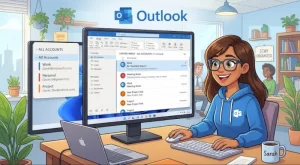
Microsoft is introducing an All Accounts view in the new Outlook for Windows, giving users a single place to manage email from multiple connected accounts without merging their mailboxes. The feature began rolling out worldwide in late September 2026, with general availability expected to be completed by late October.
The update is designed to simplify everyday email management, particularly for people who regularly switch between work, personal, or other connected accounts. Instead of opening each inbox separately, users can bring messages together in one view and perform common email tasks without losing the distinction between their accounts.
The rollout also introduces closer integration with Microsoft’s AI-assisted email workflows, including Copilot. For organizations, the immediate message is straightforward: no administrator action is required, although new controls for managing the feature are planned for later in October.
What Is the All Accounts View in New Outlook?
The All Accounts view, also referred to as the Unified Inbox, is a feature in the new Outlook for Windows that presents messages from multiple connected accounts in a single inbox view.
Rather than combining the underlying mailboxes, Outlook brings their messages together for easier access and management. Each account retains its own inbox, and the unified view serves as a central place to review and triage incoming email.
This distinction matters for users who maintain separate accounts for different responsibilities. Someone managing both a business account and another connected mailbox, for example, can review messages in one place without treating those accounts as a single mailbox.
The feature aims to reduce the friction associated with moving between inboxes while preserving the separation between accounts.
Which Email Management Tasks Does It Support?
The All Accounts view is intended to make routine email handling more convenient by allowing users to work across accounts from a consolidated interface.
According to the feature details, users will be able to:
- Read messages: Review email from multiple connected accounts in one view.
- Delete emails: Remove unwanted messages without repeatedly switching inboxes.
- Search across accounts: Find relevant messages more efficiently.
- Move messages: Organize email using the available message-management actions.
- Archive emails: Clear messages from the inbox while maintaining existing mailbox organization.
- Mark messages: Update message status as part of everyday email triage.
These capabilities could be particularly useful for people who receive messages from several accounts throughout the day. Rather than checking each mailbox individually, they can work through a consolidated list and address messages according to their urgency and importance.
The underlying account separation remains intact. The All Accounts view is a way to access and manage messages across connected inboxes, not a process that merges accounts or automatically transfers messages between them.
How Copilot Fits Into the Unified Inbox Experience
The update also connects the new Outlook experience with Microsoft’s AI-assisted workflows.
Copilot integration is intended to help users work with email more efficiently, while Search with Copilot supports finding messages across the user’s primary account. This adds an AI-assisted layer to an experience that already focuses on bringing email from multiple accounts into a common view.
The distinction between the unified inbox and AI-powered search is important. The All Accounts view addresses how users access and organize messages, while Copilot-related capabilities support particular workflows and information discovery.
For users, the combination could help reduce the time spent navigating email and locating relevant conversations. However, the available feature information does not establish that every Copilot search or AI-assisted action will automatically cover every connected account.
Organizations should therefore distinguish between the accounts displayed in the unified view and the account scope supported by individual AI features.
Global Rollout Expected to Finish by Late October 2026
Microsoft’s stated rollout schedule places the beginning of the worldwide release in late September 2026, with general availability expected to be completed by late October.
As of October 22, the rollout is still within that announced window. Availability may depend on the progress of deployment, so organizations should not assume that every eligible user already has access.
The key rollout details are:
- Platform: New Outlook for Windows.
- Feature name: All Accounts view, also known as Unified Inbox.
- Rollout region: Worldwide.
- Rollout began: Late September 2026.
- Expected completion: Late October 2026.
- Immediate administrative action: None required.
- Planned management options: New administrator controls expected later in October.
IT teams can use this period to prepare internal guidance and determine whether a consolidated inbox would suit their users’ working practices. They can also gather feedback from employees who manage several connected accounts.
The expected completion date is a rollout target rather than a guarantee that the feature will appear for everyone simultaneously.
What the Update Means for Businesses and IT Administrators
For organizations, the All Accounts view offers a potentially simpler way for employees to manage multiple connected mailboxes.
Employees who work across different accounts may spend less time navigating between inboxes. A consolidated view could also make it easier to review incoming messages and prioritize work, particularly for people who handle multiple responsibilities.
However, the feature does not eliminate the need for clear account-management practices. Users must still understand which account a message belongs to and where their actions apply.
Administrators should consider several practical questions:
- Account usage: Which employees regularly manage multiple connected accounts?
- User experience: Would a consolidated inbox simplify their workflows, or would separate inboxes remain preferable?
- Organizational policy: Are there internal rules governing how connected accounts should be accessed and managed?
- AI-assisted workflows: Do existing policies adequately address the use of Copilot and related email assistance features?
- User guidance: Do employees understand that a unified view does not merge their mailboxes?
These considerations are especially relevant in environments where users handle information under different organizational responsibilities. A more convenient interface should complement existing access controls and information-handling requirements, rather than replace them.
Administrator Controls Are Planned for Later in October
Although the feature is rolling out without requiring immediate administrative intervention, Microsoft plans to introduce additional controls for Unified Inbox later in October 2026.
Once available, administrators will be able to manage whether Unified Inbox is enabled or disabled by default. They will also be able to determine whether users can change that setting themselves.
These options could give organizations greater flexibility in tailoring the Outlook experience to their requirements. Some businesses may prefer to make the unified view available by default, while others may want to control how the feature is introduced to employees.
The ability to manage user changes is also relevant for organizations that want a consistent configuration across their workforce.
Until the new controls become available, administrators should avoid assuming that the planned settings can already be configured. Microsoft has indicated that updated documentation and rollout guidance will follow when the controls are released.
Does the Unified Inbox Create Compliance Concerns?
The All Accounts view does not, by itself, merge mailboxes or move messages between accounts. That separation is a central part of the feature’s design.
Even so, organizations should review how the new interface fits their existing email and automated-assistance policies. A consolidated view may change how easily employees encounter messages from different accounts, making clear account identification and appropriate handling practices important.
IT and compliance teams may want to review:
- Whether connected accounts are permitted under current organizational policies.
- How users should distinguish messages belonging to different accounts.
- Whether Copilot usage is governed by existing AI and data-handling policies.
- Whether employees need updated guidance on searching, moving, archiving, or deleting messages across accounts.
The feature description does not indicate that Unified Inbox changes an organization’s underlying retention, access, or compliance arrangements. Organizations should nevertheless verify their own configurations and review Microsoft’s forthcoming documentation before drawing conclusions about specific policy requirements.
What Users and Organizations Should Do Next
For users, the immediate next step is to check whether the All Accounts view is available in their version of the new Outlook for Windows. Those who regularly manage multiple connected accounts can assess whether the consolidated interface makes everyday email handling easier.
For IT administrators, no immediate action is required. A sensible approach is to monitor the rollout, identify relevant user groups, and prepare guidance explaining the difference between a unified view and a merged mailbox.
Organizations should also watch for Microsoft’s planned administrator controls and accompanying documentation later in October. Those updates will help clarify the available configuration options and the extent to which businesses can control the feature’s default behavior.
The longer-term significance of the update will depend on how effectively the unified inbox fits into existing email workflows. By bringing messages together without combining accounts, Microsoft is giving users another way to simplify email management while retaining the underlying separation of their mailboxes.
As the rollout progresses, the key question for organizations will be whether the convenience of a shared inbox view aligns with their users’ needs, administrative preferences, and information-handling policies.
Extra posts:
 Microsoft Outlook to Add Automatic Replies Using Templates in Inbox Rules
  Microsoft Outlook for Android Adds Multi-Select and Bulk Email Actions in October 2026
  Microsoft SharePoint Adds Mobile Dashboard Card Visibility Controls: A Smarter Dashboard Experience on Smaller Screens
  OneDrive Photos Comes Under IT Control: Microsoft Adds Admin Policy Support for Windows 10 and 11
  Windows 10 Extended Security Updates: A Bridge to Your Windows 11 Experience
  Creating Groups in Exchange Online and SharePoint Online A Unified Collaboration Experience