
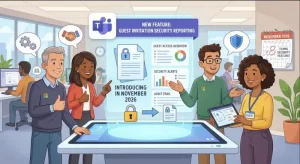
Microsoft Teams is preparing to introduce a new security feature that will make it easier for employees to report suspicious guest invitations. Beginning in November 2026, users will be able to flag potentially malicious invitations directly within Teams, giving IT administrators and Microsoft an additional way to identify and investigate security threats.
The update addresses a growing security concern surrounding external collaboration. While guest invitations allow employees to work with people outside their organizations, unexpected invitations can also be used in phishing attempts and other malicious activities.
With the new reporting capability, Microsoft wants to give users a more direct way to alert their organization’s security teams when an invitation appears suspicious.
The worldwide rollout is expected to begin in early November 2026 and finish by mid-November 2026.
What Is Changing in Microsoft Teams?
The upcoming update introduces an option for users to report guest invitations that raise security concerns.
When someone receives an unexpected invitation to join another organization as a guest, they will have the opportunity to report it while declining the invitation.
This creates a straightforward reporting process within the application rather than requiring employees to contact their IT department separately or forward suspicious messages through another communication channel.
The feature is particularly relevant for organizations that regularly collaborate with external partners, customers, suppliers, and contractors through Microsoft Teams.
The reporting capability is designed to help organizations identify potentially harmful invitations before they lead to more serious security incidents.
How the New Reporting Feature Works
The process will be integrated into the existing Teams invitation experience.
Users will be able to:
- Receive a guest invitation from another organization.
- Identify an invitation that appears unexpected or potentially malicious.
- Select the option to report a security concern when declining the invitation.
- Submit the report for review by their organization’s IT administrators.
Once submitted, reports will be made available through the User reported security submissions report in the Teams admin center.
Microsoft will also receive the reports for additional review.
This gives organizations another source of information when investigating suspicious activity involving external collaboration.
Why Microsoft Is Introducing This Security Feature
Guest access is an important part of modern workplace collaboration. Microsoft Teams allows organizations to communicate and work with external users without requiring everyone to belong to the same Microsoft 365 environment.
However, this flexibility also creates opportunities for attackers.
An unexpected guest invitation may appear legitimate, particularly when employees regularly receive invitations from customers, business partners, or other external organizations.
Attackers can exploit this familiarity to make malicious invitations appear trustworthy.
Potential risks include:
- Phishing attempts: Attackers may use unexpected invitations as part of broader social engineering campaigns.
- Impersonation: Malicious actors may attempt to appear as legitimate external organizations or business contacts.
- Unauthorized collaboration: Users may unknowingly accept invitations that expose them to untrusted environments.
- Security awareness gaps: Employees may not always recognize suspicious invitations or know how to report them.
The new reporting option gives employees a direct way to flag these situations.
It also reinforces an important security principle: employees should be able to report suspicious activity through the tools they already use every day.
What Happens After a User Reports a Suspicious Invitation?
Reporting an invitation is only the first step. The information must also reach the people responsible for investigating potential threats.
Microsoft’s update establishes two reporting destinations.
1. IT Administrators Receive Reports Through the Teams Admin Center
Submitted reports will be accessible to IT administrators through the User reported security submissions report in the Teams admin center.
This provides administrators with visibility into guest invitations that users consider suspicious.
Security teams can use this information as part of their investigation and threat-monitoring processes.
For organizations with established security procedures, the reports can help identify patterns that might otherwise go unnoticed.
For example, multiple employees reporting unexpected invitations could indicate a coordinated attempt to target an organization.
2. Microsoft Also Receives Reports for Review
The reports will also be shared with Microsoft for review.
This creates an additional reporting channel beyond the organization’s internal IT department.
It gives Microsoft an opportunity to review reported security concerns and potentially identify broader abuse involving guest invitations.
However, organizations should understand that submitting a report does not automatically mean a threat has been confirmed or resolved.
IT teams should continue following their existing incident response and investigation procedures.
Microsoft Teams Guest Invitation Security: What Administrators Need to Know
One of the most important aspects of this update is that the reporting feature is controlled through an existing Teams messaging policy setting.
Administrators can manage the capability through:
Teams admin center → Messaging policies → Report a security concern
The relevant policy setting is called Report a security concern.
Organizations that already have this setting enabled do not need to make any changes to prepare for the rollout.
For administrators, this means the upcoming feature should require minimal configuration work in environments where the reporting capability is already available.
Is Administrative Action Required?
No action required if already enabled
Microsoft has confirmed that organizations with Report a security concern enabled in their Teams messaging policies do not need to take additional action.
However, administrators should consider reviewing their current messaging policies before the rollout begins.
Recommended checks include:
- Confirm whether the Report a security concern setting is enabled.
- Review the messaging policies assigned to different groups of users.
- Determine whether the reporting capability should be available across the organization.
- Ensure IT and security teams know where to access the User reported security submissions report.
- Update internal security guidance so employees understand when and how to report suspicious guest invitations.
These checks can help organizations make better use of the feature once it becomes available.
Microsoft Teams Update: Global Rollout Schedule
Microsoft has provided the following deployment timeline for the new functionality.
| Deployment detail | Information |
|---|---|
| Platform | Microsoft Teams |
| Feature | Report suspicious guest invitations |
| Availability | General Availability |
| Geographic coverage | Worldwide |
| Rollout begins | Early November 2026 |
| Expected completion | Mid-November 2026 |
| Admin action | None if the setting is already enabled |
| Configuration location | Teams admin center → Messaging policies |
The rollout is expected to take place over approximately two weeks.
As with other Microsoft 365 updates, availability may vary during the deployment period as the feature reaches different organizations.
Administrators should monitor the Teams admin center and Microsoft 365 Message Center for relevant deployment information.
What This Means for Enterprise Security
The new reporting capability highlights an important challenge for organizations using cloud-based collaboration platforms: external access must remain convenient without creating unnecessary security exposure.
Guest invitations are often part of everyday business operations.
Employees may receive them from consultants, customers, technology providers, contractors, and other external stakeholders.
Blocking external collaboration entirely is rarely practical for organizations that depend on distributed teams and business partnerships.
Instead, organizations need ways to identify suspicious activity while maintaining productive collaboration.
Microsoft’s new reporting feature supports this approach by bringing security reporting directly into the user experience.
Improved Visibility Into Potential Phishing Activity
One potential benefit is better visibility into suspicious guest invitation patterns.
IT administrators may receive reports from employees who notice unusual invitations, even when those invitations have not yet resulted in a confirmed security incident.
This information can help security teams identify activity that deserves further investigation.
The feature also encourages employees to participate more actively in organizational cybersecurity.
A More Accessible Reporting Process
Employees are often the first people to encounter suspicious activity.
However, reporting procedures can be ineffective when they involve too many steps or require users to switch between applications.
By placing the reporting option within the Teams invitation workflow, Microsoft is making the process more accessible.
A simpler reporting experience may encourage users to flag suspicious invitations rather than simply dismissing them without notifying IT.
Stronger Support for Security Awareness Programs
The update also presents an opportunity for organizations to reinforce employee security awareness.
IT teams can use the rollout to remind employees that unexpected guest invitations should be treated carefully.
Employees should be encouraged to:
- Verify unexpected invitations before accepting them.
- Be cautious when invited to unfamiliar organizations.
- Report invitations that appear suspicious.
- Avoid sharing sensitive information with unverified external contacts.
- Follow organizational policies for external collaboration.
The reporting feature works best when employees understand why it exists and how their reports support the wider security process.
What Organizations Should Do Before November 2026
Although Microsoft does not require additional action from organizations that already have the relevant policy enabled, administrators should use the upcoming rollout as an opportunity to review their security configuration.
A practical preparation checklist includes:
1. Review Teams messaging policies
Open the Teams admin center and locate the Report a security concern setting.
2. Verify policy configuration
Confirm whether the setting is enabled in the messaging policies assigned to your users.
3. Prepare IT support teams
Make sure administrators and security personnel know how to access the User reported security submissions report.
4. Inform employees
Communicate that suspicious guest invitations can be reported directly through Teams when declining them.
5. Monitor the rollout
Watch for the feature during the early-to-mid-November 2026 deployment window and verify its availability in your organization’s environment.
These steps can help organizations avoid confusion and ensure the new capability is incorporated into existing security practices.
Frequently Asked Questions
When will Microsoft Teams introduce suspicious guest invitation reporting?
Microsoft plans to begin the worldwide rollout in early November 2026, with completion expected by mid-November 2026.
Can users report suspicious guest invitations directly in Teams?
Yes. Users will be able to report suspicious invitations when declining them through the Teams interface.
Where can administrators view reported invitations?
Reports will be available through the User reported security submissions report in the Teams admin center.
Does Microsoft receive the reports?
Yes. Reports will be shared with the organization’s IT administrators and Microsoft for review.
Do administrators need to enable the feature manually?
Organizations that already have Report a security concern enabled in their Teams messaging policies do not need to take additional action.
Where is the reporting setting located?
Administrators can find it under:
Teams admin center → Messaging policies → Report a security concern.
What Comes Next for Microsoft Teams Security?
Microsoft’s November 2026 update adds another layer of visibility to the way organizations manage external collaboration.
The ability to report suspicious guest invitations directly within Teams could help security teams identify potentially malicious activity earlier and make it easier for employees to raise concerns.
Still, the effectiveness of the feature will depend on how organizations configure their messaging policies, review incoming reports, and respond to potential threats.
For IT administrators, the immediate priority is straightforward: check the existing Report a security concern setting and make sure security teams are prepared to review submissions.
As the rollout progresses through November, organizations should also consider whether their employee awareness and external collaboration policies adequately address suspicious guest invitations.
The broader takeaway is clear: securing collaboration platforms is not only about restricting access. It is also about giving employees practical ways to recognize and report potential threats before they develop into larger security problems.
Extra posts:
 Microsoft Teams to Allow Custom Blocked File Extensions in November 2026
  Microsoft Teams Mobile Copilot Search Feature Rolls Out Worldwide in November 2026
  Microsoft Teams to Allow Two Presenters to Share Screens Simultaneously in November 2026
  Microsoft Teams to Blur QR Codes From External Users by Default in New Security Update
  Microsoft Teams to Add Deepfake Detection as AI Meeting Scams Raise Security Concerns
  Windows Server 2022 November and December 2026 Security Updates Require Restarts