
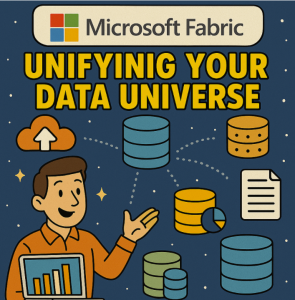
In today’s data-driven landscape, organizations are drowning in data silos—spread across cloud platforms, on-premises systems, and third-party applications. The key to unlocking the value of that data is integration. Enter Microsoft Fabric, an end-to-end analytics platform that simplifies and unifies data integration, engineering, and analysis—all in one environment.
In this blog, we’ll dive into what data integration means within Microsoft Fabric, explore its core capabilities, and walk through how you can leverage it to streamline your data pipelines and accelerate decision-making.
What is Microsoft Fabric?
Microsoft Fabric is a unified analytics platform that brings together various data tools such as Data Factory, Synapse Data Engineering, Power BI, and Data Activator, under a single Software-as-a-Service (SaaS) umbrella. At the heart of this integration lies OneLake—a single, unified data lake that acts as the foundation for all services in Fabric.
With Fabric, you no longer need to juggle multiple services and data stores. Everything—from ingestion and transformation to analytics and visualization—happens within one seamless ecosystem.
Why Data Integration Matters
Before you can analyze or visualize your data, it needs to be:
- Collected from various sources (databases, APIs, SaaS apps, etc.)
- Cleansed and transformed to fit your analytical models
- Centralized in a consistent, accessible format
Without proper integration, your data remains fragmented, difficult to trust, and nearly impossible to use efficiently. Fabric addresses these challenges head-on.
Key Data Integration Capabilities in Microsoft Fabric
1. Dataflows Gen2
Fabric’s Dataflows Gen2 offers a low-code/no-code way to extract, transform, and load (ETL) data using Power Query. Key benefits include:
- Built-in support for hundreds of connectors (SQL, Salesforce, Azure, SharePoint, etc.)
- Reusable transformation logic using Power Query M
- Seamless scheduling and orchestration
Dataflows store data in OneLake in a Delta Lake format, making it immediately usable across all Fabric services.
2. Data Factory in Fabric
Fabric integrates a streamlined version of Azure Data Factory, providing:
- Data pipelines for orchestrating complex data movement
- Copy activity to move data between sources and sinks
- Support for mapping data flows to visually design transformation logic
You can schedule and monitor pipelines within the Fabric UI, enabling end-to-end visibility into your data integration workflows.
3. Real-time Data Movement
Using Event Streams and Data Activator, Fabric supports real-time ingestion and event-driven data integration, making it suitable for:
- IoT scenarios
- Streaming social media analytics
- Real-time dashboards
This ensures your data pipelines aren’t just batch-oriented—they can also handle live data feeds.
The Role of OneLake
All integrated data in Fabric lands in OneLake, which acts as a single source of truth. OneLake:
- Uses Delta Lake as its native format
- Is automatically accessible by all Fabric workloads (e.g., Notebooks, Power BI)
- Supports shortcuts to external data lakes like Amazon S3 or Azure Data Lake
This eliminates the need for multiple data copies or complex integrations.
Use Case: Integrating Sales and Marketing Data
Let’s say you’re a retail company with:
- Sales data in an on-premises SQL Server
- Customer engagement data in Dynamics 365
- Web traffic data from Google Analytics
With Microsoft Fabric, you can:
- Use Dataflows Gen2 to pull in and transform SQL Server and Dynamics data.
- Connect to Google Analytics via a built-in connector.
- Store all of it in OneLake with consistent schema.
- Use Power BI to build a unified dashboard showing customer journeys from acquisition to purchase.
All this—without writing a line of complex code or leaving the Fabric UI.
Benefits of Data Integration in Microsoft Fabric
- Unified experience: All services work together by design.
- Reduced complexity: Less need for external ETL tools or data lakes.
- Governance and security: Built-in data lineage, sensitivity labels, and Microsoft Purview integration.
- Scalability: Leverage the performance of Azure under the hood.
- Collaboration: Data engineers, analysts, and business users work in one platform.
Microsoft Fabric is more than just a data tool—it’s a data unification platform. Its data integration features make it easier than ever to connect, clean, and centralize data from anywhere. Whether you’re a data engineer building pipelines or a business analyst visualizing KPIs, Fabric provides a powerful, intuitive environment to get insights faster.
As data complexity continues to grow, embracing platforms like Fabric will be critical to staying agile, data-driven, and competitive.
Extra posts:
 Unleashing the Power of Microsoft Fabric and AI A New Era of Data-Driven Intelligence
  Unveiling Microsoft Fabric AI The Future of Data Intelligence
  Exploring the Core Components of Microsoft Fabric A Unified Data Platform Exploring the Synergy Between Microsoft Fabric and Azure Machine Learning Studio Supercharging Business Automation Microsoft Power Automate Integration with Azure AI Unlocking the Future The Power of IoT and AI Integration