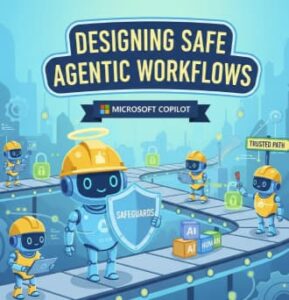
Agentic AI is no longer a futuristic concept it’s already reshaping how teams work. Microsoft Copilot has evolved beyond a simple assistant that responds to prompts. Today, it can act as an agent: planning tasks, making decisions, calling tools, and collaborating across systems like Microsoft 365, Power Platform, Azure, and enterprise data sources.
But with great autonomy comes great responsibility.
Designing safe agentic workflows is critical. Without proper guardrails, Copilot-powered agents can expose sensitive data, take unintended actions, or produce results that undermine trust. In this blog, we’ll explore how to design secure, reliable, and auditable agentic workflows using Microsoft Copilot, with clear architectural principles and hands-on technical steps.
Whether you’re a developer, architect, or IT leader, this guide will help you move from experimentation to production safely.
What Are Agentic Workflows in Microsoft Copilot?
An agentic workflow is a system where Copilot doesn’t just answer questions but:
- Understands goals
- Breaks them into steps
- Chooses tools or actions
- Executes tasks across applications
- Evaluates outcomes and adapts
In Microsoft’s ecosystem, this often involves:
- Copilot Studio
- Power Automate
- Microsoft Graph
- Azure OpenAI
- Enterprise connectors and plugins
A simple example:
“Monitor incoming support tickets, classify urgency, notify the right team, and draft a response.”
Copilot becomes an orchestrator, not just a chatbot.
Why Safety Matters in Agentic AI
Agentic systems operate with intent and autonomy, which introduces real risk:
- Over-permissioned agents accessing sensitive data
- Prompt injection attacks via emails or documents
- Unintended actions (sending emails, updating records)
- Hallucinated decisions without verification
- Lack of auditability for compliance teams
Safety is not about limiting Copilot—it’s about designing workflows that earn trust.
Core Principles for Safe Agentic Workflow Design
Before jumping into technical steps, align on these principles:
1. Least Privilege by Default
Agents should only access what they absolutely need—nothing more.
2. Human-in-the-Loop (HITL)
Critical actions should require human approval.
3. Explicit Intent Boundaries
Define what the agent can and cannot do.
4. Deterministic Tooling
Use structured tools and APIs instead of free-form reasoning whenever possible.
5. Observability and Auditing
Every action should be traceable.
Architecture Overview: Safe Copilot Agent Design
A typical safe agentic workflow looks like this:
- User Intent Input (Teams, Outlook, Web)
- Copilot Reasoning Layer
- Policy & Guardrail Enforcement
- Tool Invocation (APIs, Power Automate, Graph)
- Validation & Approval
- Execution
- Logging & Monitoring
Now let’s break this down into concrete technical steps.
Technical Steps to Design Safe Agentic Workflows
Step 1: Define the Agent’s Role and Scope
In Copilot Studio, start by clearly defining:
- Agent purpose
- Allowed tasks
- Disallowed actions
Example scope definition:
- ✅ Read support tickets
- ✅ Categorize priority
- ✅ Draft email responses
- ❌ Send emails without approval
- ❌ Modify CRM records
This is your agent contract—treat it like an API spec.
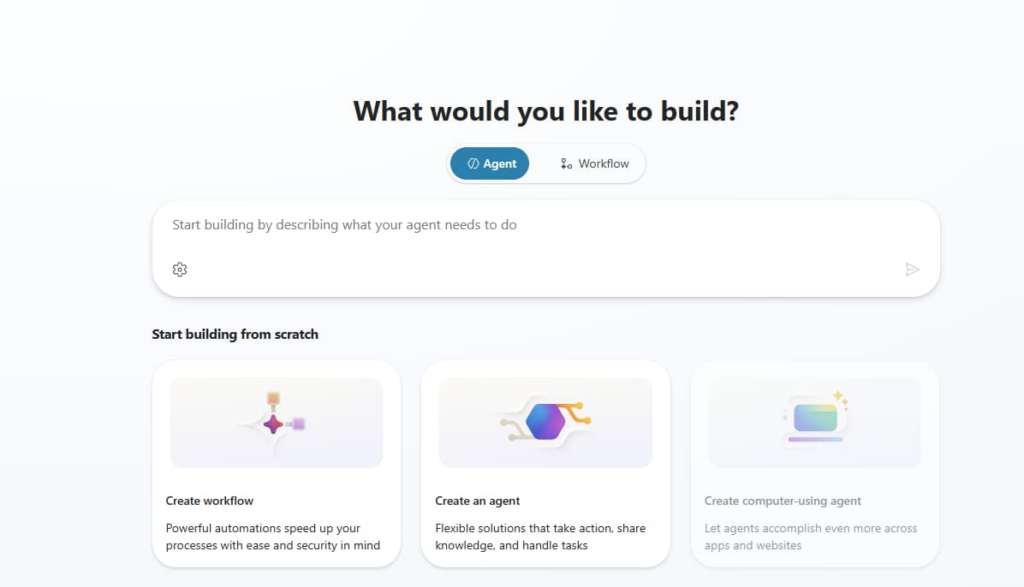
Step 2: Use Declarative Topics Instead of Open Prompts
Avoid vague prompts like:
“Handle customer issues automatically.”
Instead, use structured topics and triggers in Copilot Studio:
- Intent: Ticket Classification
- Inputs: Ticket ID, Subject, Description
- Output: Priority (Low, Medium, High)
This reduces hallucinations and keeps behavior predictable.
Step 3: Enforce Permissions with Microsoft Graph and Entra ID
Security should be enforced outside the model, not inside the prompt.
Best practices:
- Use Microsoft Entra ID for identity
- Assign app roles instead of broad scopes
- Prefer delegated permissions where possible
Example:
If Copilot needs calendar access:
- Grant
Calendars.Read - Avoid
Calendars.ReadWriteunless required
This ensures the agent cannot act beyond its authority—even if prompted.
Step 4: Use Power Automate for Controlled Actions
Instead of letting Copilot take direct actions, route execution through Power Automate flows.
Why?
- Built-in approvals
- Error handling
- Auditing
- Retry policies
Example Flow:
- Copilot drafts an email
- Power Automate sends approval request
- Human approves
- Email is sent
- Action logged
This creates a safety buffer between reasoning and execution.
Step 5: Implement Human-in-the-Loop for High-Risk Actions
Not all actions need approval—but some absolutely do.
Good candidates for HITL:
- Sending external emails
- Updating financial records
- Changing access permissions
- Deleting data
Use:
- Teams approval cards
- Outlook approvals
- Power Automate “Start and wait for approval”
This balances automation with accountability.
Step 6: Protect Against Prompt Injection
Prompt injection often comes from:
- Emails
- Documents
- User-generated content
Mitigation strategies:
- Never treat external text as instructions
- Separate data from commands
- Use system-level instructions in Copilot Studio
- Sanitize inputs before passing them to the model
Rule of thumb:
The agent decides how to act, but data never tells it what to do.
Step 7: Add Validation and Confidence Checks
Before execution, validate outputs:
- Is the response within expected format?
- Does it match allowed values?
- Is confidence below a threshold?
If confidence is low:
- Ask for clarification
- Escalate to a human
- Fall back to a safe default
This prevents silent failures.
Step 8: Log Everything for Audit and Compliance
Use:
- Microsoft Purview
- Power Platform logging
- Azure Application Insights
Log:
- User intent
- Agent reasoning summary
- Tools called
- Actions taken
- Approval decisions
This is essential for:
- SOC audits
- Regulatory compliance
- Debugging agent behavior
Common Mistakes to Avoid
- Giving Copilot admin-level permissions
- Relying on prompts instead of policies
- Skipping approval steps to “save time”
- Letting agents write directly to production systems
- Treating safety as a UX problem instead of a system design problem
Microsoft Copilot unlocks powerful agentic capabilities—but safe design is what makes those capabilities usable at scale.
The most successful teams don’t ask:
“How much can Copilot do?”
They ask:
“How do we design Copilot so we always trust what it does?”
By combining clear intent, least privilege, human oversight, and robust tooling, you can build agentic workflows that are not only intelligent—but secure, compliant, and production-ready.
Extra posts:
 Designing and Creating Agentic AI in Azure
  How to Use Copilot in Microsoft Edge for Web Based Workflows
  Integrating Copilot Studio with Power Automate for End-to-End Workflows
  The “Agentic” Intranet: Securing and Scaling M365 Copilot with SharePoint & Teams
  Unlocking the Power of Microsoft 365 Copilot Agents The Future of Intelligent Workflows
  Exploring the Copilot Prompt Gallery A Game-Changer for AI-Assisted Workflows