
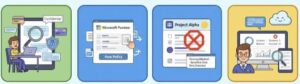
In today’s digital workplace, data moves faster than ever. Employees collaborate through email, Microsoft Teams, SharePoint, and OneDrive—often sharing sensitive information without realizing the risk. Financial records, personal data, customer information, and confidential business documents can easily be exposed if proper safeguards are not in place.
This is where Microsoft Purview Data Loss Prevention (DLP) plays a critical role. Microsoft Purview DLP is a built-in security and compliance solution within Microsoft 365 that helps organizations detect, monitor, and prevent the unauthorized sharing of sensitive information. It allows IT and compliance teams to apply policies that automatically protect data while still enabling employees to work productively.
In this guide, you’ll learn how Microsoft Purview DLP works, how to set it up step by step, and how to optimize policies to reduce risk, maintain compliance, and educate users—all without disrupting daily operations.
Step 1: Access the Microsoft Purview Compliance Portal
All DLP configuration starts in the Microsoft Purview Compliance Portal.
Technical Steps:
- Open a browser and go to https://purview.microsoft.com
- Sign in using a Global Administrator or Compliance Administrator account.
- From the left-hand navigation menu, select Solutions.
- Click Data Loss Prevention.
Once inside, you’ll see:
- Existing DLP policies
- Alerts and incidents
- Policy match activity
- Access to reports and analytics
This centralized dashboard provides full visibility into how sensitive data is being used across your organization.

Step 2: Create a Data Loss Prevention Policy
A DLP policy defines what data to protect, where to protect it, and what action to take when a violation occurs.
Option 1: Use Built-In Templates
Microsoft Purview offers ready-to-use templates aligned with common regulations, including:
- GDPR (General Data Protection Regulation)
- HIPAA (Health Insurance Portability and Accountability Act)
- CCPA (California Consumer Privacy Act)
- PCI-DSS (Payment Card Industry)
Technical Steps:
- In the DLP section, click Create policy.
- Choose a policy template or select Custom.
- Select the locations where the policy should apply (Exchange, Teams, SharePoint, OneDrive).
- Name the policy and provide a description.
Templates are ideal for organizations starting their compliance journey, as they include predefined sensitive data types and thresholds.
Step 3: Configure Policy Conditions and Rules
Once the policy framework is created, you must define conditions and actions.
Define Conditions
Conditions determine when the policy is triggered.
Examples include:
- Detecting more than five instances of a credit card number
- Identifying documents labeled “Confidential”
- Detecting sensitive data shared with external users
Technical Steps:
- Select Create or customize advanced DLP rules.
- Choose Sensitive information types.
- Set confidence levels and instance thresholds.
- Optionally add conditions like file labels or sharing scope.
Step 4: Configure Actions and Enforcement
Actions control what happens when a policy condition is met.
Common DLP Actions:
- Block sharing externally
- Restrict access to files
- Prevent email sending
- Allow override with justification
- Send alerts to admins
Technical Steps:
- Choose Restrict access or encrypt content.
- Enable User notifications.
- Configure Admin alerts with email recipients.
- Decide whether the policy runs in Test mode or Enforce mode.
Starting in test mode is recommended to avoid disrupting users while fine-tuning the rules.
Step 5: Enable User Notifications and Education
One of the biggest advantages of Microsoft Purview DLP is its ability to educate users in real time.
When a policy is triggered, users can see:
- A policy tip explaining the issue
- Guidance on how to fix it
- Links to internal security policies
This approach reduces frustration and helps employees learn secure data handling practices organically.
Step 6: Monitor Activity Using Reports and Activity Explorer
Microsoft Purview includes advanced monitoring and reporting tools.
Key Reporting Features:
- Activity Explorer – Shows detailed events related to sensitive data
- Policy match reports – Displays how often policies are triggered
- Incident reports – Tracks who, what, and where violations occur
Technical Steps:
- Navigate to Reports or Activity Explorer in the compliance portal.
- Filter by policy, user, location, or data type.
- Export reports for audits or compliance reviews.
Regular monitoring helps identify risky behaviors and areas that need improvement.
Step 7: Refine and Optimize DLP Policies
DLP is not a one-time setup. As business needs evolve, policies should be continuously refined.
Optimization Tips:
- Reduce false positives by adjusting thresholds
- Create separate policies for different departments
- Update sensitive data definitions as regulations change
- Provide targeted training for teams with frequent violations
Using insights from reports ensures your DLP strategy remains effective and relevant.
Key Benefits of Microsoft Purview DLP
- Stronger Data Security: Prevents accidental or intentional data leaks
- Regulatory Compliance: Simplifies adherence to GDPR, HIPAA, CCPA, and more
- User Awareness: Educates employees at the moment of risk
- Centralized Control: One platform to manage data protection across Microsoft 365
- Real-Time Protection: Immediate response to risky data sharing activities
Microsoft Purview Data Loss Prevention is an essential tool for organizations that want to protect sensitive data without slowing down collaboration. By combining intelligent detection, automated enforcement, and user education, Purview DLP helps reduce risk while supporting modern work environments.
With proper planning, testing, and ongoing optimization, Microsoft Purview DLP can become a cornerstone of your organization’s data security and compliance strategy.
Extra posts:
 How to Prevent Copilot from Indexing Sensitive HR Folders in SharePoint Using Purview DLP and SAM
  Microsoft Purview Data Security Posture Management (DSPM) for AI Microsoft Purview HR Connector Streamlining Human Resources Data Governance
  Enhancing Data Security with Microsoft Purview Insider Risk Management
  Microsoft 365 Purview Your Unified Shield for Data Governance & Compliance Protecting Your Business Data Sensitivity Labels, DLP, and Conditional Access Explained Simply