
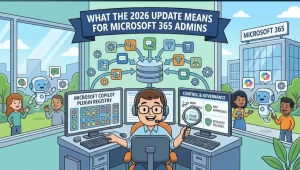
Microsoft is introducing a new Microsoft Copilot plugin registry designed to give organizations a centralized way to discover, publish, govern, and access plugins across Copilot experiences and Microsoft 365 apps.
The rollout began in late September 2026 and will continue through late November, when users will see a significant change to the Copilot interface: the existing Agents, Agents & Skills, and Customize buttons will be replaced by a new Plugins button.
For Microsoft 365 administrators, Microsoft says no technical migration or setup is required. However, organizations will need to update internal documentation and prepare users for the new terminology and interface.
What Is the Microsoft Copilot Plugin Registry?
The new plugin registry is intended to create a shared catalog for organization-approved and custom-built plugins across Microsoft’s Copilot ecosystem.
Rather than requiring users to discover and configure capabilities separately across different Copilot experiences, the registry provides a more consistent way to package and manage them.
Microsoft says plugins can bring together several types of capabilities, including:
- Agents
- Skills
- Connectors
- Model Context Protocol (MCP) servers
These components can be packaged together and then published, discovered, governed, and acquired through the Microsoft 365 admin center and Microsoft Agent 365.
That makes the registry more than a cosmetic change to the Copilot interface. It also establishes a centralized administrative layer for organizations deploying AI-powered tools across Microsoft 365.
The Biggest User-Facing Change: A New Plugins Button
The most visible part of the update will be the replacement of several existing buttons.
By late November 2026, Microsoft expects the Agents, Agents & Skills, and Customize buttons to be replaced by a single Plugins button in supported Copilot experiences.
The goal is to make discovery more consistent.
For users, the change means that approved capabilities should become easier to find without repeating discovery and setup processes across different Copilot environments.
For administrators, the change also creates a clearer distinction between user access and administrative management.
Microsoft says admins will continue to manage agents through Agents settings in the Microsoft 365 admin center and Microsoft Agent 365.
Key takeaway: Users will look for plugins through the new Plugins experience, while administrators will continue managing agents and related controls through the Microsoft 365 administrative tools.
Where the Change Will Appear
The update affects a broad set of Microsoft products and services rather than a single Copilot interface.
Microsoft identifies the following supported experiences and applications:
- Microsoft Copilot Chat
- Microsoft Copilot Cowork
- Microsoft Copilot Code
- Microsoft Copilot Autopilot
- Microsoft Word
- Microsoft PowerPoint
- Microsoft Excel
- Microsoft SharePoint
- Microsoft 365 admin center
- Microsoft Agent 365
This broad scope is important for organizations with multiple Microsoft 365 workloads. Employees may encounter the new Plugins experience in different contexts, but the underlying discovery model is intended to become more consistent.
When Is the Plugin Registry Rolling Out?
Microsoft has divided the general availability rollout into two stages.
Stage 1: Plugin registry
The plugin registry rollout began in late September 2026 and is expected to finish by late October 2026.
This establishes the centralized registry for supported plugin discovery, publishing, and governance.
Stage 2: User interface changes
The visible interface changes begin in late October 2026 and are expected to complete by late November 2026.
That means organizations have a relatively short window to prepare users for the terminology change before the existing buttons disappear.
Microsoft’s published timing covers the period from late September through late November 2026.
What This Means for Microsoft 365 Administrators
The update does not require administrators to perform a technical migration.
Microsoft explicitly states that no action or setup is required to enable the change.
That does not mean there is nothing for IT teams to do.
The main administrative work is around communication, governance, and documentation.
Organizations should review internal materials that tell employees where to find agents or customize Copilot. Any instructions referring specifically to Agents, Agents & Skills, or Customize may become outdated once the new Plugins button appears.
Administrators should also review which plugin capabilities should be available to employees.
That consideration becomes increasingly important as plugins can combine agents, skills, connectors, and MCP servers into packages that are centrally published and governed.
Governance Becomes More Central to the Experience
The plugin registry puts governance closer to the center of how organizations manage Copilot capabilities.
Microsoft describes the registry as a place where administrators can discover, publish, govern, and manage plugins.
That matters because the range of capabilities available through Copilot is expanding beyond standalone conversational features.
A plugin may combine multiple components, potentially connecting an AI experience with organizational data, tools, workflows, or external services. Centralized management gives administrators a mechanism for deciding which capabilities should be made available within their environment.
Organizations should therefore use the rollout as an opportunity to review existing Copilot governance policies.
Questions IT and security teams may want to consider include:
- Which plugins are currently approved?
- Which users or groups should have access?
- Which connectors and MCP servers are permitted?
- Are internal training materials using outdated Copilot terminology?
- Are existing approval and governance processes clear to administrators?
These are organizational considerations rather than technical migration requirements, but they become more relevant as the registry expands.
What Users Should Expect
For employees, the practical change should be relatively straightforward.
Instead of looking across multiple buttons for agents, skills, or customization options, users will increasingly encounter Plugins as the common entry point.
The intent is to reduce repeated discovery and setup.
However, interface changes can create short-term confusion when existing documentation, screenshots, training courses, or help-desk instructions use the old terminology.
Organizations that communicate the change before the rollout reaches their users can reduce that friction.
A simple message explaining that the old Agents-related buttons are being consolidated into Plugins may be enough for many users.
No Compliance Changes Identified
Microsoft’s update identifies no specific compliance considerations associated with the change.
That does not eliminate the need for organizations to consider their own compliance, security, and governance requirements.
Microsoft recommends that organizations review the change as appropriate for their individual environments.
For heavily regulated organizations, the relevant question may therefore be less about the interface itself and more about which plugins and connected capabilities are permitted under existing policies.
What Organizations Should Do Now
Although Microsoft does not require a technical migration, administrators can take several practical steps before the interface changes arrive.
1. Audit internal documentation.
Search employee guides, training materials, intranet pages, and help-desk documentation for references to Agents, Agents & Skills, and Customize.
2. Prepare users for the terminology change.
Let employees know that the new Plugins button will become the primary way to discover relevant capabilities.
3. Review plugin governance.
Determine which plugins, connectors, agents, skills, and MCP servers should be available to different users.
4. Check adoption materials.
Update screenshots and step-by-step instructions once the new interface is available in your organization’s environment.
5. Brief support teams.
Help-desk and IT support personnel should understand that users may ask why familiar Copilot buttons have disappeared.
What Comes Next for Microsoft Copilot
The plugin registry represents a broader shift in how Microsoft is organizing extensibility around Copilot.
Instead of treating agents, skills, connectors, and MCP servers as separate discovery experiences, Microsoft is bringing these capabilities together under a common plugin model.
The immediate change for users is therefore simple: look for Plugins instead of the previous Agents-related buttons.
For administrators, the more consequential development is the centralization of discovery and governance.
As the rollout continues through November 2026, organizations will get a clearer picture of how the registry works in their environments and how plugin governance fits into their wider Microsoft 365 strategy.
For now, Microsoft’s message to administrators is straightforward: there is no migration to perform, but documentation, user preparation, and governance reviews should begin ahead of the interface changes.
Extra posts:
 SharePoint Site Metadata Size Reporting Update: What the 1 TB Limit Means for Admins
  Microsoft 365 Copilot Agent Builder Gets a Major Usability Update: What’s Changing in August 2026
  Microsoft Changes Copilot Email Sender: What Microsoft 365 Admins Need to Know
  Microsoft Copilot Cost Management Gets a Major September 2026 Upgrade: What Admins Need to Know
  Microsoft 365 Agent Registry to Consolidate Duplicate Agents and Add Version History
  Microsoft Gives Admins More Control Over Copilot Cowork Browser Access