
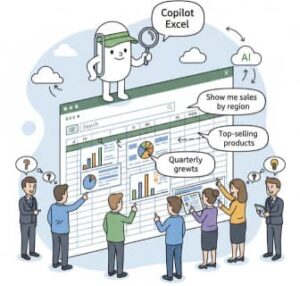
In today’s fast-paced business world, being able to efficiently analyze sales data is crucial for making informed decisions. Traditionally, this required advanced spreadsheet skills, experience with formulas, or even specialized data analysis tools. But with the introduction of Copilot in Excel, anyone—from beginner to expert—can now analyze data using simple natural language prompts. Instead of writing complex formulas or constructing pivot tables manually, users can simply type a question like, “Show me total revenue by region,” and Copilot does the heavy lifting.
This transformation signals a major shift in how organizations and individuals work with spreadsheets. It gives non-technical users the ability to uncover insights that were previously either time-consuming or out of reach. In this blog, we’ll explore how Copilot in Excel works, how to use it for sales analysis, and why this new approach is a game-changer for data-driven decision making.
What Is Copilot in Excel?
Copilot in Excel is an AI-powered assistant built directly into Microsoft Excel. It intelligently understands the context of your spreadsheet and allows you to interact with your data using natural language prompts—much like chatting with a coworker.
Instead of typing formulas like:
=SUMIFS(D2:D500, B2:B500, "North America")
you can simply ask:
“Calculate total sales for North America.”
Copilot interprets your prompt, analyzes the data, and returns results instantly. In many cases, it even creates supporting visuals, dynamic tables, data breakdowns, and explanations, making data exploration more interactive and intuitive.
Why Natural Language Prompts Matter
Natural language queries are powerful for several reasons:
1. Lower Skill Barrier
People no longer need advanced Excel skills, such as pivot tables, formula writing, or functions. Anyone can use prompts to dive into data.
2. Faster Insights
Instead of building reports manually, you simply ask the question. Minutes of work are reduced to seconds.
3. Improved Data Literacy
Users can now explore data freely without being limited by their technical knowledge. This enables broader participation in data-driven decision making.
4. More Experimentation
Because the barrier is low, users are more likely to ask deeper questions and test hypotheses—leading to stronger business decisions.
Examples of Natural Language Prompts in Sales Analysis
Copilot can understand a wide range of instructions—from basic to advanced—and generate insights directly from your sales dataset. Here are examples of prompts that can help uncover meaningful trends:
Sales Performance Overview
- “Give me a summary of total revenue, profit, and average sale price.”
- “What were the top-performing products last quarter?”
- “Which regions generated the most revenue?”
Trend and Growth Analysis
- “Show monthly sales trends for the past 12 months.”
- “Did revenue increase year-over-year?”
Customer Analysis
- “Which customer segment generated the highest profit margin?”
- “Show total purchases per customer ranked from highest to lowest.”
Product Performance
- “Compare revenue between Product A and Product B.”
- “Identify products with declining sales over the past six months.”
Forecasting and Prediction
- “Forecast next quarter’s sales based on historical data.”
- “Highlight which regions may not hit target goals if current trends continue.”
Each of these insights can be delivered through charts, pivot-style summaries, formatted tables, or even full reports—all generated with just a short prompt.
How to Use Copilot in Excel for Sales Data Analysis
Using Copilot is straightforward:
1. Load Your Sales Data
Import your spreadsheet or connect to your data sources. Copilot works best when:
- Columns have clear headings
- Dates, numbers, and categories are formatted consistently
2. Open Copilot
Once in Excel, click the Copilot icon on the ribbon to open the AI assistant.
3. Ask Questions in Natural Language
Type a request such as:
“Create a table showing total revenue by quarter.”
Copilot processes your request and delivers an output directly in your worksheet.
4. Refine Results with Follow-Up Prompts
You can continue the conversation. For example:
- “Sort this table by revenue from highest to lowest.”
- “Add a column showing percentage growth.”
Copilot remembers the context, so follow-up prompts feel like a natural conversation.
Benefits for Sales Teams and Businesses
1. Better and Faster Decision Making
Executives and analysts no longer need to wait for time-consuming manual reports. Insights can be generated instantly.
2. Empowering Non-Technical Users
Sales managers, marketers, and operations staff can explore data on their own without relying on specialized analysts.
3. Standardized Reporting
Copilot can generate consistent dashboards and summaries—reducing human error and increasing trust in the data.
4. Enhanced Productivity
Hours spent building formulas, charts, or pivot tables are now saved, allowing teams to focus more on interpreting insights rather than generating them.
Best Practices for Getting the Most Out of Copilot
Use Clear Data Labels
Column names such as “SaleAmount” or “Region” make analysis much easier for Copilot to understand.
Ask Focused Questions
Starting with specific goals leads to better results. For example:
“What are total Q4 sales by product category?”
is clearer than
“What can you tell me about Q4?”
Iterate and Refine
Just like talking to a human analyst, follow-up and clarification prompts refine results over time.
Combine AI Insights with Human Judgment
Copilot accelerates analysis, but human insight ensures decisions align with real business priorities.
The Future of Excel and Data Analysis
Copilot in Excel represents more than a new feature—it signals a shift toward conversational analytics, where insights no longer require programming or complex feature training. As AI becomes more integrated into productivity tools, data analysis will become:
- More democratic
- Faster and more exploratory
- Accessible to a wider range of users
Whether you’re a business owner, analyst, student, or manager, Copilot unlocks the ability to work with data more intuitively and effectively.
Extra posts:
 Copilot for Sales and Service Moving from CRM Data Entry to Customer Insight
  How to Use Copilot for Data Analysis in Excel
  Copilot in Excel Turning Data Nightmares into Insights in Seconds
  M&A Due Diligence in Minute Copilot Chat’s Power to Cross-Reference Disparate Data Silo
  Step-by-Step: Your First Data Analysis with Copilot in Excel
  Data Boundaries and Permissions in an Agentic Copilot World