

Microsoft is giving Microsoft 365 administrators another way to manage the growing use of Copilot across organizations.
Starting September 25, 2026, Microsoft will begin rolling out a new administrative control that allows organizations to decide who can upload advanced Copilot agents and plugins. The feature is designed to give IT teams more control over advanced Copilot extensibility while still allowing organizations to keep broader access where appropriate.
The worldwide rollout is expected to be completed by the end of October 2026.
For organizations that are rapidly adopting AI, the timing is significant. As employees increasingly create and use AI agents to automate tasks, connect services and extend Copilot capabilities, IT administrators are facing a familiar challenge: how do they encourage innovation without losing control over what gets introduced into the workplace?
Microsoft’s latest governance option is aimed squarely at that challenge.
A New Layer of Copilot Governance
The new setting gives Microsoft 365 admins the ability to determine which users can upload advanced packages containing Copilot agents and plugins.
Rather than applying one blanket policy to everyone, administrators will be able to choose from several options. Advanced-package uploads can be permitted for all users, selected users, specific Microsoft Entra ID groups, or no users at all.
That flexibility could be particularly useful for larger organizations where AI experimentation is encouraged among certain teams but more tightly controlled in departments handling sensitive information.
For example, an organization could allow its AI development team to upload advanced agents while preventing general employees from doing so. Alternatively, an enterprise could limit uploads to a dedicated Microsoft Entra ID group containing approved or trained users.
This creates a middle ground between completely open access and a total restriction.
What Changes on September 25?
Microsoft says the new control will become visible to administrators in the Microsoft Admin Center (MAC) beginning September 25.
Once available, administrators will have a period of time to review the setting and decide how they want their organization to handle advanced-package uploads.
The key date to remember is October 25, 2026.
From that date, advanced-package uploads will remain enabled by default unless an administrator has specifically configured the setting to restrict access.
In practical terms, organizations that want to maintain their existing behavior do not need to make a change. Advanced uploads will continue to be allowed if administrators leave the setting untouched.
However, companies that want tighter governance should review the setting before the October 25 deadline.
Basic Uploads Will Not Be Affected
One of the most important details in Microsoft’s announcement is that the new control applies specifically to advanced agents and plugins.
Basic package uploads will continue to be allowed and are not affected by this change.
That distinction means organizations don’t have to treat all Copilot extensibility activity in the same way. Microsoft is effectively introducing a more targeted governance mechanism for advanced scenarios while leaving existing basic upload functionality in place.
For IT teams, understanding this difference will be important when communicating the change to employees and help desk staff.
Users may continue to be able to upload basic packages even if their organization restricts advanced-package uploads. As a result, support documentation should clearly explain which type of package is subject to the new administrative policy.
Why Microsoft Is Introducing the Control
The move reflects a broader trend in enterprise AI adoption.
When AI tools were initially introduced into workplaces, the main focus was often on productivity: writing documents, summarizing information, analyzing data or helping employees find answers.
The next phase is more complex.
Organizations are increasingly using AI agents that can perform tasks, interact with business systems and extend existing applications. Plugins and advanced agents can potentially have a much broader impact than a simple chatbot interaction.
That makes governance increasingly important.
Microsoft’s new control gives administrators a way to determine who is trusted to introduce these advanced AI capabilities into their organization’s Microsoft 365 environment.
It also gives companies more flexibility as their AI strategies mature.
A company might begin with a small group of approved users experimenting with advanced Copilot agents. Later, once policies and training are in place, administrators could expand access to additional teams.
Microsoft Entra ID Plays a Key Role
The integration with Microsoft Entra ID is another important part of the update.
Rather than managing every individual user manually, administrators can use Entra ID group membership to control access. This could make the feature easier to manage in large organizations where thousands of employees may use Microsoft 365.
For example, an IT department could create a group for approved Copilot developers or AI champions and allow only members of that group to upload advanced packages.
This approach also makes governance easier to align with existing identity and access management processes.
Instead of creating a completely separate system for Copilot permissions, organizations can incorporate advanced upload policies into the identity structures they already use.
Which Organizations Should Pay Attention?
The update will be particularly relevant to organizations that already allow employees to create or upload Copilot agents and plugins.
Microsoft 365 administrators, security teams, AI governance teams and help desk personnel should all be aware of the change.
Organizations with strict compliance requirements may also want to review their existing AI policies.
The new control doesn’t automatically mean companies need to restrict advanced Copilot functionality. Instead, it gives them another governance option.
The right configuration will depend on an organization’s risk tolerance, AI strategy, security policies and internal approval processes.
What Microsoft 365 Admins Should Do
Although Microsoft says no action is required to maintain the current behavior, administrators should still take the opportunity to review the new setting.
A sensible preparation plan could include four steps.
First, review the setting after it becomes available on September 25. Administrators should confirm what options are available in their tenant and understand how the policy works.
Second, decide who should have access. Organizations can choose between all users, selected users, Entra ID groups or no users.
Third, update internal documentation. IT and help desk teams should know how to explain the difference between basic and advanced package uploads.
Finally, communicate the change internally. If access is going to be restricted, employees who work with Copilot agents should understand the new policy and know who to contact if they need access.
A Small Setting With a Bigger Governance Impact
At first glance, Microsoft’s new Copilot upload control may look like a relatively small administrative update. But its importance becomes clearer as enterprise AI becomes more sophisticated.
The ability to create advanced agents and plugins brings significant opportunities for automation and productivity. At the same time, organizations need ways to decide who can introduce those capabilities and under what conditions.
Microsoft’s new control addresses that balance by giving administrators more choice rather than imposing a single policy.
The default behavior is also notable. If organizations take no action, advanced-package uploads will remain enabled. Companies that want tighter restrictions therefore need to make their preferences known through the administrative setting.
With rollout beginning September 25, 2026, and the default behavior taking effect from October 25, Microsoft 365 administrators have a clear window to review their approach.
For organizations building a long-term AI governance strategy, this could be a useful opportunity to bring Copilot agent management closer to existing identity and access controls.
As AI agents become a more common part of everyday business software, controls like these are likely to become increasingly important. The challenge for IT teams will be finding the right balance: giving employees enough freedom to innovate while ensuring advanced AI capabilities remain manageable, secure and aligned with organizational policies.
Extra posts:
 Governance of AI Agents with Microsoft Entra & Agent 365
  Microsoft Teams Adds In-Meeting AI Toggle: Users Gain More Control Over Copilot and Facilitator
  Microsoft Copilot Studio Adds MCP-Compliant Tools to Agent Workflows: What It Means for AI Automation
  Microsoft 365, Copilot & Copilot Studio News
 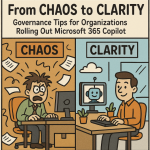 From Chaos to Clarity Governance Tips for Organizations Rolling Out Microsoft 365 Copilot
  Governance for Generative AI: Enforcing Data Loss Prevention (DLP) with Microsoft 365 Copilot