
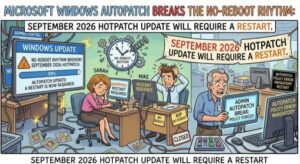
Microsoft is preparing Windows administrators for an important change to the normal hotpatch experience in September 2026: devices enrolled in Windows Autopatch hotpatching will need to restart after installing the September security update.
For organizations that have adopted Windows 11 or Windows Server hotpatching to reduce disruptive reboots, the announcement is worth paying attention to. However, Microsoft says this is not a change to hotpatch enrollment, configuration, or eligibility. Instead, the September release will be delivered as a standard security update because some of the security improvements affect Windows components that cannot be updated while the operating system is running.
In other words, administrators should expect a restart in September, but they do not need to change their hotpatch configuration.
The distinction is important because one of the biggest advantages of Windows hotpatching is the ability to install certain security updates without restarting the device. That approach can reduce interruptions for employees and help organizations maintain systems more continuously. But hotpatching has technical boundaries, and Microsoft’s September 2026 update falls into one of the situations where a reboot is necessary.
Why will September’s update require a restart?
Microsoft’s explanation is relatively straightforward.
The September 2026 Windows security update will be released as a standard update rather than a hotpatch update. Some of the security improvements included in the release modify Windows components that cannot be updated without restarting the operating system.
As a result, even devices that are currently enrolled in hotpatching will need to reboot to finish installing the update.
This does not mean that hotpatching has been disabled or that organizations have been removed from the program. The affected devices will remain enrolled in hotpatch updates, and Microsoft is not asking administrators to make changes to their enrollment or configuration.
The September release should therefore be viewed as a planned exception within the hotpatch update cycle rather than a change in Microsoft’s overall hotpatch strategy.
What organizations should expect
For IT departments managing fleets of Windows devices, the practical impact is mainly around scheduling and communication.
Devices that use Windows Autopatch with hotpatch enabled will receive the September 2026 security update as a standard update. Once the update is installed, a restart will be required to complete the process.
That means organizations should not assume that every hotpatch-enabled device can continue operating without interruption throughout September’s patching cycle.
Administrators should review their existing restart policies and maintenance windows ahead of the release. If devices are configured to restart automatically, IT teams should make sure those policies align with business requirements. If users are normally prompted to restart, employees should also understand why the prompt is appearing despite their devices being enrolled in hotpatching.
A short communication to employees could prevent unnecessary confusion.
For example, users who have become accustomed to security updates being installed without a reboot may wonder why their computer suddenly needs to restart. Explaining that September is a planned standard-update month can help reduce support tickets and prevent users from repeatedly postponing the restart.
Hotpatch enrollment will not change
One of the most important points in Microsoft’s announcement is that there is no change to hotpatch enrollment.
Organizations do not need to remove devices from hotpatching, enroll them again, or modify their existing configuration because of the September update.
After this standard update, the hotpatch schedule is expected to continue.
Microsoft’s current schedule identifies September 2026 as a standard update month requiring a restart. October 2026 is planned as another baseline update month, which will also require a restart. The next hotpatch update is expected in November 2026.
This schedule gives administrators a useful planning window. Rather than treating the September reboot as evidence that something has gone wrong with Windows Autopatch, IT teams can incorporate the expected restart into their normal patch-management calendar.
Who is affected?
The announcement primarily affects organizations using Windows Autopatch with hotpatch-enabled devices.
That includes users and administrators working with supported Windows 11 and Windows Server environments where hotpatching is enabled.
There is also an important comparison to make: devices that are not using hotpatching are not experiencing a new requirement. Standard Windows security updates already commonly require a restart, so the September release does not represent a significant change for those systems.
The difference is mainly noticeable for organizations that have been relying on hotpatching to minimize or avoid reboot requirements.
What should IT administrators do?
Microsoft says no action is required, but there are several sensible operational steps administrators can take.
First, organizations should inform affected users that a restart will be required after installation of the September security update. This is especially important for companies where users are accustomed to hotpatch updates being applied without interruption.
Second, IT teams should review maintenance windows and restart policies. A forced or poorly timed restart can create operational disruption if it occurs during a critical business process, meeting, production task, or customer-facing activity.
Third, administrators should continue monitoring update deployment and compliance using their existing management tools. There is no need to introduce a separate compliance process simply because the September update requires a restart.
Finally, organizations should keep an eye on Microsoft’s Windows release health information and hotpatch calendars for future changes to the update cycle.
What about compliance?
The good news for compliance teams is that Microsoft does not identify any special compliance action associated with this change.
Update installation and restart activity will continue to appear in the usual update history and compliance reporting processes.
This means organizations should be able to continue using their established reporting and monitoring procedures. The main operational difference is that a reboot needs to occur for the September security update to be fully completed.
For regulated organizations or businesses with strict patch-management requirements, it is still sensible to verify that restart policies allow devices to reach the required post-update state within the organization’s normal compliance window.
A reminder that hotpatching has limits
The September 2026 situation also highlights an important reality about hotpatching: hotpatching does not mean that Windows devices will never need to restart.
Instead, hotpatching is designed to reduce the number of updates that require reboots. Certain updates can be applied to running systems, while other changes—particularly those involving components that cannot safely be modified while Windows is running—still require a restart.
For IT leaders, that distinction is important when setting expectations around modern Windows patch management.
Hotpatching can significantly reduce disruption, but organizations should still maintain restart policies and maintenance windows. Eliminating reboot planning altogether could leave administrators unprepared when a baseline or standard update arrives.
September should be treated as a planning exercise, not a problem
The September 2026 Windows security update should not require organizations to rethink their Windows Autopatch strategy.
Instead, it is an opportunity to make sure users, IT teams, and operational policies are prepared for a temporary return to the traditional update-and-restart process.
The key points are simple: September’s update will be a standard update, hotpatch-enabled devices will require a restart, and hotpatch enrollment will remain unchanged.
October is then planned as another baseline update month with a restart, while November is expected to bring the next hotpatch update.
For administrators, the best approach is therefore to communicate early, review restart policies, monitor deployment and compliance, and continue following Microsoft’s hotpatch calendar.
The bigger picture remains unchanged: hotpatching is still part of Microsoft’s strategy for reducing disruption from Windows security updates. September’s required reboot is a scheduled characteristic of the update cycle—not an indication that an organization has lost hotpatch capability.
For businesses managing hundreds or thousands of Windows endpoints, that distinction could make the difference between a routine maintenance event and an unnecessary wave of help-desk questions.
Extra posts:
 Windows August 2026 Security Update Is Here: What You Need to Know Before You Restart
  Microsoft Teams Mobile Calendar to Require Latest App Update by October 2026: Microsoft Announces Critical Change for iOS and Android Users
  Microsoft Defender for Endpoint Android Update Required: What Organizations Need to Know Before September 2026
  Can I Rollback a Windows 11 Update? A Complete Guide to Reverting Windows Updates Safely
  Copilot Chat Breaks Free in Outlook: Microsoft Brings a Floating AI Window to Mac and iPad
  Microsoft 365 Apps August 2026 Update Is Rolling Out — Outlook MailTips Issue Fixed